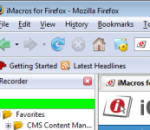
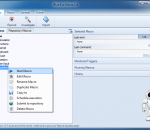
If you love the Firefox web browser, but are tired of repetitive tasks like visiting the same sites every days, filling out forms, and remembering passwords, then iMacros for Firefox is the solution you’ve been dreaming of! iMacros was designed to automate the most repetitious tasks on the web.***Whatever you do with Firefox, iMacros can automate it.*** Here are just a few examples of how you can use iMacros to automate your web browser and record and replay repetitious work. (1) Form Filler & Password Manager iMacros is the only form filler that can autofill web forms that stretch over several pages. (2) Automated Download & Upload iMacros can automate the download and upload of images, files, or entire pages (with or without images). iMacros includes a user agent switcher, PDF download and Flash, and ad- and image-blocking functions. (3) Data Extraction, Web Scraping/Mining & Enterprise Data Mash-Ups iMacros automatically reads data from a website and exports it to CSV files – the exact opposite of filling out forms. You can use this feature to download stock quotes, gather and compare web store prices, and more. (4) Web Testing Web professionals can use iMacros for functional, performance, and regression testing of web applications. (5) Social Scripting (Social Bookmarking) Instead of telling your site visitors how to fill out a form, let iMacros do it for them. All the information is stored inside the link as a text string, with nothing stored on our servers. iMacros is extremely versatile and can be combined with other extensions such as Greasemonkey, Web Developer, Firebug, Download Statusbar, NoScript, eBay Companion, Tab Effect, Fasterfox, SwitchProxy, Foxyproxy, Torbutton, Flashblock, VideoDownloader, DownThemAll, MinimizeToTray, FireFTP, Screengrab, RSS and Atom feed reader, and Adblock. iMacros for Firefox is free for personal and commercial use. Download the add-on today to start simplifying your Web tasks.
ZbotKiller is a useful application that will enable you to protect your PC and the personal information stored in it from Trojan-Spy.Win32.Zbot viruses. Programs of Trojan-Spy.Win32.Zbot family usually penetrate your computer when you visit infected Internet pages. However each cyber-criminal finds his own way how to use this malware and how to make it penetrate your computer.
An evil mastermind and his crazy pirate army emerge from the darkness and threaten to destroy the whole universe! You are the only one standing between them and the total annihilation. Go for a ride with this insane side scrolling space shooter with more than 40 levels, dozen of awesome spaceships to choose from, and over 70 over the top weapons to equip in the war against lunatic evil overlord! FEATURES 43 levels full of destructible buildings, bridges, trees and other constructions. Loads of environments - deeps space, lava planet, underwater levels, jungle, etc. More than 270 types of enemies + 16 bosses. 70 different weapons! 12 highly customizable spaceships! Over one hour of a hard rocking soundtrack from your favorite swedish band!
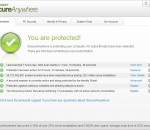
Webroot SecureAnywhere AntiVirus uses a radically new cloud-based approach to online security that protects you against the latest threats as soon as they emerge. And it does so at blazing fast speeds, scanning your entire PC in about 2 minutes. (After the initial scan of your PC, full system scans will typically take two minutes or less.) With Webroot's first-of-its-kind security portal, you can set your protection settings once and they'll automatically be updated for all of your registered PCs. Versatile and effective, Webroot SecureAnywhere AntiVirus can be a standalone security solution or an extra layer of defense against threats. Advanced Threat Protection * Blocks viruses, Trojans, spyware, rootkits, and other malware threats * Scans your entire PC in about two minutes* * Stops unknown threats based on suspicious behavior * Continually updates itself so it's always current and you don't have to download updates * Prevents malicious programs from changing your security settings * Runs scans automatically or schedules them to run whenever you want
WinRAR is an archiving utility that completely supports RAR and ZIP archives and is able to unpack CAB, ARJ, LZH, TAR, GZ, ACE, UUE, BZ2, JAR, ISO, 7Z, Z archives. It consistently makes smaller archives than the competition, saving disk space and transmission costs. WinRAR offers a graphic interactive interface utilizing mouse and menus as well as the command line interface. WinRAR is easier to use than many other archivers with the inclusion of a special "Wizard" mode which allows instant access to the basic archiving functions through a simple question and answer procedure. WinRAR offers you the benefit of industry strength archive encryption using AES (Advanced Encryption Standard) with a key of 128 bits. It supports files and archives up to 8,589 billion gigabytes in size. It also offers the ability to create selfextracting and multivolume archives. With recovery record and recovery volumes, you can reconstruct even physically damaged archives.
GOM Media Player is freeware video playback software developed by the South Korean company, Gretech Corp. Designed with both power and simplicity in mind, GOM Media Player is an ideal video player for both beginners and experts alike. Aside from being the most widely used video player in South Korea, the non-Korean versions of GOM Media Player enjoy a monthly worldwide user base of over 43 million in over 200 countries, making it one of the world’s most popular video players. GOM Media Player includes built-in support for all the most popular video formats (MP4, AVI, WMV, MKV, MOV, FLV, etc), loads of advanced features (screen capture, audio capture, video playback speed control, and more), and the Codec Finder service that helps you locate missing codecs for formats that aren’t supported by default. You can even watch broken and incomplete AVI files with GOM Media Player. Download GOM Media Player for free and find out why it’s the only media player you need!
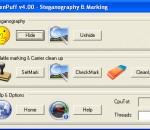
Professional Steganography & Watermarking SW - Image/Audio/Video/Adobe/Flash support - homepage [Home & Help]
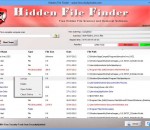
Free Hidden File Scanner and Removal Software
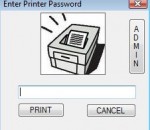
Password Protect your Printer. Save Paper and Ink! Easy and Fast Install. Make sure important data does not get printed. Great for business, school and home environments.
Blue Eye Macro is the easiest way, to create simple basic macros, or even advanced bots, for any game or application. Featuring online video tutorials, as well as a forum to ask for help, or perhaps share your own work - so you can keep moving forward, along with the rest of the community.
Firebug integrates with Firefox to put a wealth of development tools at your fingertips while you browse. You can edit, debug, and monitor CSS, HTML, and JavaScript live in any web page.
GOM Media Player The only media player you need - for FREE! Not only is GOM Media Player a completely FREE video player, with its built-in support for all the most popular video and Media Player formats, tons of advanced features, extreme customizability, and the Codec Finder service, GOM Media Player is sure to fulfill all of your playback needs. With millions of users in hundreds of countries, GOM Media Player is one of the world`s most popular video players. Whats New : Added "Touch Setting" feature for touch screen devices. Added "Search box" feature on playlist. (Ctrl+F) Supported "HTTPS URL" for youtube or net radio playback. (Ctrl+U) Added "Music Tap" on preferences related to play music files. Improved performance related to "speed of add & delete" of files on playlist. Other miscellaneous corrections, fixes, and changes
Iperius Backup is one of the best free backup software, also released in commercial editions for those who need advanced backup features for their companies. The freeware version of Iperius Backup allows you to backup to any mass storage device, such as NAS, external USB hard drives, RDX drives, and networked computers. It has comprehensive scheduling and e-mail sending functions. It supports zip compression with no size limit, incremental backup, network authentication and the execution of external scripts and programs.
Maryfi is a free and easy to use software router for Windows 7, 8 , and 8.1 computers. With Maryfi, users can wirelessly share any Internet connection such as: a cable modem, a cellular card, or even another Wi-Fi network. Other Wi-Fi enabled devices including laptops, smart phones, music players, and gaming systems can see and join your Maryfi hotspot just like any other Wi-Fi access point and are kept safe and secure by password-protected WPA2 Encryption.