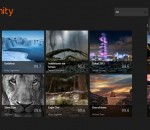
Picfinity brings 500px to Windows 8.It allows you to browse through all the photos on 500px.Log in using your 500px credentials and enjoy a personalized experience on Picfinity,
free watch tv online from world,Watch all Movies and TV shows online for Free. Free live tv online streaming. Internet Videos and online movies of The best internet TV
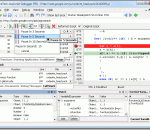
SplineTech JavaScript Debugger PRO is the independent standalone award-winning JavaScript Debugger and editor that enables you to easily edit and debug JavaScript and VBScript inside HTML and DHTML pages. Client-Side JavaScript, JScript and VBScript debugging languages are fully supported for simple and complex HTML, DHTML and AJAX debugging scenarios.
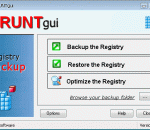
Portable ERUNTgui is the portable version of ERUNTgui developed to be able to run from a USB flash drive or any other portable device. ERUNTgui is a graphic user interface for the popular registry backup and restore program "ERUNT" created by Lars Hederer.
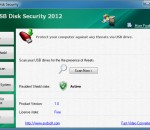
The Free USB Disk Security application will provide protection against any malicious programs trying to attack via USB drive. Compare Free USB Disk Security against other antivirus solutions, you will find out its highlights: Free USB Disk Security provides 100% protection against any threats via USB drive Free USB Disk Security is the best antivirus software to permanently protect offline computer without the need for signature updates, but other antivirus software should update signature database regularly, and they cannot effectively protect offline computer. This light and easy to use solution is 100% compatible with all software and doesn't slow down your computer at all. you can free download Free USB Disk Security now.
Imagia is a non-destructive photo editor. No changes are made to the original photo, no matter what you do with it. This means that you are free to experiment. It means your creativity is not limited by fear of doing something wrong. Imagia has consistent user interface. It always runs fullscreen and the settings are always in the same place. Once you learn it, you will never feel lost. Keyboard use in Imagia introduces new original ideas. Learning Imagia is a pleasure. It is pure fun to see how fast this program runs, how your image within seconds turns into masterpiece and few seconds later you find a setting that makes it even better. There are dozens of settings to change at your fingertips. Not hidden in menus and modal dialogs but just on the left in the main window. If your photo needs straightening or cropping - use Imagia to do it. Global adjustment is a start. Imagia allows user to use brush to change photos locally. Lighten some parts of an image and darken the others, sharpen the eyes and smoothen the skin... Color, black and white, lomo, selective color, dualtoning... There are over 40 settings templates ready after you install Imagia. Each template represents different style. Users can save their own templates and share them online easily. Pick new templates from the gallery on OproLab's web page and download them free. If you use RAW format when you shot your photos you can't pick any image editor. Most of them does not open RAW formats. Imagia has no limits in this matter. Thanks to dcraw developed by Dave Coffin it can open almost any Raw file. When a new camera appears on the market dcraw usualy is first that can open its files. dcrawFront added to Imagia makes using dcraw more intuitive. Edited photos can be easily uploaded to Facebook, Google and Skydrive. Mind you that those photos will have small, discreet IMAGIA watermark on it to encourage you and a your friends to buy full version of IMAGIA. Because of its accurate and fast color matching capability, Mosaizer Pro is used by enthusiasts and professionals all over the world. FEATURES: · Overlays - bitmaps on top of each cell of the photo mosaic to create depth · 32Bit bitmap masks - combine the bitmap overlay and its alpha mask · 3D effects - like shadow, buttons, windows and splat! · A very accurate color matching engine (benchmark quality) · Multiple-language support · Cropping: only render what you want · Multiple file formats: bmp, jpg (jpeg), png, ico, gif, wmf and emf · The Genuine Paintbrush - to literally paint with pictures · Create picture libraries · Use of textures to create additional 3D effects · Edit functionality - to edit parts of the result by search/replace · Single cell mosaizing - to paint a picture by repeatedly using its own bitmap · Pre-processing - make sure the best picture library is used · Post-processing filters (color blending, color correction, tile edit) · Cell colorizing - to better match with the source colours
FoxyTunes is a powerful browser add-on. Control the music playing in your favorite media player as you surf the web. No more switching back and forth between iTunes and your browser. FoxyTunes - Do you listen to Music while surfing the Web? Now you can control your favorite media player without ever leaving the browser and more... Features: * Tiny, unobtrusive and customizable * Multiplatform - works on MS Windows, Linux and Mac OS X * Supports more than 30 media players, will support more players in future versions * Also supports Mozilla Thunderbird, SeaMonkey and Flock * Position anywhere in the browser - on the status bar or on one of the toolbars * Volume controls * Seek Slider * Configurable keyboard shortcuts * Currently playing track information * Customizable and collapsible * Auto-hide * Skinnable and localizable. * Automatically launch your player when needed * Pop up and hide the player window with a click * Correctly shows track information encoded in any language, supports Unicode * Alarm Clock and Sleep Timer * No third-party controller applications and plugins - everything is done efficiently by the FoxyTunes extension Advanced features * Built-in Signatunes - music signatures for email, blog and forums * Automatically finds and displays album covers * Music Web searches - lyrics, images, info, video and much more * FoxyTunes Mini desktop widget with its own tabbed mini browser * Shows recently played song history * Stream podcasts directly from the Web to your media player * Subscribe to podcasts (only with supporting players) * Stream media files (mp3's, m3u's etc.) directly from the Web to your media player * Optional extra - TwittyTunes - post your currently playing songs to Twitter with a click Supported Players The following players are currently supported by FoxyTunes: Windows * iTunes * Winamp * Winamp 3 * AOL Radio featuring XM [supported by installing Winamp 5.1] * Foobar2000 [see note] * Windows Media Player * Windows Media Player 8 [see note] * Yahoo! Music Jukebox * RealPlayer * Musicmatch Jukebox * Apollo * Sonique * Quintessential Player (QCD) * J. River Media Center * jetAudio * musikCube * XMPlay * TTPlayer * Aimp2 * The KMPlayer * Spotify * Zune * MediaMonkey * wxMusik * CoolPlayer [see note] * dBpowerAMP Audio Player [see note] * 1by1 Player [see note] * Zinf [see note] * UltraPlayer [see note] Linux * XMMS * Beep Media Player [see note] * Noatun * Juk * Amarok * Music Player Daemo * Rhythmbox MacOS X * iTunes Cross Platform * Deezer * Blip.fm * Songbird * YouTube * Last.fm Player * Pandora * Rhapsody Online * XBox Media Center
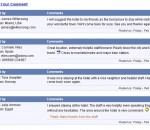
If you need a blog on your web pages, you're on the right place. Simple Blog PHP script is easy to put on your website. Visitors to your website can read your posts and leave comments. Any publication of a new comment is spam protected by captcha image. Administrator has his own password protected page. Features: any language support; easy css setup; one step installation; text editor; search option; list with banned words; prevention of HTML injections; Blog RSS Feed
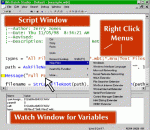
WinBatch is a scripting language for Windows 2008, Vista, 2003, XP, and W2K. Macros can be run from icons, hotkeys, or other software macros to automate all aspects of PC operation. WinBatch has a simple BASIC-like syntax with modules to manipulate software, networking, internetworking, and communications
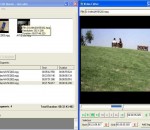
Free video editor of any AVI (Divx, Xvid..etc) and MPEG video files without re-encoding, fast and with no quality loss. Video Edit Master is a free video editor including these features: - Cutting and joining video files that have the same encoding, resolution and frame rate easily and fast without re-encoding. - Removing commercials from video files very fast. - Capturing video frames as images. - Easy to use user friendly GUI. - Final video will have the same quality of the original files.
Building websites is all about standards. Not just the official ones, but also "tribal knowledge" that isn't part of any official standards. CheckSite is a tool that looks for potential problems in websites, in the areas of browser compatibility, SEO, and internationalization.
GOM Media Player The only media player you need - for FREE! Not only is GOM Media Player a completely FREE video player, with its built-in support for all the most popular video and Media Player formats, tons of advanced features, extreme customizability, and the Codec Finder service, GOM Media Player is sure to fulfill all of your playback needs. With millions of users in hundreds of countries, GOM Media Player is one of the world`s most popular video players. Whats New : Added "Touch Setting" feature for touch screen devices. Added "Search box" feature on playlist. (Ctrl+F) Supported "HTTPS URL" for youtube or net radio playback. (Ctrl+U) Added "Music Tap" on preferences related to play music files. Improved performance related to "speed of add & delete" of files on playlist. Other miscellaneous corrections, fixes, and changes
Iperius Backup is one of the best free backup software, also released in commercial editions for those who need advanced backup features for their companies. The freeware version of Iperius Backup allows you to backup to any mass storage device, such as NAS, external USB hard drives, RDX drives, and networked computers. It has comprehensive scheduling and e-mail sending functions. It supports zip compression with no size limit, incremental backup, network authentication and the execution of external scripts and programs.
Maryfi is a free and easy to use software router for Windows 7, 8 , and 8.1 computers. With Maryfi, users can wirelessly share any Internet connection such as: a cable modem, a cellular card, or even another Wi-Fi network. Other Wi-Fi enabled devices including laptops, smart phones, music players, and gaming systems can see and join your Maryfi hotspot just like any other Wi-Fi access point and are kept safe and secure by password-protected WPA2 Encryption.