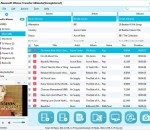
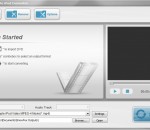
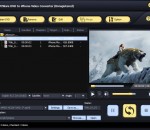
AVCWare DVD to iPhone Video Converter serves as a DVD to iPhone video and audio converter to rip DVD to iPhone video MPEG-4, MP4 and iPhone music MP3, WAV, M4A, which makes it easier to put DVD movies on iPhone with great quality and super fast speed. Adjustable options are at hand such as: Adjust video and audio properties to convert, split a large file into several parts, trim and convert DVD segments and customize output file size.
Tipard Screen Capture Pro consists of Screen Capture, PPT to Video Converter, Video Converter, DVD Creator, and Blu-ray Creator. It is the best all-in-one video tool for you to record on-screen activities, convert video, create/burn DVD/Blu-ray Disc and convert PowerPoint presentation to video or DVD.
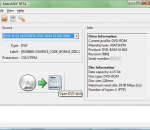
MakeMKV is a small but effective application that facilitates video conversion from DVD movies and other file types to the MKV format. It does not integrate too many settings, so it can be used even by less experienced individuals. It converts the video clips from proprietary (and usually encrypted) disc into a set of MKV files, preserving most information but not changing it in any way.
If you've ever wanted to watch your video library on your iPhone or iPod Touch, but you can't be bothered to convert files or transfer them to your device, your lazy butt is in luck. A new app called Air Video lets you stream video from your computer to your iPhone -- no fussing with iTunes required! It even works over 3G, after a little bit of extra configuration.
123 Copy DVD Platinum is your ultimate digital media studio solution, fully loaded with all the features you need to preserve and share your entire media collection. It allows you to create copies and burn your own DVDs and Blu-rays to help preserve your media library. And making your digital media collection mobile is simple with 123 Copy DVD Platinum, as it supports all major mobile devices and smartphones.
MediaInfo supplies technical and tag information about a video or audio file. It is free software (free of charge and free access to source code: GPL or LGPL licence)
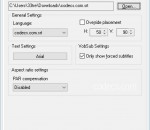
DirectVobSub is a very popular and useful filter that will enable you to view your movies with subtitles. This DirectShow subtitle filter integrates automatically with any directshow player like the Media Player Classic, Zoom Player. It can also be used as a plugin for AviSynth and Virtualdub (use the VSFilter.dll).
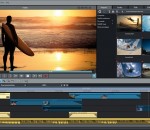
With a simple, easy-to-master interface, powerful 64-bit performance, and high res results, ACDSee Video Studio 3 provides value-based video editing without the learning curve. Now featuring higher quality screen recording, support for still images, 3x faster recording save times, 4K rendering, a variety of creative filters, audio effects, flexible tracks that you can layer and blend, and much more
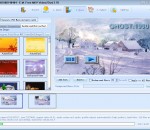
Easy to convert video file like AVI, MPG, WMV, MKV, MOV, MP4, 3GP, RMVB to picture files like JPG, GIF, BMP, TGA, TIF, PCX, Ico, etc. You can also capture single picture from video. This process just need 3 steps: Load video > Select the output period > Run
Auto Convert and Burn MKV, Blu-ray TS, M2TS, AVCHD M2T, HDV1080i, Divx, Rm, Wmv, Avi to DVD Video Disc directly. Support Importing Any HD Video Formats Now! E.M. Free MKV Video2Dvd (MKV to DVD) is an easy-to-use disc authoring and burning software which includes a powerful video converter engine for DVD that lets you do more with your standard or High-Definition digital media.
Batch crop the end off video or audio files, remove off last seconds/minutes of wmv avi mov mkv mp3 and other formats, leaving the rest intact. Usage: 1. Rename the video or audio to start with number-minute|second|ms, such as 5-second-name.mp4 2. Drag and drop files to 'Easiest Free Video End Cropper for Windows' 3. The Result will be saved as 'cropped-end-5-second-name.mp4'
GOM Media Player The only media player you need - for FREE! Not only is GOM Media Player a completely FREE video player, with its built-in support for all the most popular video and Media Player formats, tons of advanced features, extreme customizability, and the Codec Finder service, GOM Media Player is sure to fulfill all of your playback needs. With millions of users in hundreds of countries, GOM Media Player is one of the world`s most popular video players. Whats New : Added "Touch Setting" feature for touch screen devices. Added "Search box" feature on playlist. (Ctrl+F) Supported "HTTPS URL" for youtube or net radio playback. (Ctrl+U) Added "Music Tap" on preferences related to play music files. Improved performance related to "speed of add & delete" of files on playlist. Other miscellaneous corrections, fixes, and changes
RealPlayer has always enabled you to play RealAudio (*.ra) and RealMedia (*.ram) files. Download videos from thousands of Web sites with just one click Build your own video library and playlists Play all major audio and video formats Flash Video support DVD, SVCD, VCD burning and video recording RealPlayer for personal use includes audio CD burning capabilities, DVR-style playback buffering, multimedia search, Internet radio, a jukebox-style file library, an embedded web browser (using Microsoft Internet Explorer), and the ability to transfer media to a number of portable devices, including Apple's iPod, MP3 players, and Windows Media devices.
GOM is a FREE media player with popular audio & video codecs built-in. Codec Finder GOM Player includes many codecs (XviD, DivX, FLV1, AC3, OGG, MP4, H263 and more) so you won't need to install separate codecs for most videos. For those videos that require a separate codec, GOM Player will find one. Play Broken AVI Files (Patented) GOM Player's patented technology enables users to view files with broken indexes or that are still being downloaded. Powerful Subtitle Support GOM Player supports SMI, SRT, RT, SUB(with IDX) files for subtitle. You can even synchronize subtitle and video if there's any mismatch. Convenient Playlist If you run a video file and there is already a file with a similar name in the directory, it will be automatically added to your playlist. GOM Player has a similar playlist format as M3U, PLS, ASX. Support Different Media Types Along with different media format such as AVI, MPG, MPEG and DAT, GOM Player also supports streaming Windows media format (WMV, ASF, ASX). You can also watch DVD-quality videos with 5.1 channel audio output.