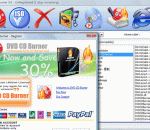
DVD CD Burner is an easy-to-use and powerful dvd cd burner to burn MP3, DATA, ISO, AUDIOS, VIDEOS, and IMAGES to high-quality CDs or DVDs . You can create and burn ISO image file. It can support Long File Name File System, It can supports CD-R, CD-RW, DVD-R, DVD-RW, DVD-RAM, DVD+R, DVD+RW and DVD+R DL. You can Write on Rewritable CDs/DVDs, You can make backup system, software and data easily. . You can free life time updates.homepage
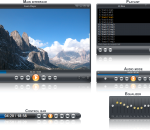
Zoom Player is a Powerful, Flexible and Highly Customizable Media Player and Media Center software for the Windows PC platform. Using our Smart Play technology, more media formats play with less hassle, improved stability and greater performance. Zoom Player's fullscreen navigation interface is based on a simple 5-Key system (up/down/left/right/select). The 5-key system gives you easy access and navigation to such interfaces as Media Library, File Browsing, Playlist, Color Control, Audio Equalizer, Bookmarks, Play History and many more. The system's simplicity makes it ideal for users with no previous computer experience. With Zoom Player, you can instantly Convert any PC into a Home Entertainment Center or Home Theater PC (HTPC/Media Center) with no requirement for specialized hardware or operating system (Zoom Player runs on every version of Windows). Utilizing Zoom Player's modular design and flexibility, you can easily design a safe viewing environment, limiting or extending functionality, making it ideal for both children and to the consummate professional. Zoom Player is fully scalable, supporting all the latest media formats and interfaces. New features are incorporated on an ongoing basis with release schedules and feature integration clearly announced on our support Forum and Twitter account.
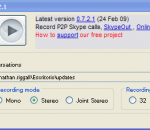
Free Skype Call Recorder. This program is distributed absolutely free and has no functional limitations. It is the program must have for everybody who is using Skype to make business calls, especially if you are a SOHO. Making call could cost nothing to you, but the information and conversation itself could be invaluable for you, your business and your reputation. Recording calls is simple step to be on a safe side. Skype Call Recorder seats in a system tray and automatically starts recording when you making or answering a call. It could record separately simultaneous calls, and correctly recording conferences. Conversations are stored in popular and compact mp3 format. You can easily play, copy or email conversation records. Main features of Skype Call Recorder: - Free and no functional limitations - Automatic recording calls and conferences - Compact and popular audio mp3 format for conversation recordings - Seamless and easy installation and Skype integration - Simple user interface
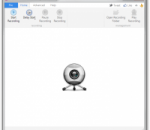
Webcam Recorder provides an easy-to-use user interface. It lets you record webcam and save as video files. With this webcam recording software, you can capture webcam video without any learning curve. The user interface is user-friendly, no talent needed. Try Webcam Recorder Now: homepage
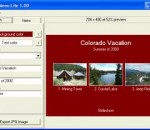
VCD Menu Lite is a free Video CD / DVD menu page generation program for Windows. Add this utility to your video toolkit and quickly produce simple but attractive menus as front-ends for your VCD / DVD movie and slideshow presentations. Pick your colors, type in titles and menu captions, grab the frames from your movie clips, then export to a JPG image. Use an authoring program such as DVDAuthorGUI to convert your menu image into an MPEG still.
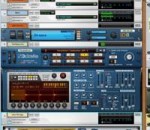
The perfect way into music making. Reason Essentials packs in all the recording, editing, effects, instruments, and mixing tools you need to sound great, with room to grow and expand. Reason Essentials comes with a selection of Reason's instruments and effects in a virtual rack, a streamlined version of its masterfully modeled mixer, and all the recording and sequencing tools you'll need. For guitar players, the built-in virtual guitar and bass PODs from Line 6 bring a wide range of top quality guitar amps, cabinets, and effects.
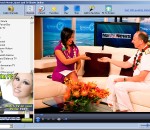
So many benefits come from Free Live TV Streaming it is impossible to name them all here, but we'll try. First, this software program was developed after five years of research in the TV market. It was also delayed a bit while the broadcasting world determined what to do about streaming TV shows. A few years ago there was a big strike with writers regarding online access to TV shows. With this finally cleared up and knowing that the future is Internet TV broadcasters have allowed free streaming of their channels, meaning over 4500 TV channels are now available to you with the right software. The key is turning your computer into a TV. It does take some special software to ensure you have access to all the third party links. Essentially, this is what there is no fee for download. The links from third parties are given to you and you can download TV shows from as early as the 60s to the present. Many channels are also offering current movies, some of which may still be in theaters. It depends on the channel and their rights of access. Speaking of rights of access, you may have heard about legality issues, but do not fret. Free Live TV Streaming is completely legal. Broadcasters have decided to allow you to stream any of the TV shows you wish to like an antenna connection you used to have with local channels. You can do away with your satellite and cable boxes because every show you want is most likely online. There is no longer a need to pay for TV as long as you pay for an Internet connection. You can also stream with a 56K setup, although it is best to have over 1.5 mbps broadband service. Slower speeds often mean starts and stops unless you let the entire program buffer first. If you have a TV with Internet access as so many are coming with this feature today it is possible to download the software into your TV. The software program will provide instant updates to channels when they come out too.
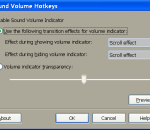
Control sound volume using system-wide hotkeys. Customizable on-screen sound volume indicator will show you the current level.
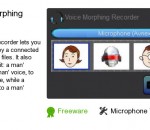
Voice morphing recorder is a free tool for you to easily record microphone to mp3,and user can chang their voice to woman's voice,or to baby's voice, or to robot's voice,etc. Features: 1. Recorder microphone to mp3; 2.Man's voice chang to woman's voice; 3.Woman's voice change to Man's voice; 4.Adult's voice change to baby's voice; 5.Man's voice change to robot's voice;
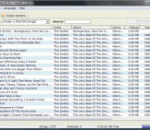
This program will allow you transfer your songs off your iPod to a PC, iDump does come wrapped in installer but you can simply drop the .exe in the root directory on your iPod and run it from there. Connect you iPod and run iDump and you'll have access to all your songs, select the songs you want to transfer then pick a destination directory and how you would like your songs to be named. And then sit back and transfer all the selected songs to the PC. Features: Output formatting This gives you the option to select an output directory and the way the songs will be transferred. Unattended Transfer If you have the pleasure of owning one of the larger iPod's then this option is for you, Simply set the options for this feature and it will deal with common errors like what to do if a song already exist on the destination drive etc. Search This does what most searches do, it searches!. Playlists If you use playlists on your iPod then this gives you the option to select any of the playlists and display the song within the selected list only. Export Playlists This option will export all of your playlists in to the standard .m3u format.
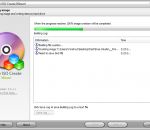
Free ISO Create Wizard helps you create ISO image from files or folders. With Free ISO Create Wizard, you can easily create ISO image from any files and folders (with the subfolders). This is very easy for the novices, yet powerful and efficient for veterans. No matter which type of files, you just need to add them and build ISO. Try it and it sure will be a solid addition to your toolbox. Key Features: Create ISO image from both existing files and folders (with the subfolders); Create ISO file at high speed; Ability to create bootable disc; Support ISO-9660 level 1 & 2 and ISO-9660 + Joliet UNICODE name extension; Buttons to rename files and delete them; A bar at the bottom to keep size within limits; Options summary to review the settings. With Free ISO Create Wizard, you can: Create ISO image for permanent data backup; Build ISO from files and folders for distribution; Make ISO image for burning with Free ISO Burn Wizard; Making bootable discs for burning operating system, a recovery disc and many more.
GOM Media Player The only media player you need - for FREE! Not only is GOM Media Player a completely FREE video player, with its built-in support for all the most popular video and Media Player formats, tons of advanced features, extreme customizability, and the Codec Finder service, GOM Media Player is sure to fulfill all of your playback needs. With millions of users in hundreds of countries, GOM Media Player is one of the world`s most popular video players. Whats New : Added "Touch Setting" feature for touch screen devices. Added "Search box" feature on playlist. (Ctrl+F) Supported "HTTPS URL" for youtube or net radio playback. (Ctrl+U) Added "Music Tap" on preferences related to play music files. Improved performance related to "speed of add & delete" of files on playlist. Other miscellaneous corrections, fixes, and changes
RealPlayer has always enabled you to play RealAudio (*.ra) and RealMedia (*.ram) files. Download videos from thousands of Web sites with just one click Build your own video library and playlists Play all major audio and video formats Flash Video support DVD, SVCD, VCD burning and video recording RealPlayer for personal use includes audio CD burning capabilities, DVR-style playback buffering, multimedia search, Internet radio, a jukebox-style file library, an embedded web browser (using Microsoft Internet Explorer), and the ability to transfer media to a number of portable devices, including Apple's iPod, MP3 players, and Windows Media devices.
GOM is a FREE media player with popular audio & video codecs built-in. Codec Finder GOM Player includes many codecs (XviD, DivX, FLV1, AC3, OGG, MP4, H263 and more) so you won't need to install separate codecs for most videos. For those videos that require a separate codec, GOM Player will find one. Play Broken AVI Files (Patented) GOM Player's patented technology enables users to view files with broken indexes or that are still being downloaded. Powerful Subtitle Support GOM Player supports SMI, SRT, RT, SUB(with IDX) files for subtitle. You can even synchronize subtitle and video if there's any mismatch. Convenient Playlist If you run a video file and there is already a file with a similar name in the directory, it will be automatically added to your playlist. GOM Player has a similar playlist format as M3U, PLS, ASX. Support Different Media Types Along with different media format such as AVI, MPG, MPEG and DAT, GOM Player also supports streaming Windows media format (WMV, ASF, ASX). You can also watch DVD-quality videos with 5.1 channel audio output.