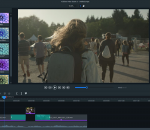
With a simple, easy-to-master interface, powerful 64-bit performance, and high res results, ACDSee Video Studio 3 provides value-based video editing without the learning curve. Now featuring higher quality screen recording, support for still images, 3x faster recording save times, 4K rendering, a variety of creative filters, audio effects, flexible tracks that you can layer and blend, and much more
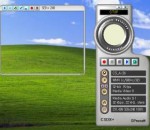
Light Alloy portable - is a compact multimedia player. It supports all popular multimedia formats. It is very easy in use but at the same time has lots of configuration settings. Player is optimized for quick launch and minimum load of the system resources. It has fast video rewind, loads subtitles, can be minimized to tray and controlled with a remote control (WinLIRC), adjusts the brightness/contrast/saturation of the image, makes screenshots.
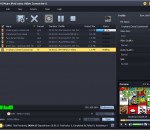
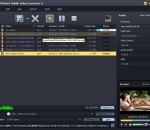
Total Video Converter - Convert all video files to AVCHD,psp,iPod,iPhone,flv,dvd,vcd,PS3,...Total Video Converter is a complete solution for video conversion which supports reading, playing all kinds of video and audio formats and converting them to the popular video formats. Total Video Converter includes a powerful media conversion engine internally so that you can convert media files with very fast speed.
LoadDVD creates a custom toolbar as each DVD profile is selected. The toolbar will have one icon for each disc defined in the profile. The icon drawing process may be too slow for some users' taste, so there is an option to use text that can be set in the LoadDVD options panel (ToolsView PluginsLoadDVDOptions).
VideoSort allows users to take the complex AVCHD file format that is generated by modern camcorders and extract the actual video content into a meaningful file structure. Users can use masks to specify exactly which folders they want the videos to be stored in, and how they want the files to be named.
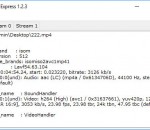
VideoInfo Express is a handy tool to retrieve metadata such as frame rate, resolution, audio and video bitrate, from a video or audio file. This software shows everything about a media file. It also has an extended analysis feature which gives much more information, such as stream infomation.
This is an Interactive Digital Signage software that uses a webcam to control the sequencing of audio and video on one or many displays, this way what is displayed in the screen is relevant with what is going on in front of the screen. You get an easy to setup media display system that can be completely customized for your needs. This software is Useful for advertising, show booths, art presentations, greetings videos, and user interaction.
AVCWare iPod nano Video Converter is an excellent video to iPod nano converting tool, which helps you to easily convert various video files like AVI, MPEG, WMV, DivX, MOV, RM, VOB to iPod nano MP4 vdieo formats, extract iPod nano MP3/M4A/WAV audios from supported video files and convert common audio files to iPod nano audios as well. Besides, more editing tools are offered to let you complete the video to iPod nano conversion in your own way.
AVCWare Mobile Video Converter is an all-in-one 3GP/3GP2/MP4 mobile converter. It can convert all the popular media files to mobile phone compatible video and audio formats, such as MP4, H.264/MPEG-4 (.mp4), AVI, WMV, 3GP and AAC, MP3, M4A, MP2, WAV, etc. With this mobile video converter, you can watch your favorite videos on your mobile phones like iPhone 4, LG, Nokia, Motorola, Samsung, BlackBerry, Google phone, etc.
Capture Solution XE is a decent tool that comes in handy on numerous occasions. Inexperienced users should not have any trouble installing and customizing it, thanks to the intuitive layout, and during testing, it required minimal resources. It is a purchasable application, but there it offers good value for money.
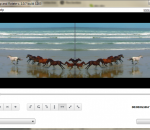
Free Video Flip and Rotate. Rotate or flip video with one mouse click. Very fast and easy. 7 predefined presets: rotate video 90 CW; rotate video 180; rotate video 90 CCW; flip video horizontal; flip video vertical; flip video vertical and rotate 90 CW; flip video vertical and rotate 90 CCW. This free program contains no spyware or adware. It's clearly free and absolutely safe to install and run.
GOM Media Player The only media player you need - for FREE! Not only is GOM Media Player a completely FREE video player, with its built-in support for all the most popular video and Media Player formats, tons of advanced features, extreme customizability, and the Codec Finder service, GOM Media Player is sure to fulfill all of your playback needs. With millions of users in hundreds of countries, GOM Media Player is one of the world`s most popular video players. Whats New : Added "Touch Setting" feature for touch screen devices. Added "Search box" feature on playlist. (Ctrl+F) Supported "HTTPS URL" for youtube or net radio playback. (Ctrl+U) Added "Music Tap" on preferences related to play music files. Improved performance related to "speed of add & delete" of files on playlist. Other miscellaneous corrections, fixes, and changes
RealPlayer has always enabled you to play RealAudio (*.ra) and RealMedia (*.ram) files. Download videos from thousands of Web sites with just one click Build your own video library and playlists Play all major audio and video formats Flash Video support DVD, SVCD, VCD burning and video recording RealPlayer for personal use includes audio CD burning capabilities, DVR-style playback buffering, multimedia search, Internet radio, a jukebox-style file library, an embedded web browser (using Microsoft Internet Explorer), and the ability to transfer media to a number of portable devices, including Apple's iPod, MP3 players, and Windows Media devices.
GOM is a FREE media player with popular audio & video codecs built-in. Codec Finder GOM Player includes many codecs (XviD, DivX, FLV1, AC3, OGG, MP4, H263 and more) so you won't need to install separate codecs for most videos. For those videos that require a separate codec, GOM Player will find one. Play Broken AVI Files (Patented) GOM Player's patented technology enables users to view files with broken indexes or that are still being downloaded. Powerful Subtitle Support GOM Player supports SMI, SRT, RT, SUB(with IDX) files for subtitle. You can even synchronize subtitle and video if there's any mismatch. Convenient Playlist If you run a video file and there is already a file with a similar name in the directory, it will be automatically added to your playlist. GOM Player has a similar playlist format as M3U, PLS, ASX. Support Different Media Types Along with different media format such as AVI, MPG, MPEG and DAT, GOM Player also supports streaming Windows media format (WMV, ASF, ASX). You can also watch DVD-quality videos with 5.1 channel audio output.