Bus Driver is a bus driving game for the PC. In Bus Driver, your job is to transport passengers around an attractive and realistic city. You must drive to a timetable on a planned route, whilst obeying traffic rules, and taking care not to upset or injure your passengers. This makes Bus Driver unlike any other driving game - the experience of driving a bus is very different from blazing through a racing circuit. The game offers twelve different kinds of buses to drive, an expansive city environment with various districts, and thirty routes with varying weather conditions set at differing times of day.
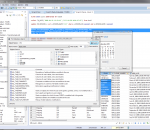
Free Universal Database Manager and SQL Client. Java-based application, supports MySQL, PostgreSQL, Oracle, DB2, MSSQL, Sybase, SQLite, Vertica, Cassandra and any database which has JDBC driver.
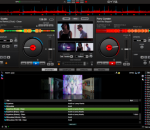
VirtualDJ is the hottest AUDIO and VIDEO mixing software, targeting DJs from the bedroom, mobile, and professional superstars like Carl Cox. With VirtualDJ's breakthrough BeatLock engine, songs will always stay in beat, and the DJ works their mixes incredibly faster than they ever could. The automatic seamless loop engine and synchronized sampler lets the DJ perform astounding remixes live, with no preparation at all. The visual representation and the cues allow a DJ to clearly see the song structure, and never be surprised by a break. The vinyl controls will let you scratch like on a real turntable, except that with the beatlock engine your scratches will never end out of the beat. Add to that the infinite number of cue points a DJ can save for each song and large collection of wonderful automatically beat-synchronized effects. And with VirtualDJ's large collection of skin interfaces to suit everybody from the beginner to the professional DJ, the possibility to record the DJ's mix to then burn to CDs, to broadcasting on the Internet and/or the DJ's own radio station, to use headphones to preview the song, or use an external mixer to perform in a club; VirtualDJ is a DJ's ULTIMATE mix software. Lastly, enter the new era of DJs mixing video enhanced songs (DVD, DivX, MPEG...) which can be sent to monitors, TVs, a projector for display on a giant screen. VirtualDJ brings all that and more to the DJ in the most easy-to-use way and at the most affordable price for the ULTIMATE DJ MIX EXPERIENCE. Basic features: * up to 99 independent zero-latency players with: o Standard controls (play, pause, stop, cue) o Pitch control with Master Tempo (from -100% to +100%) o 3 band equalizer High, Mid, and Low with Kill and +/-30db gain o Independant key control o Resonant filter * One-click beat matching and synchronization (FAME algorithm) * BeatLock engine for keeping songs in-sync and in-time * Dynamic beat-matching visualizer * Automatic beat-matched crossfading * Automatic BPM and KEY calculation * Automatic pitch matching * Automatic audio gain matching * Real scratch simulation * Automatic seamless and beat-aware LOOP functionality * Synchronized sampler with 12 instant record and playback slots * Time-Stretch and Master Tempo Pitch algorithms * Automatic first beat and last beat detection * Automatic 4/4 phase detection * Infinite number of cue points per song saved for instant recall each time the song is loaded * Beat-aware effect plugins (included: beatgrid, flippin doubles, vocal remover, frequency filter, flanger, backspin, brake, etc...) * VST effects compatibility (PC version Only) * Video mix with windowed or FULL SCREEN TV output using 2nd video output * Karaoke CDG+MP3 and/or ZIP support * FreeFrame and custom video effects * Infinite number of video effects applied simultaneously * DJ-specific video transition plugins * Song database engine with easy-to-use search feature * CoverFlow or text-only song browsing * Compatible with iTunes playlists (iTunes DRM files not supported) * MP3 ID3 Tag compatibility * User-defined automatic filter folders * Automatic Hot-Swap of external hard drives * Ready-to-burn recording of a DJs mix to CD * Broadcast on the Internet * CD to MP3 encoder * Multi-channel sound card, dual-sound card or Y-splitter output for real-time monitoring or external mixer use * ASIO soundcard compatibility * CoreAudio soundcard compatibility * Fully customizable skin engine and shortcut macro engine * VDJScript: powerful macro language used in skins, shortcuts, or controller mapping * Compatibility and customizable mapping with most external MIDI and HID controllers (more than 80 included, many more downloadable)
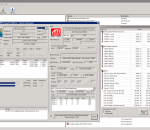
HWiNFO64™ are professional hardware information and diagnostic tools supporting latest components, industry technologies and standards. These tools are designed to collect and present the maximum amount of information possible about computer's hardware which makes them suitable for users searching for driver updates, computer manufacturers, system integrators and technical experts as well.
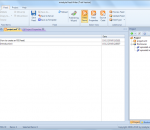
Feed Writer is a professional RSS editor for easy and comfortable creation of RSS feeds. It supports all RSS formats such as RSS 0.91, RSS 0.92, RSS 2.0, Atom and even Podcasts. Feed Writer also offers full UTF-8 compatibility and has a build-in FTP/SFTP-Client as well as feed validation features. Feed Writer also comes with a powerful project management feature that allows to open multiple feeds at once and exchange items between those feeds.
HTTPS Everywhere is a Firefox and Chrome extension that encrypts your communications with many major websites, making your browsing more secure. HTTPS Everywhere is produced as a collaboration between The Tor Project and the Electronic Frontier Foundation. Many sites on the web offer some limited support for encryption over HTTPS, but make it difficult to use. For instance, they may default to unencrypted HTTP, or fill encrypted pages with links that go back to the unencrypted site. The HTTPS Everywhere extension fixes these problems by using a clever technology to rewrite requests to these sites to HTTPS.
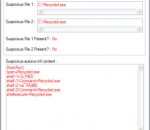
Autorun Eater was born due to the increase of malwares using the 'autorun.inf' method to infect users unknowingly be it from flash drives, removable hard disks or any other removable storage device. When a device is infected with a malware and an 'autorun.inf' file is dropped, the shell menu is normally modified to execute the malware whenever the unsuspecting user accesses the infected drive. Autorun Eater will warn you and remove any suspicious 'autorun.inf' files(based on user decision/settings) so that the malware is not executed while accessing the infected drive. There are also certain cases whereby the malware has been removed by an antivirus but the 'autorun.inf' file remains. This will cause the drive to be inaccessible through the conventional method(double-click). Autorun Eater will also remove it if necessary so that you can access the drive as usual.
Brief Description This tool checks your computer for infection by specific, prevalent malicious software (including Blaster, Sasser, and Mydoom) and helps to remove the infection if it is found. Microsoft will release an updated version of this tool on the second Tuesday of each month. Overview The Microsoft Malicious Software Removal Tool is an anti-malware utility that checks computers running Windows 8, Windows 7, Windows Vista, Windows XP, Windows 2000, Windows Server 2012, Windows Server 2008, and Windows Server 2003 for infections by specific, prevalent malicious software—including Blaster, Sasser, and Mydoom—and helps remove malware and any other infections found. To download the x64 version of Malicious Software Removal Tool, click here. This tool is not a replacement for an anti-virus product. To help protect your computer, you should use an anti-virus product. Microsoft will release an updated version of this tool on the second Tuesday of each month. New versions will be made available through this web page, Windows Update, and the Malicious Software Removal Tool Web site on Microsoft.com. To have the newest versions automatically delivered and installed as soon as they are released, set the Automatic Updates feature to Automatic. The version of this tool delivered by Windows Update runs on your computer once a month, in the background. If an infection is found, the tool will display a status report the next time you start your computer. If you would like to run this tool more than once a month, run the version that is available from this Web page or use the version on the Malicious Software Removal Tool Web site. Please review KB890830 for the list of malicious software that the current version of the tool is capable of removing as well as usage instructions. Also, please be aware that this tool reports anonymous information back to Microsoft in the event that an infection is found or an error is encountered. The above KB article contains information on how to disable this functionality and what specific information is sent to Microsoft. It is strongly recommended that you review KB891716 before you consider deploying this tool in an enterprise environment. The user must be an administrator to run this tool. This tool will not run on any version of Windows 98, Windows ME, or Windows NT 4.0. Note that this download is now a multi-lingual tool. For all supported languages, the same tool will show the correct language depending on the language of the operating system.
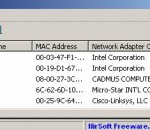
Wireless Network Watcher is a small utility that scans your wireless network and displays the list of all computers and devices that are currently connected to your network. For every computer or device that is connected to your network, the following information is displayed: IP address, MAC address, the company that manufactured the network card, and optionally the computer name. You can also export the connected devices list into html/xml/csv/text file, or copy the list to the clipboard and then paste into Excel or other spreadsheet application. Wireless Network Watcher doesn't require any installation process or additional dll files. In order to start using it, simply extract the executable file (WNetWatcher.exe) from the zip file, and run it. If you want, you can also download WNetWatcher with full install/uninstall support (wnetwatcher_setup.exe), so a shortcut for running WNetWatcher will be automatically added into your start menu. After running WNetWatcher, it automatically locates your wireless adapter, and scans your network. After a few seconds, you should start see the list of computers that are currently connected to your network. If from some reason, WNetWatcher failed to locate and scan your network, you can try to manually choosing the correct network adapter, by pressing F9 (Advanced Options) and choosing the right network adapter.
GoldWave is a professional digital audio editor. It is one of the most popular and highest rated audio editors for Windows. Use it to play, edit, mix, restore, and analyze audio, or apply special effects, such as fade, equalizer, doppler, mechanize, echo, reverse, time warp, noise reduction, pop/click filter. New files can be recorded from cassettes, albums, radio, microphone, etc. or digitally copied from audio CDs. Real-time visuals are displayed during playback and recording. Supports MP3, WAV, WMA, iTunes M4A, OGG, and many more formats and can perform batch conversions and processing. Excellent value with free upgrades. GoldWave has a proven track record with over 15 years in the audio editing software business.
With Silverfrost FTN95: Fortran for Windows you can create console based, conventional Windows® and Microsoft .NET applications. Silverfrost FTN95 is the only compiler that can produce Microsoft .NET applications that can use the full Fortran 95 language. Silverfrost FTN95 also boasts its world leading CHECKMATE run-time checking technology that finds bugs fast!
GOM Media Player The only media player you need - for FREE! Not only is GOM Media Player a completely FREE video player, with its built-in support for all the most popular video and Media Player formats, tons of advanced features, extreme customizability, and the Codec Finder service, GOM Media Player is sure to fulfill all of your playback needs. With millions of users in hundreds of countries, GOM Media Player is one of the world`s most popular video players. Whats New : Added "Touch Setting" feature for touch screen devices. Added "Search box" feature on playlist. (Ctrl+F) Supported "HTTPS URL" for youtube or net radio playback. (Ctrl+U) Added "Music Tap" on preferences related to play music files. Improved performance related to "speed of add & delete" of files on playlist. Other miscellaneous corrections, fixes, and changes
Iperius Backup is one of the best free backup software, also released in commercial editions for those who need advanced backup features for their companies. The freeware version of Iperius Backup allows you to backup to any mass storage device, such as NAS, external USB hard drives, RDX drives, and networked computers. It has comprehensive scheduling and e-mail sending functions. It supports zip compression with no size limit, incremental backup, network authentication and the execution of external scripts and programs.
Maryfi is a free and easy to use software router for Windows 7, 8 , and 8.1 computers. With Maryfi, users can wirelessly share any Internet connection such as: a cable modem, a cellular card, or even another Wi-Fi network. Other Wi-Fi enabled devices including laptops, smart phones, music players, and gaming systems can see and join your Maryfi hotspot just like any other Wi-Fi access point and are kept safe and secure by password-protected WPA2 Encryption.