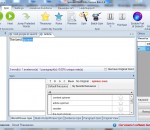
If you write or produce articles you need the best spinner - SpinnerChief. Why Do I Need A software Spinner - let Alone The Best Spinner? If you have written an article, you may want to publish it to your blog or website. Perhaps you want to submit it to online directories to get backlinks and generate traffic? The problem is, the more you publish the same content, the more you are likely to become a victim of duplicate content penalties - not the greatest result. Many directories check for duplicates, and if they can see that your articles have been published elsewhere, then they will reject your submission. Similarly, the search engines don't like to 'see' duplicate content and so very often they will only show one page in the Search Engine Page Results that has the original content - all other pages are omitted. So how do you cope with this problem? You get yourself a spinner, which will help to make your content unique. How Does SpinnerChief - The Best Spinner - Work? Basically you paste your words into SpinnerChief's edit window. Then you tab along to highlight each new word. For every keyword you highlight, SpinnerChief's huge database of alternative words will show you multiple words that you can best use instead of the original one. With a click of the mouse you can add as many alternative meanings as you want to each wordgroup, and when the article is spun, SpinnerChief will randomly insert one of your chosen words. The result when you spin the article is a fresh version that has the same meaning as the original, but using differnt words - which means that your article is not duplicate, and safe from any duplicate content penalties. Now, as you may well know, there is other software that can spin, but all of the currently available apps are below the capabilities of SpinnerChief, which has great features, superior functions and superlative output quality - and yet, it's free! - Definitely the best spinner! SpinnerChief is bristling with not just 1 or 2 func
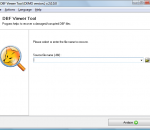
DBF Viewer is a specialized database viewer and data recovery tool intended for all categories of users looking for a way to restore damaged DBF data on their own and without leaving their workplace. The software is extremely compact, can be downloaded and installed in seconds and requires absolutely no recovery experience of any sort, allowing anyone to recover valuable data from a corrupted database in no time.
Time Exposure's ProSelect and ProSelect Pro are the leading cross-platform presentation, sales and workflow software packages for professional portraiture studios. ProSelect may be the easiest piece of software that you will ever use. Most people figure out the basics by just having a short play with it. Although we don't recommend that you do this, some of our users have downloaded the 30 day free trial version of ProSelect and, a few hours later, used it for a client presentation. ProSelect includes most of the functions that you will typically need in one program. You don't have to switch programs to get the job done. A browser, slideshow, ordering system, proofing tool, montage (composite layout) designer, production system and much, much more. See the features list for more information, watch the demo movies and read about what's new in the latest release of ProSelect. ProSelect incorporates powerful presentation and sales tools in a clean, elegant design that your clients will love. Present your images in the best possible way, show your clients the possibilities, how good they will look on their wall and your orders will increase. Many businesses using ProSelect have reported at least a 50% increase in sales. Quite a number of our clients have reported more than doubling their average sales!
Capture One Pro is a raw converter and workflow software which enables photographers to reduce the time and effort required to deliver stunning ready-to-use images with excellent color and detail. Capture One is designed to create the best image quality in the market and holds a series of easy-to-use tools created to match the professional photographer’s daily workflow. Accelerate and Organize Your Workflow Tethered Capture Capture One PRO lets you shoot tethered with your Phase One digital back, selected Mamiya digital backs, and with Canon or Nikon DSLRs, which means that you are capturing images directly into your computer without any interim storage. Tethered Capture allows you to check the exposure using the exposure evaluation histogram and meter and to use composition mode to prepare for a tethered session without using up space on your hard drive. Live Preview Enhanced Speed up image composition, lighting, and focusing with Live Preview. Makes it possible for the photographer, art director, client, and others to easily view an image on a computer screen at the same time, in real-time. Especially useful with technical cameras. Live Preview is now available for both Mac and Windows and comes with improved performance. Focus Mask New Accelerate your image selection by using the Focus Mask for fast verification of image sharpness and focus. The Focus Mask is applied both to the image(s) in the viewer and to the thumbnails in the image browser. The Focus Mask is perfectly suited for portrait, wedding and fashion shoots. Focus Tool New Get an instant, true view of image sharpness with the Focus tool. Use it as part of your fixed tool tab or drag it out as a floating tool. Workflow Accelerators Enhanced Handle large volume shoots even faster with new and enhanced workflow accelerators. New functionality includes improved session handling and an improved importer, which makes import more simple and intuitive as well as an improved progress indication, which provides a quick visual overview of application tasks. Camera Support Enhanced Capture One supports image files from the most popular DSLRs from Canon, Epson, Fuji, Konica Minolta, Leica, Nikon, Olympus, Pentax and Sony, as well as Phase One digital backs and selected Leaf and Mamiya digital backs. Workspaces, Tools and Tool Tabs Enhanced Customize your Workspace, Tools and Tool Tabs to make your personal workflow more efficient. Included in Capture One is a selection of best practice default workspaces. Viewer Margin and Proof Margin New Improve evaluation of image composition and colors by setting a viewer margin (and proof margin). Library The Library tool allows access to the images within the Albums you have created as well as to any image collections you have stored in folders on a computer or networked resource. You can easily browse through the image collections thanks to the hierarchical tree structure of the library, and it is possible to start work on images in your folders without importing them first. Importer The Import window offers a range of options to make importing a quick and straightforward task. Sessions Use Sessions to organize your captures. When working on client projects, as many professional photographers do, it is natural to store the files you are creating as a complete project, instead of storing as separate files -- especially when your work will often consist of RAW files, setting files, library files and output files. When saving a session you will also automatically create a session file. This file will re-open the session and provides you with an easy way to access your projects. Adjustments Clipboard Use the Adjustments Clipboard to copy setting from one image and apply them to a group of images. The clipboard enables you to apply either all adjustments to a selected group of images or only to apply a subset of the changes.
The Microsoft Safety Scanner x64 is a free downloadable security tool that provides on-demand scanning and helps remove viruses, spyware, and other malicious software. It works with your existing antivirus software. The Microsoft Safety Scanner x64, expires 10 days after being downloaded. To rerun a scan with the latest anti-malware definitions, download and run the Microsoft Safety Scanner x64 again. If MSS detects Malware or if an error occurs when MSS is running, a report is sent to Microsoft that contains basic information about the Malware or about the error. The reports sent to Microsoft include technical information about MSS, Malware found, and your computer, such as, MSS version number, file names, cryptographic hash, size, date stamp, and other characteristics of any Malware removed from the computer, the success or failure of Malware removal, the computer’s manufacturer, model and processor architecture, etc.
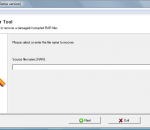
RAR Viewer Tool is an all-in-one solution for viewing broken RAR archives and extracting files from them. The advanced engine of the program offers superior recovery efficiency that far exceeds that of its nearest competitors and makes recovery possible even in the most serious cases of RAR file corruption. The software supports all versions of the RAR format and flawlessly handles recovery from files compressed with various compression ratios.
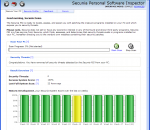
The Secunia PSI is not a replacement for other security measures such as anti-virus or personal firewalls, the Secunia PSI is a great supplement to other security measures such as anti-virus and personal firewalls as it helps preventing exploitation of often overlooked exposures.
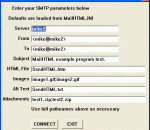
MarshallSoft SMTP/POP3/IMAP Delphi email component library (SEE4D) to send, receive and parse mail including HTML and MIME Base64 and quoted-printable encoded attachments. Supports SMTP and POP3 authentication and email servers requiring SSL/TLS. Supports ISO-8859 and UTF-8 messages. Dozens of switches that control how email is sent and received. Use with any language that can call the Windows API. Supports 64-bit & 32-bit Delphi. Royalty free.
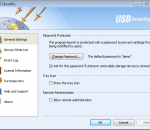
Using USB Security, network administrators can place an essential extra safeguard over their computers and networks. USB Security allows you to block off access to potentially harmful USB devices while white-listing other devices such as USB printers and input devices so you can otherwise continue to use the computers normally. With centralized installation and configuration, it makes this program and ideal choice for USB security.
Compose music, type lyrics and print scores without paying a dime! Enjoy music improvisations, have hours of fun and impress your friends with piano music. MagicScore Virtual Piano helps kids and adults develop creativity and music abilities by delivering a virtual piano keyboard free of charge. Educate and entertain your entire family free of charge! MagicScore Virtual Piano helps you become a composer, allowing you to improvise, pick out the notes or add lyrics to a popular tune or your very own composition. Turn your computer keyboard into a virtual piano! The free virtual piano keyboard offers all the basics that are required to compose music, play back using a variety of timbers, type and print music, and save your work into project files you can use with the entire range of MagicScore notation products. Share your compositions with friends by emailing music and publishing notes! The built-in MagicScore Online plugin allows you to publish your compositions right on your Web site by embedding live playable and printable scores into the Web page. MagicScore Virtual Piano is perfect for kids and adults, offering the easiest work and the simplest learning curve. Whether you are a music enthusiast or a parent who wants to teach the kids music, the free virtual piano keyboard can be just a perfect tool for you. If you ever outgrow MagicScore Virtual Piano and demand more powerful features, play a different musical instrument, or need a higher level of customization, MagicScore offers a wide range of tools for typing, editing, playing or recognizing scanned sheet music, saving music notation files or MIDI sequences. With certain products, you'll even be able to type notes and compose music in Microsoft Word directly!
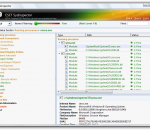
ESET SysInspector for Windows x64 is a free, state of the art diagnostic tool for Windows x64 bit systems. It is also an integral part of ESET Smart Security 4 and ESET NOD32 Antivirus 4. It peers into your operating system and captures details such as running processes, registry content, startup items and network connections. Once a snapshot of the system is made, ESET SysInspector applies heuristics to assign a risk level for each object logged. Its intuitive graphical user interface enables the user to easily slice through the large volume of data using a slider to select objects of a particular color coded risk level for closer examination. ESET SysInspector is a convenient utility for the tool box of every IT expert and first responder. Key Features: * Ability to generate and save a detailed log to be used by an IT expert or uploaded to an online forum for diagnosis * Option to exclude private, personal information from being saved in logs * Integrated Anti-Stealth technology allows discovering hidden objects (e.g. rootkits) in MBR, registry entries, drivers, services and processes * Ability to compare two existing logs for differences makes it easy to detect changes over time * Log entries are assigned a color code risk level for easy filtering * Intuitive hierarchical navigation of logs * Fast and compact single file executable, ideal for first responders to run from a USB drive without lengthy installation
GOM Media Player The only media player you need - for FREE! Not only is GOM Media Player a completely FREE video player, with its built-in support for all the most popular video and Media Player formats, tons of advanced features, extreme customizability, and the Codec Finder service, GOM Media Player is sure to fulfill all of your playback needs. With millions of users in hundreds of countries, GOM Media Player is one of the world`s most popular video players. Whats New : Added "Touch Setting" feature for touch screen devices. Added "Search box" feature on playlist. (Ctrl+F) Supported "HTTPS URL" for youtube or net radio playback. (Ctrl+U) Added "Music Tap" on preferences related to play music files. Improved performance related to "speed of add & delete" of files on playlist. Other miscellaneous corrections, fixes, and changes
Iperius Backup is one of the best free backup software, also released in commercial editions for those who need advanced backup features for their companies. The freeware version of Iperius Backup allows you to backup to any mass storage device, such as NAS, external USB hard drives, RDX drives, and networked computers. It has comprehensive scheduling and e-mail sending functions. It supports zip compression with no size limit, incremental backup, network authentication and the execution of external scripts and programs.
Maryfi is a free and easy to use software router for Windows 7, 8 , and 8.1 computers. With Maryfi, users can wirelessly share any Internet connection such as: a cable modem, a cellular card, or even another Wi-Fi network. Other Wi-Fi enabled devices including laptops, smart phones, music players, and gaming systems can see and join your Maryfi hotspot just like any other Wi-Fi access point and are kept safe and secure by password-protected WPA2 Encryption.