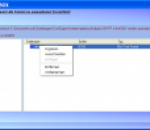
Stellar Phoenix Insta Backup Gold is simple and secure utility to perform backup of full volume or backup of selected files and folders. To access backup data, you can mount or unmount the backup image. This efficient tool creates identical clone of complete hard drive or any hard drive volume. For the safety of backed up files, the tool creates virus-free Secure Zone. The bootable Rescue Disk is used to restore system in any event of crash.
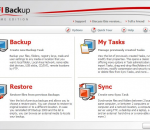
GFI Backup is a free, easy-to-use and complete solution, designed for secure backups of all your important documents, pictures, and more. This tool allows you to back up all your data via a simple but smart wizard-driven interface. With GFI Backup you can back up and restore your data in minutes so that you never have to worry about losing your data again! GFI Backup features and highlights: Secure backup of all your important files for FREE Easy-to-use wizard-driven interface that's perfect for beginners Restore your data in minutes using common ZIP format Back up to most popular storage devices Fast, efficient, full-featured backup solution GFI Backup is licensed as Freeware for Windows (32-bit and 64-bit) operating system / platform from backup software without restrictions. GFI Backup 2012 is available to all software users as a free download (Freeware). Based on total downloads, this program has been downloaded a lot recently.
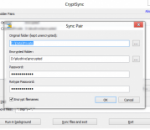
CryptSync x64 is a small utility that synchronizes two folders while encrypting the contents in one folder. That means one of the two folders has all files unencrypted (the files you work with) and the other folder has all the files encrypted. The synchronization works both ways: a change in one folder gets synchronized to the other folder. If a file is added or modified in the unencrypted folder, it gets encrypted.
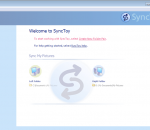
SyncToy, a free PowerToy for Microsoft Windows, is an easy to use, highly customizable program that helps users to do the heavy lifting involved with the copying, moving, and synchronization of different directories. Most common operations can be performed with just a few clicks of the mouse, and additional customization is available without additional complexity. SyncToy can manage multiple sets of folders at the same time; it can combine files from two folders in one case, and mimic renames and deletes in another case. Unlike other applications, SyncToy actually keeps track of renames to files and will make sure those changes get carried over to the synchronized folder.
Benefits Keeps all of your irreplaceable digital photos, videos, music, financial documents and other important Stuff safe from loss Automatically backs up your important files to our secured online data centers. Lets you quickly and easily restore your files — and your precious memories — in case of computer hard drive crashes, accidental deletion, theft of your computer, natural disasters or other mishaps. Backs up files from up to five Windows® or Macintosh® computers with a single subscription1. Grows with your backup needs — you can easily add secured storage space as you need it. Quickly and easily restore your backed-up files to any computer Lets you retrieve your files, whenever you need them, from any computer connected to the Internet. Lets you transfer your secured backup files between both Macintosh® and Windows® computers, so you can easily copy your files to new computers. Automatically saves the previous versions of files backed up in the past 90 days, so you can restore older files if necessary. Keyword Search lets you quickly locate the exact file or files you want to restore or transfer to your other computers. Rest easy, knowing your precious memories and important files are safe and highly secure Offers proven, professionally managed offsite backup from a trusted company that's been protecting people and information for more than 25 years. Protects your important and irreplaceable files with high-level encryption, both during backup and while stored in our secured data centers. Gives you complete control — you can manage and restore your backed up files through a secured, password-protected Web page, so they're always available when you need them. Save time, hassle and money Does all the work for you — just set it and forget it. Works in the background, so it won't interrupt you or get in your way. Backs up to secure online servers, eliminating the cost and hassle of buying and lugging around USB drives, flash drives or memory cards that could easily be broken or misplaced. Automatically compresses files before backing them up for faster backups that use less storage space. Backs up only new files and files that have changed for faster backups.
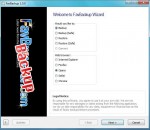
FavBackup 2.1.3 FavBackup is a simple solution for you to backup and restore web browser settings and other data on Windows 8/7/Vista/XP/2000 systems. No installation required.
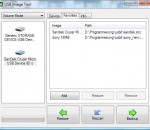
USB Image Tool USB Image Tool can create images of USB flash drives and MP3 players, that are mounted as USB drives. It allows you switch between images with different music styles on your MP3 Player or to make an exact backup image of your USB Stick. Features create image files of USB flash drives restore images of USB flash drives compressed image file format show USB device information manage favorite USB images command line utility USB Image Tool showing a SanDisk USB flash drive and a Card Reader USB Image Tool showing the favorite images tab Supported devices USB Image Tool works with any device, that implements the USB Mass Storage protocol. This includes flash drives, card readers and a lot of other devices, like digicams, cell phones and mobile music players. USB Image Tool supports the globull secure mobile work environment.
The file-safe automatically encrypts all files in the CRYPT-folder without entering the password every time. The the one-time entry of the password is sufficient to access the saved files and unauthorized users can not open this. Changes in the files will be updateded in the encrypted files automatically and the file-based design enables simultaneous access to multiple authorized users.
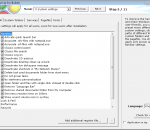
WinFuture XP-ISO-Builder With WinFuture xp-Iso-Builder 3 you can extend your Windows CD with many useful functions. It does not matter, if you're running Windows 2000, XP or 2003 - WinFuture xp-Iso-Builder integrates the latest Service Pack or system files, that allow using unauthorized visual styles and more. You can add drivers for your system's hardware, too. Additionally you can create user accounts, change registry settings and remove unnecessary folders from the installation disc. For a full list of the features of xp-Iso-Builder, scroll down this site. The software contains extensive information on what each function does. Here's what xp-Iso-Builder has to offer: Integrate Service Packs & Updates Integrate user accounts Change registry settings Unattended (automatic) installation incl. registration key and creation of user data Change paths of different system folders Change launch modes of system services Defining pagefiles Integrate user-defined desktop theme Integrate your own fonts Integrate controller drivers for SATA, RAID, etc. Integrate device drivers for graphics, sound, network, etc. Integrate service and security updates Integrate applications Remove unnecessary folders Integrate your own folders Convert Recovery-CDs Enable usage of unauthorized visual styles Speed up internet after installation of SP2 (TCP/IP patch) Includes profile management for easy recovery of different settings made Languages: German, English Clarifications concerning every action Create bootable CD/DVD-ISO-Image
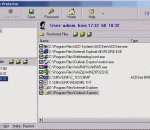
Easy File Protector is a very flexible password protected security utility that restricts access to your files and folders by user-defined time schedule. You choose users, define restricted files/folders and time periods for them, and activate the program. After that, your system disables/enables your files automatically depending on current time and user. Protection is achieved by making files and folders undeletable, unrenamable, unreadable, un
Content Guard is reliable tool against pornography. Content Guard does not depend on your browser or any additional software component - it will protect you at low level. Content Guard have strong heuristic module which is analyzing all incoming web content. Content Guard automatically updating its data base every week with description of new adult sites. Content Guard is continuously extended with new features. Every new subversion you will get for free! Content Guard allows you protecting yourself, your kids and your friends from accessing to erotic and porno content.
Iperius Backup is one of the best free backup software, also released in commercial editions for those who need advanced backup features for their companies. The freeware version of Iperius Backup allows you to backup to any mass storage device, such as NAS, external USB hard drives, RDX drives, and networked computers. It has comprehensive scheduling and e-mail sending functions. It supports zip compression with no size limit, incremental backup, network authentication and the execution of external scripts and programs.
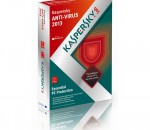
Kaspersky anti-virus protects you from the Phishing and Malware sites that you wouldn't otherwise know were attempting to steal from you. At the same time, the Kaspersky Security Network allows your computer to report when it discovers a threat that hasn't been seen before. All 250 million Kaspersky users benefit from our combined knowledge! Kaspersky features include: Protects from viruses, Trojans, worms, spyware, adware Scans files, email, and internet traffic Protects Instant Messengers Protects From Unknown Threats Analyzes and closes Internet Explorer vulnerabilities Disables links to malware sites / phishing sites Global Threat Monitoring (Kaspersky Security Network) Blocks all types of keyloggers Automatic Database Updates Free Technical Support Note: This is a 30-day commercial trial.