Keyboard Tracer is an easy-to-use tool to record keyboard and monitor keystrokes on your own computer. It can track activities of other people using your keyboard without your permission. Keyboard Tracer runs in invisible mode automatically after Windows starts up.
Google Desktop, Google Toolbar, Chrome, Picasa and Earth: Almost every Google application sends information back home. GoogleClean prevents Google applications from sending unnecessary personal information. User IDs can be made anonymous, personal data can be deleted and spy cookies can be destroyed. After using GoogleClean you can still use your Google applications. The only difference is that there will no personal information be sent in future. GoogleClean supports Google Desktop, Google Chrome, Google Toolbar, Google Picasa and Google Earth. Additionally GoogleClean can find and delete local data of Google web applications like YouTube or Google Mail.
Brief Description This tool checks your computer for infection by specific, prevalent malicious software (including Blaster, Sasser, and Mydoom) and helps to remove the infection if it is found. Microsoft will release an updated version of this tool on the second Tuesday of each month. Overview The Microsoft Malicious Software Removal Tool is an anti-malware utility that checks computers running Windows 8, Windows 7, Windows Vista, Windows XP, Windows 2000, Windows Server 2012, Windows Server 2008, and Windows Server 2003 for infections by specific, prevalent malicious software—including Blaster, Sasser, and Mydoom—and helps remove malware and any other infections found. To download the x64 version of Malicious Software Removal Tool, click here. This tool is not a replacement for an anti-virus product. To help protect your computer, you should use an anti-virus product. Microsoft will release an updated version of this tool on the second Tuesday of each month. New versions will be made available through this web page, Windows Update, and the Malicious Software Removal Tool Web site on Microsoft.com. To have the newest versions automatically delivered and installed as soon as they are released, set the Automatic Updates feature to Automatic. The version of this tool delivered by Windows Update runs on your computer once a month, in the background. If an infection is found, the tool will display a status report the next time you start your computer. If you would like to run this tool more than once a month, run the version that is available from this Web page or use the version on the Malicious Software Removal Tool Web site. Please review KB890830 for the list of malicious software that the current version of the tool is capable of removing as well as usage instructions. Also, please be aware that this tool reports anonymous information back to Microsoft in the event that an infection is found or an error is encountered. The above KB article contains information on how to disable this functionality and what specific information is sent to Microsoft. It is strongly recommended that you review KB891716 before you consider deploying this tool in an enterprise environment. The user must be an administrator to run this tool. This tool will not run on any version of Windows 98, Windows ME, or Windows NT 4.0. Note that this download is now a multi-lingual tool. For all supported languages, the same tool will show the correct language depending on the language of the operating system.
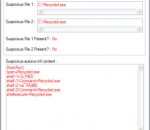
Autorun Eater was born due to the increase of malwares using the 'autorun.inf' method to infect users unknowingly be it from flash drives, removable hard disks or any other removable storage device. When a device is infected with a malware and an 'autorun.inf' file is dropped, the shell menu is normally modified to execute the malware whenever the unsuspecting user accesses the infected drive. Autorun Eater will warn you and remove any suspicious 'autorun.inf' files(based on user decision/settings) so that the malware is not executed while accessing the infected drive. There are also certain cases whereby the malware has been removed by an antivirus but the 'autorun.inf' file remains. This will cause the drive to be inaccessible through the conventional method(double-click). Autorun Eater will also remove it if necessary so that you can access the drive as usual.
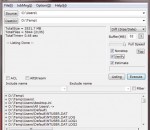
FastCopy is the Fastest Copy/Delete Software on Windows. It supports UNICODE and over MAX_PATH(260byte) pathname files. It automatically selects different method according to whether Source and DestDir are in the same or different HDD.
Brief Description This tool checks your computer for infection by specific, prevalent malicious software (including Blaster, Sasser, and Mydoom) and helps to remove the infection if it is found. Microsoft will release an updated version of this tool on the second Tuesday of each month. Overview The Microsoft Malicious Software Removal Tool is an anti-malware utility that checks computers running Windows 8, Windows 7, Windows Vista, Windows XP, Windows 2000, Windows Server 2012, Windows Server 2008, and Windows Server 2003 for infections by specific, prevalent malicious software—including Blaster, Sasser, and Mydoom—and helps remove malware and any other infections found. To download the x64 version of Malicious Software Removal Tool, click here. This tool is not a replacement for an anti-virus product. To help protect your computer, you should use an anti-virus product. Microsoft will release an updated version of this tool on the second Tuesday of each month. New versions will be made available through this web page, Windows Update, and the Mhomepage Software Removal Tool Web site on Microsoft.com. To have the newest versions automatically delivered and installed as soon as they are released, set the Automatic Updates feature to Automatic. The version of this tool delivered by Windows Update runs on your computer once a month, in the background. If an infection is found, the tool will display a status report the next time you start your computer. If you would like to run this tool more than once a month, run the version that is available from this Web page or use the version on the Malicious Software Removal Tool Web site. Please review KB890830 for the list of malicious software that the current version of the tool is capable of removing as well as usage instructions. Also, please be aware that this tool reports anonymous information back to Microsoft in the event that an infection is found or an error is encountered. The above KB article contains information on how to disable this functionality and what specific information is sent to Microsoft. It is strongly recommended that you review KB891716 before you consider deploying this tool in an enterprise environment. The user must be an administrator to run this tool. This tool will not run on any version of Windows 98, Windows ME, or Windows NT 4.0. Note that this download is now a multi-lingual tool. For all supported languages, the same tool will show the correct language depending on the language of the operating system. Windows Malicious Software Removal Tool - 32 bit 5.2 download tags windows component removal tool windows messenger removal tool removal tool errorsafe removal tool symantec removal tool zlob removal tool ust removal tool password removal tool Microsoft Windows Defender Windows Media Player Windows Malicious Software Removal Tool - 32 bit 5.2 Windows 7 release notes New Release Added detection and cleaning capabilities for: · Folstart · Phorpiex · Weelsof
Microsoft Standalone System Sweeper Beta is not a replacement for a full antivirus solution providing ongoing protection; it is meant to be used in situations where you cannot start your PC due to a virus or other malware infection. For no-cost, real-time protection that helps guard your home or small business PCs against viruses, spyware, and other malicious software, download Microsoft Security Essentials*. To get started, please make sure that you have a blank CD, DVD, or USB drive with at least 250 MB of space. Next, download and run the tool – the tool will help you to create the bootable media required to run the software on your PC. * Your PC must run genuine Windows to install Microsoft Security Essentials. Help & How-To: I can’t create a bootable CD or DVD This topic contains solutions for issues you may encounter while trying to create a bootable CD or DVD with the Microsoft Standalone System Sweeper Beta. Symptoms An error message is displayed after attempting to create a CD or DVD with the Microsoft Standalone System Sweeper Beta. I can’t create a bootable USB This topic contains solutions for issues you may encounter while trying to create Microsoft Standalone System Sweeper Beta on a bootable USB. Symptoms An error message is displayed after trying to create a USB drive with Microsoft Standalone System Sweeper Beta. The files cannot be downloaded by Microsoft Standalone System Sweeper Beta This topic contains solutions for issues you may encounter while Microsoft Standalone System Sweeper Beta is running and trying to download files. Symptoms You receive an error that the download failed. The CD or DVD is not detected by Microsoft Standalone System Sweeper Beta This topic contains solutions for issues you may encounter while trying to create a bootable CD or DVD with the Microsoft Standalone System Sweeper Beta. Symptoms Before starting the Microsoft Standalone System Sweeper creation process, you insert a blank CD or DVD into the drive. After inserting the disk in the drive, Microsoft Standalone System Sweeper Beta prompts you that no CD or DVD is detected in the drive. The CD or DVD is not detected by Microsoft Standalone System Sweeper Beta This topic contains solutions for issues you may encounter while trying to create a bootable CD or DVD with the Microsoft Standalone System Sweeper Beta. Symptoms Before starting the Microsoft Standalone System Sweeper creation process, you insert a blank CD or DVD into the drive. After inserting the disk in the drive, Microsoft Standalone System Sweeper Beta prompts you that no CD or DVD is detected in the drive. How do I restart my computer after using the bootable media? The bootable media (CD, DVD or USB) starts the computer in the Windows Preinstall Environment (homepage and launches the Microsoft Standalone System Sweeper application for scanning and remediation of virus and malware. To restart the computer in the live operating system, follow these steps: 1. Close the Microsoft Standalone System Sweeper application by clicking the X button in the top right corner. 2. Click Yes to confirm. The computer will automatically restart in the live operating system.
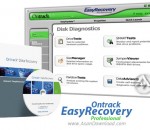
EasyRecovery Professional is an advanced and complex application that claims to recover and repair lost or damaged files. It is able to restore files that were affected by viruses / corrupted by third-party applications or items placed on unreadable hard drive sectors.
IObit Malware Fighter is an advanced malware & spyware removal utility that detects, removes the deepest infections, and protects your PC from various potential spyware, adware, trojans, keyloggers, bots, worms, and hijackers. With the unique "Dual-Core" engine and the heuristic malware detection, IObit Malware Fighter detects the most complex and deepest spyware and malware in a very fast and efficient way. IObit Malware Fighter has a enhanced real-time protection and frequent automatic updating for prevention of zero-day security threats. IObit Malware Fighter can work with your Antivirus for a superior PC security. 1. Unique "Dual-Core" anti-malware engine Adopted with IObit's unique "Dual-Core" engine and improved program core structure, IObit Malware Fighter is now available for delivering more comprehensive and deeper system scan to find the deepest infections, and finally remove or quarantine them, protecting your PC from more security threats and privacy compromises. 2. Easy-to-use interface An intuitive and neat design was successfully brought to IObit Malware Fighter that provides you with four major entrances in the main interface, which lead you to the four major functions as following, "Scan", "Protect", "Update" and "Action Center". This simple to use interface gives you an open-and-shut view with all the details. 3. Comprehensive real-time protection IObit Malware Fighter provides you with ultimate anti-malware and real-time protection, including "Startup Guard", "Browser Guard", "Network Guard", "File Guard", "Cookie Guard", "Process Guard", "USD Disk Guard" and "Malicious Action Guard", which keeps your computer stay secure all the time. 4. Creative Cloud Computing Technology IObit Cloud uses the latest Cloud Computing technology and Heuristic Analyzing mechanic to analyze the behavior of spyware, adware, trojans, keyloggers, bots, worms, Hijack Scan & Remove is free, and real-time protection is free too.
Backup for Chrome is a professional all-in-one backup solution that was especially designed to easily create backups of your Google Chrome data. Backup Features Create backups of all your Google Chrome data in less time as with other backup solutions of this kind and take advantage from advanced backup features to be protected as best as possible. Advanced backup features includes a four-level compression engine to save your valuable disk space, a 256-Bit AES encryption to avoid unauthorized access to your backup files, the ability to create self-restoring backup files as well as to create reserve copies of your backup files and to send email notifications. To be protected as best as possible, backups can also be stored on Dropbox as well as on any FTP server in the world. Furthermore, Google® Chrome™ must not be closed before backing it up so you can keep on working during the backup. Recovery Features If the worst-case happened, backups can be recovered within few minutes and with just a few clicks. If Google® Chrome™ is already present on your computer you can decide what should be happen with your current Google® Chrome™ data before recovery will start. Browsing Features Backups can easily be browsed just as easily as with Windows Explorer to see what is actually inside the backup file. Scheduling Features Setting up and running your backups is convenient with zebNet® Backup for Chrome™ TNG. The scheduling feature offers you practical options to decide when your backups should run. With the scheduling feature, you can run your backups daily, weekly or monthly. Tools & Utilities zebNet® Backup for Chrome™ TNG comes with some great tools & utilities that are designed to make your life easier. Cross-Platform Backups zebNet® Backup for Chrome™ TNG creates cross-platform backups which makes it incredibly easy to move all your Google® Chrome™ settings without adjustments from one computer to another, even if it has a different version of Microsoft® Windows® and/or Google® Chrome™ installed - for example from Google® Chrome™ 20 to Google® Chrome™ 25 or vice versa. Chrome Portable zebNet® Backup for Chrome™ TNG is compatible with portable editions of Google® Chrome™ and is even able to create a portable edition of Google® Chrome™ with your local profile directly on a USB flash drive. Backup Guard zebNet® Backup for Chrome™ TNG delivers with the integrated backup guard continuous data protection (CDP) for your Google® Chrome™ data. This means that a new backup can automatically be created every time when closing Google® Chrome™. Test Mode zebNet® Backup for Chrome™ TNG has an integrated test mode for Google® Chrome™ that allows you to try and test anything you want without the risk of damaging your actual Google® Chrome™ data. Consolidation Obsolete backups can be deleted automatically if they are no longer needed. This helps you to save your disk space and to avoid a large backup archive. Native 32-bit and 64-bit Power zebNet® Backup for Chrome™ TNG is both a native 32-bit as well as a native 64-bit backup solution that enables you to use the complete power of your system.
Anvi Smart Defender v1.8 Light and Smart Swordfish Scan Engine Powerful Real-time Protection for Extra PC Security Advanced Malware Detection and Removal Capability Malware Detect &Remove; Detect and remove malware, Trojans, worms, rogueware, ransomware, spyware and many others Block Malicious Websites Real-timely filter malicious websites, phishing and unwanted URLs Block Pop-up Ads Block pop up ads, flash ads from web browsers in order to avoid ads annoyance and potential malware risks Web Guard Real-timely protect computer and filter risky websites when you are surfing online. Real-time Protection Real-timely protect computer files, processes and behaviors from any risky operation that may cause infections Browser Repair Conveniently repair browser problems caused by infections such as redirect virus or browser hijackers Fix Registry Errors Fix registry errors in order to prevent a bloated registry that may cause serious system problems such as BSOD Clean up System Files Clean and optimize system files to maintain computer system and speed up PC Facilitate Windows Updates Repair issues occurring when windows updates in order to ensure the system is updated timely to be more secured.
Iperius Backup is one of the best free backup software, also released in commercial editions for those who need advanced backup features for their companies. The freeware version of Iperius Backup allows you to backup to any mass storage device, such as NAS, external USB hard drives, RDX drives, and networked computers. It has comprehensive scheduling and e-mail sending functions. It supports zip compression with no size limit, incremental backup, network authentication and the execution of external scripts and programs.
Kaspersky anti-virus protects you from the Phishing and Malware sites that you wouldn't otherwise know were attempting to steal from you. At the same time, the Kaspersky Security Network allows your computer to report when it discovers a threat that hasn't been seen before. All 250 million Kaspersky users benefit from our combined knowledge! Kaspersky features include: Protects from viruses, Trojans, worms, spyware, adware Scans files, email, and internet traffic Protects Instant Messengers Protects From Unknown Threats Analyzes and closes Internet Explorer vulnerabilities Disables links to malware sites / phishing sites Global Threat Monitoring (Kaspersky Security Network) Blocks all types of keyloggers Automatic Database Updates Free Technical Support Note: This is a 30-day commercial trial.