This application is meant to deal with those annoying popup windows when you are browsing on the Internet. The program lets you add window titles to a list. And the next time it sees this window it kills it automatically. You can also assign a hot key to the application, and when you press this hot key it brings up the Add Window to banned list dialog. Banned Windows In this screen you can add, edit and remove windows to the banned windows list. When you select Add a new dialog box appears with a list of active windows. Select the window you want to disappear and click OK. With Edit you can change the text of an existing entry in the list. Click Remove to remove unwanted window titles. The Import option lets you import entries from an external file (for example a list of another popup killer). Options Available options are: Launch with Windows Startup adds the application to your Startup folder. Startup minimized in system tray starts the application in system tray without showing the main dialog. Interval (seconds) lets you specify the interval in which the application should check for popup windows. you can also assign a hot key to the application, and when you press this hot key it brings up the Add Window to banned list dialog. You can also assign a hot key to the application, and when you press this hot key it brings up the Add Window to banned list dialog. This way you can quickly select a window without first having to call up the main dialog. In Trace you can see a log off all windows that have been killed by the application. Intelligent The Intelligent Banner Killer detects the size of a new Internet Explorer/Netscape and kills it before it can even load anything. Warning: It might also kill some useful windows as well !
MailReactor is a free tool to send one e-mail to a number of e-mail addresses. It can be used to send e-mail to all people who have applied to a notification service, like program updates, announcements etc. It is of course not meant to send unsolicited e-mails to random people. It will send a personal e-mail to all the receivers.
Internet Utility Software has built-in Privacy Eraser and Email Management Software. History Cleaner: Erase Internet History & Protect Internet Privacy Email Management Software: Create, send and manage mailing lists for companies
This software offers a solution to users who want to print many Windows Live email messages to the printer or other device/driver (such as a PDF writer). Unfortunately, this software only works with the Hotmail Inbox, no other folders. There is a search/filter feature allows you the option to find only emails containing certain words. By working quickly, this batch software will save you hours of time spent opening emails one-at-a-time by hand.
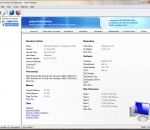
A set of the network management tools designed for the corporate network administration. This toolkit consists of the two components that will monitor your corporate servers availability and performance and inventory user workstations
Download our free SEO website indexer software to get your site indexed fast at the search engines. This program will submit your website to statistical/analysis sites (example: homepage which will then get your new website quickly noticed & indexed by the Major Search Engines.
Conquer your niche by producing squeeze page after squeeze page that target different keywords! Building converting squeeze pages can be a pain in the neck. The Video Squeeze Page Generator takes the pain out of it. In less than five minutes, you can easily create video squeeze pages that are designed for high conversion rates! My software is so easy that anybody can use it, regardless of your experience level. Whether you are a seasoned marketer or a complete newbie, this software will make your life easier!
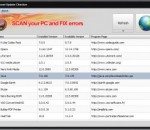
A unique scanning algorithm quickly analyzes the data about any outdated software on your PC and immediately displays the list of programs to be updated. Using the latest versions of programs makes your system more secure and minimizes vulnerabilities which may jeopardize your data. You also benefit from all the advantages of the extended functionality featured by the updated programs. With Soft4Boost Update Checker, you will no longer spend your time tracking down the obsolete programs and searching for the updates - Soft4Boost Update Checker will take care of that! Additionally, the utility will automatically notify you about any new software versions as soon as they are released.
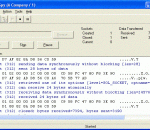
When TCP Spy's Start button is pressed, it will capture and display all socket calls of the next application that starts and makes a socket call. It will also capture and display the data that is sent and received on the application's sockets. The application can be of any type. TCP Spy displays its output in a scrollable text box. This data may additionally be sent to a file as text or HTML. By default, only 32KB of data is kept in the scrollable text box. Higher data limits may be selected, including unlimited. Based upon each socket's first transferred message, TCP Spy will determine if the protocol being communicated over the socket is text based. If so, TCP Spy will test each following message for text. If a message contains only text, TCP Spy will display it as such. Else, TCP Spy will show the message in hexadecimal and ASCII. If the protocol is HTTP, the HTTP headers will be displayed as text. Without a license, TCP Spy does not provide the option of sending data to a file, and only keeps 32KB of data in the scrollable text box. When you register TCP Spy, you will be sent a code that enables the additional features.
Control the websites your family can visit. Block gambling, porn and violence. Prevent Internet addiction. Schedule time allowances for each user to be online. With Optenet PC, you can help your entire family. Feel safe when children browse the Internet and prevent teens and adults from accessing content that may cause problems such as gambling, pornography and social networks. As the Internet plays a more integral role in your life, you need to ensure balance and healthy use by creating the right Internet environment for your home.
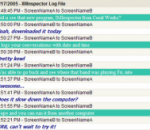
Utilize IMInspector Personal Edition in your workplace to keep a record of your daily communications amongst co-workers with date-and-time indicators, or monitor instant message activity for piece of mind. Option to run in the background undetected, without slowing down your computer. With easy setup instructions, the software automatically updates all screen names at log-in for the most up-to-date users. # Don't lose those communications that are valuable to you. IMInspector can log all those messages that contain information you may need at a later date. # IMInspector maintains a date-and-time record of previously lost transactions, allowing you to retrieve this information if the need should arise. # Three new editions priced to fit everyone's need. # IMInspector Personal Edition monitors chat and instant messages on an individual workstation. # IMInspector Workgroup Edition and Enterprise Edition can save these messages on a central computer for other workstations in your network. # The transient nature of instant messaging allows your information to vanish, but IMInspector's network-based message logging can offer you protection. # With the increased size of today's storage devices, it is very useful to archive your communications for future reference. # Built-in administrative interface allows you to monitor the software's operation. # Simple, user-friendly installers makes it easy to download and go.
Maryfi is a free and easy to use software router for Windows 7, 8 , and 8.1 computers. With Maryfi, users can wirelessly share any Internet connection such as: a cable modem, a cellular card, or even another Wi-Fi network. Other Wi-Fi enabled devices including laptops, smart phones, music players, and gaming systems can see and join your Maryfi hotspot just like any other Wi-Fi access point and are kept safe and secure by password-protected WPA2 Encryption.