A free online image editor that crops and resizes photos and other images. It can also add text to your images. You can use this tool on our website www.caricaturesoft.com/online-tools/crop/ or embed it into your own website or blog, it's free and easy. Your website visitors will spend more time on your website editing their photos and will return back more often. All files and instructions you need are included in the download. There are multiple color schemes available to match the color theme of your website or blog.
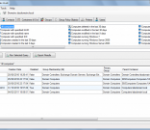
A flexible Active Directory reporting tool with over 140 built in reports as well as the option to create your own With more flexability than other Active Directory reporting tools and a modern user friendly interface, AD Info lets you easily query your Active Directory domain for the information you need. Use one of the 140+ queries that come with the application or use the custom query designer to create your own query based on any attributes you choose. The free edition is provided in the hope that it is useful to fellow IT Pros, it is not intended to just be a trial/demo of the standard edition (though you can use it as such if you are considering purchasing the standard edition). Whilst some features are only available in the standard edition, hopefully the fact that it still has over 170 predefined queries and can export results to CSV will mean it is the most useful free active directory reporting tool around. See below for a summary of the features that can be found in the free edition (and the standard edition) Powerful - Query Computers, Contacts, Containers/OUs, Groups, GPOs, Printers, and Users. See here for a full list of query-able attributes Fast - Retrieving only the attributes you are interested in and using intelligent caching helps make this one of the fastest AD reporting tools available Useful - Easily query several attributes that are not included in many other similar tools, such as direct and nested group membership Accurate - AD Info will query each DC in the domain to get accurate values for any non-replicated attributes (Last Logon etc) User Friendly - Designed to be easy to use and modern, you can be running your first query within seconds of launching AD Info for the first time Flexible - Enter your own values. For example instead of a query such as "Members of Domain Admins", AD Info lets you specify any group (see screenshots) Secure - AD Info does not require Domain Admin permissions so you do not need to log on as an Administrator account to use it Exportable - Export any query results to CSV file for use in other processes and reports Multi-Domain Friendly - Easily query any domain you have access to. Enter a domain name and credentials, then any queries you run will target this domain
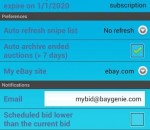
BayGenie ebay Auction Sniper tracks eBay auctions and automatically places bids in the last seconds of auctions. Features: integrated browser * supports bidding groups * supports 16 eBay global sites, including eBay US, Canada, Germany and United Kingdom * eBay login integration * supports all time zones, does not change local machine time * Auto sniping lead time * multi-user support * secure connections (ssl) * no spyware, pop-ups, or adware * fast data transmission * auto update of new versions. You can use it for free if you need to snipe only one auction at a time. If you want to snipe unlimited auctions at a time, you need to pay for the annual registration fee.
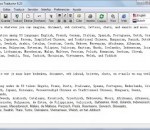
Magic Translator is a multilingual translation software based on Internet resources. There now exists many distributed machine in the world that can do the language translation work from a certain language to another specified language. Can we exploit these free or public domain resources? Magic Translator could be the answer. Magic Translator can now translate any to any amidst 53 languages: English, French, German, Italian, Spanish, Portuguese, Dutch, Greek, Russian, Japanese, Korean, Simplified Chinese, and Traditional Chinese, Hungarian, Danish, Dutch, Finnish, Swedish, Arabic, Catalan, Croatian, Czech, Hebrew, Norwegian, Afrikaans, Albanian, Belarusian, Bulgarian, Estonian, Filipino, Galician, Haitian, Hindi, Icelandic, Indonesian, Irish, Latvian, Lithuanian, Macedonian, Malay, Maltese, Persian, Polish, Romanian, Serbian, Slovak, Slovenian, Swahili, Thai, Turkish, Ukrainian, Vietnamese, Welsh, and Yiddish. Magic Translator integrates a Microsoft WordPad styled Rich Text editor. So you do not have to launch another word editor to edit your translation sources and results and save to disk your works. The Build-in Web browser can lead you to any website with simultaneous translation. The IE Observer can be integrated into Microsoft Internet Explorer and monitor the websites you are browsing. Just a simple select and click on the button, you can get the specified web pages translated into your own language. Or display the translation result in a newly opened window for comparison. The installation program of Magic Translator and Magic Translator itself is interfaced with multiple languages. Easy to use! Magic Translator uses multi-threading technique to speed up passage translation when dealing passage with a total word exceeding 3000. Magic Translator is practical for home and office users worldwide.
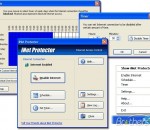
With iNet Protector you can restrict access to the Web and password protect Internet connection. You can restrict internet access at specified times or on demand. You can disable connection completely or limit Internet to work with allowed programs and services only. In order to fully enable Internet access, user defined password must be entered. You can easily schedule Internet availability. Timer allows you to disable Internet connection after specified amount of time. Very useful for parents and business owners. Key features: * Restrict Internet access at specified times * Password protect Internet connection * Enable and disable Internet on demand * Allow Internet access for a specified amount of time * Allow only specified services or programs such as e-mail * For Parents - Protect your kids from using Internet too much * For Businesses - Keep employees from online entertainment at work
eBuddy Chat enables millions of monthly global users with Facebook Chat, MSN, Google Talk, Yahoo Messenger, ICQ and AOL accounts to chat free of charge in one aggregated interface. eBuddy Chat is now available for your computer.You can Simply and easily chat instantly with multiple social networks directly from you computer.Its fast and easy.This version have an embedded emulation technology that runs in perfect graphics the ebuddy client.Conect on tcp and socket. Normal gprs internet also works well with ebuddy clients.
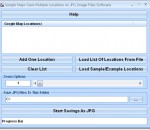
This software offers a solution to users who want to save one or more Google Maps locations as image files. The user can add zip codes, street addresses, city and states to the list. There is a feature to load multiple locations from a text file. Zoom options can be adjusted by the user to show more or less map detail. After choosing a local folder for the output, a large number of maps can be saved as JPG images.
Run BASIC is a powerful all-in-one web programming system designed to make web programming easy. Capabilities include graphics, XML, SQLite database, Cascading Style Sheets, and more. Help file, tutorial and example programs included. This free edition lets you experiment with the Run BASIC system on a single computer. Versions available for Windows, Mac OS X and Linux.
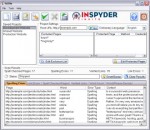
With InSite, you can check for broken links, spelling mistakes and SEO related problems on virtually any website. Just enter your URL and click go! InSite is easy to use, yet powerful enough to handle complex sites. InSite's built-in website spell checker allows you to spell check entire websites with ease. It comes standard with 6 languages and more can be downloaded from the web. The integrated custom dictionary allows you to add industry specific terms, so you can focus on finding and fixing real mistakes. InSite's spell checking engine is HTML aware, so it spell checks even the content that isn't visible in your browser (such as the page title and image "alt" attributes). InSite can even spell check PDF documents on your website. InSite's powerful link checking engine allows it to find broken links anywhere on your website. InSite is able to find broken links in HTML, PDF, CSS and some types of JavaScript files. With up to 25 parallel crawler threads, InSite is fast and can handle even the biggest corporate websites. InSite's SEO analyzer automatically checks every webpage for over 30 SEO best practices. There's never been an easier way to conduct an SEO audit. InSite provides helpful suggestions that allow you to maximize your website's SEO visibility. Download a free trial today. We think you'll agree that InSite is the best website analysis tool out there.
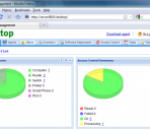
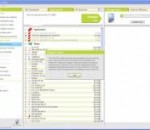
iDesktop is a web-based desktop management software. It can help IT administrators more effectively manage and monitor desktops, servers, software applications and other devices. Major features: * Asset Management Keeps track of all desktops, servers, software and their configuration. * Software Deployment Saves administrators time with remote software installation and distribution. Centrally install/uninstall MSI/EXE package on remote desktops. * Configuration Tasks Helps administrators remotely configure desktop settings, security policies, power management policies, etc. * Alerts Notifies administrators of impactful events such as hardware issues, hard disk space, etc. * Helpdesk Helps administrators keep track of issues, reduce manual effort in resolving problems and improve service quality. * Remote Desktop Support Enables you to view and control remote Windows desktop. No need to change desktop's firewall settings.
TomTom HOME is the easiest way to manage content on your TomTom device. It is free desktop software you can install on your computer. You can use your TomTom device and all the features straight out of the box, and with TomTom HOME desktop software, you can get even more out of it. TomTom HOME is FREE and really helps keeping your TomTom device future-proof and cutting-edge. * Always stay up to date * Personalise your TomTom device * Buy maps, content or subscribe to services * Make copy of your content, just in case For all GO, ONE, XL, RIDER and NAVIGATOR 7 devices
Maryfi is a free and easy to use software router for Windows 7, 8 , and 8.1 computers. With Maryfi, users can wirelessly share any Internet connection such as: a cable modem, a cellular card, or even another Wi-Fi network. Other Wi-Fi enabled devices including laptops, smart phones, music players, and gaming systems can see and join your Maryfi hotspot just like any other Wi-Fi access point and are kept safe and secure by password-protected WPA2 Encryption.