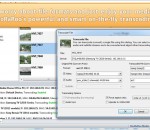
Flash Player Pro is a handy flash tool kit designed as Adobe flash player and manager. It has several powerful flash tools: download flash movies, preview and browse flash movie, capture flash image and set it as wallpaper, create flash screensaver with ease, make conversion between SWF and EXE flash movies etc. All of these features will help you enhance and extend the using possibility of existing flash files. And with friendly user interface, Flash Player Pro offers you a fantastic animated flash world! With Flash Player Pro you can: Browse Macromedia flash movies with built-in viewer. View or play flash movies with built-in player. View or play movies in full screen model. Make flash screensaver with a few mouse-click. Make flash screensaver installer and distribute it with ease. Capture flash movie image and save it. Capture flash movie image and set wallpaper. Build your own favorite folder, and browse flash movies in it. make conversion between SWF and EXE flash movies. Copy or move flash movies to another folder. Rename flash movies. ........
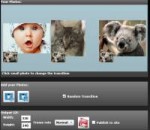
Create Animiated Text or Add Animiated Text on your photos. Custom Font , Font Size, Font Color, Text Style, Shadow Style, Border of text. Support 36 animated text effects. Support export to animiated GIF Support resize the GIF and frame rate. Support upload your photos to the user gallery of Viscomsoft Social Galleries and share to social networks like Facebook, Twitter, Reddit, Tumblr and Email. Support English, Chinese (Simplified), Chinese (Traditional), German, Spanish, French, Hungarian, Portuguese, Russian, Turkish language.
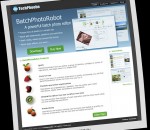
BatchPhotoRobot is a professional batch photo editor which enables you batch resizing, rotating, adding frames, adding watermarks to photos. BatchPhotoRobot is flexible yet easy to use. By configuring needed operations in a pipeline and adjusting their sequence, you can fullly customize processing details. Its Filter function enables you adding artistic effects to photos immediately. Key feature of BatchPhotoRobot: (1) Quick BatchPhotoRobot lets you select a group of photos, configure a series of operations, and apply them in a single click! (2) Easy-to-use Even if you have no previous experience in photo processing, you will find BatchPhotoRobot works the first time you try it. (3) Flexible operation organization Operations are organized as a pipeline. You can select your need operations, adjust their parameters and sequence. (4) WYSIWYG (What You See Is What You Get) You can preview the changes of each operation and the final result while you are configuring operations. (5) Productivity Operations and output settings can be saved and loaded as profiles to improve productivity. File list can also be loaded and saved.
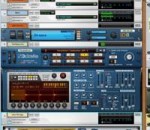
The perfect way into music making. Reason Essentials packs in all the recording, editing, effects, instruments, and mixing tools you need to sound great, with room to grow and expand. Reason Essentials comes with a selection of Reason's instruments and effects in a virtual rack, a streamlined version of its masterfully modeled mixer, and all the recording and sequencing tools you'll need. For guitar players, the built-in virtual guitar and bass PODs from Line 6 bring a wide range of top quality guitar amps, cabinets, and effects.
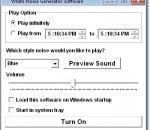
This software offers a solution to users who want to generate white noise from the computer's speakers. The user can choose to start and stop the white noise manually or set a start and end time. There is a choice of noises types available through a drop down menu, each sound can be previewed and there is a slider for volume control. The option to set a timer for the noise is especially helpful as white noise is often used as a sleep or relaxation aid.
Next generation DLNA server and media organizer allows you to enjoy your home videos, downloaded movies, digital music and those memorable photos on DLNA devices on your home network using KooRaRoo. Use powerful organizing features to create various types of playlists, transcode (convert) on-the-fly media that is not compatible with your device, restrict access to certain files or folders using parental controls, push (play to) content to devices from your PC, automatically catalogue files using metadata, burn-in external subtitles on top of the video and much more. Small in size, fast and easy to use.
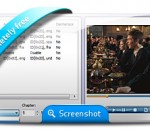
Have trouble with watching DVD movies in Windows Media Player? Here's the solution. MediaProSoft Free DVD to WMV Converter is an easy-to-use DVD to WMV converter which helps you rip and convert DVD to WMV video, backup DVD to high quality file of WMV and extract audio from DVD to sound files at high speed. So simple that with just a few clicks, the problem of how to convert DVD to WMV video won't bother you anymore. Just download our converter and enjoy WMV videos in your media players. MediaProSoft Free DVD to WMV Converter helps you convert video files like YouTube videos, movies and DVDs to WMV format to enjoy with media players. It support various output formats playable on many portable devices. It extracts audio tracks from all kinds of DVDs as audio extractor. Rip HD/Blu-Ray DVD to many video formats with lossless output to enjoy in media player with high-resolution screen. The "Snapshoot" button helps you take a snapshot of the scene displayed in the preview window and save it as BMP or JPEG format. For multilanguage DVD discs, you can specify the ripping settings of both audio and subtitle in different languages. You can also disable the audio/subtitle ripping. You don't need to be an expert to get the quality you want as it also provides many well-configured quality presets for every output format to meet your professional or casual needs. It checks your CPU type automatically and ensures the full use of your CPU to bring you the best ripping speed. The ripper exactly synchronizes video and audio - no skipped or lost frames during conversion.
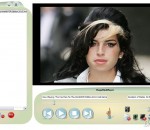
MegaMind Player is a multi-use program that allows easy storing and managing of all your digital media files including music, video, images, and recorded TV. With MegaMind Player accessing any of these types of files is considerably more enjoyable and convenient than with similar apps especially due to its loyalty towards the user-friendliness concept. The app lets you play, view, and manage the media files on your computer according to your needs; it also allows you to sync them to various portable devices so that you have on-the-go availability as well. MegaMind Player unites visuals and functional in a very inspired way and its interface is the first proof. A definite menu of commands, a playback window placed at the center of the program, and a bar with plenty of information about its tasks. The player includes various abilities among which playing audio and video files stored locally and streamed online; additionally, the large number of media formats but also the numerous codecs it includes makes it easier for you to access some types of files without wasting extra-time searching ways to do that. Depending on your needs you can switch from a full-screen interface to a mini-player mode and that is not the only adjustable option available.
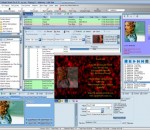
Zortam Mp3 Media Studio is all-in-one Mp3 application. It has several modules such us Mp3 Organizer, ID3 Tag Editor, Mp3 Player, Mp3 Normalizer, Mp3 to Wav converter. With Zortam Mp3 Media Studio you can batch auto tag your Mp3 files using Zortam song database. Batch auto tag processing gets cover art, lyrics and other song info from our database and automatically auto tag your Mp3 files. So within few minutes you have all your Mp3 files tagged with cover arts and lyrics and you can transfer it to any device such us iPhone, iPod or your mobile phones. Zortam Mp3 player is included in package and enables you to play your tagged Mp3 file showing cover art and scrolling lyrics together with different visualization effects. Advanced CD Ripper rip your music CD to Mp3 files and get them automatically tagged with all ID3 information including album cover and lyric from Zortam database.
The powerful burning software Nero Burning ROM allows you to burn your data, music and videos to disc. Nero Burning ROM gives you full, customized control of your burning projects. You can - among other things - define the file system, the length of the file name and the character set; you can also change the disc label. And of course, you can also customize the Nero Burning ROM toolbar and change the keyboard shortcuts. Despite its wide range of features, Nero Burning ROM has remained an easy-to-use burning program that creates discs in just a few steps. You select the disc type to be burned (CD/DVD/Blu-ray), define the project type, add the required data and then start burning. Using Nero Burning ROM you can save audio files from an Audio CD to the hard drive. In the process, the files are encoded, i.e. converted into a format that the computer can read. The Audio CD can be automatically identified with Gracenote. So called metadata such as title, genre, and track title are accessed by the Gracenote Media Database and associated to the tracks. That way you have audio files that are accurately and fully named after the encoding process. Nero Burning ROM offers you the most advanced disc burning solution. FEATURES: Customized Burning and Copying Options: · Burn and copy to CDs, DVDs and Blu-ray Discs or save disc images to hard drives, networks, and USB devices or span oversized files to multiple discs and different disc types. Advanced Disc Data Protection: · Add state-of-the-art SecurDisc protection to your burned discs with personal passwords, encryption options and digital signatures. Get alerts before disc data deteriorates, allowing for time to back up. Long-Lasting Disc Data Readability and Content Quality: · Ensure that burned data is readable regardless of scratches, age, or deterioration with cutting-edge SecurDisc technology. Convenient Features That Do More Than Just Burning: · Go beyond just burning and erase rewritable discs with the option to effectively retrieve data, convert audio files into other formats or rip Audio CDs directly with album cover, song titles and artists names. · High quality disc burning and copying for superior quality playback · Easy drag-and-drop burning to CDs, DVDs and Blu-ray Discs · Split oversized files to burn onto multiple discs at one time · Ensure data readability regardless of scratches, age or deterioration · Enhance security levels with personal passwords and encryption
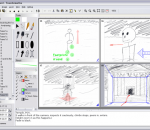
Springboard is a fast, light, easy-to-use Windows application for easily and quickly sketching and annotating your storyboard ideas for film, video, animation, or other dynamic media. Outline your story to organize your work; draw your storyboards with both natural-media and vector tools; import or copy and paste text and graphics from other applications; add annotation layers to show camera moves, special effects, etc.; use a multi-layer model to productively reuse content; easily edit graphics and sounds with external programs if you prefer; record animation and play back as an animatic in real-time; record or import sounds; include fade transitions, layered animation, and camera movement easily; print in a variety of formats; work with feature-length or longer projects; and export to AVI, HTML, WAVE or sequential image files for review or integration with other applications. Springboard keeps the process simple and organized.
GOM Media Player The only media player you need - for FREE! Not only is GOM Media Player a completely FREE video player, with its built-in support for all the most popular video and Media Player formats, tons of advanced features, extreme customizability, and the Codec Finder service, GOM Media Player is sure to fulfill all of your playback needs. With millions of users in hundreds of countries, GOM Media Player is one of the world`s most popular video players. Whats New : Added "Touch Setting" feature for touch screen devices. Added "Search box" feature on playlist. (Ctrl+F) Supported "HTTPS URL" for youtube or net radio playback. (Ctrl+U) Added "Music Tap" on preferences related to play music files. Improved performance related to "speed of add & delete" of files on playlist. Other miscellaneous corrections, fixes, and changes
RealPlayer has always enabled you to play RealAudio (*.ra) and RealMedia (*.ram) files. Download videos from thousands of Web sites with just one click Build your own video library and playlists Play all major audio and video formats Flash Video support DVD, SVCD, VCD burning and video recording RealPlayer for personal use includes audio CD burning capabilities, DVR-style playback buffering, multimedia search, Internet radio, a jukebox-style file library, an embedded web browser (using Microsoft Internet Explorer), and the ability to transfer media to a number of portable devices, including Apple's iPod, MP3 players, and Windows Media devices.
GOM is a FREE media player with popular audio & video codecs built-in. Codec Finder GOM Player includes many codecs (XviD, DivX, FLV1, AC3, OGG, MP4, H263 and more) so you won't need to install separate codecs for most videos. For those videos that require a separate codec, GOM Player will find one. Play Broken AVI Files (Patented) GOM Player's patented technology enables users to view files with broken indexes or that are still being downloaded. Powerful Subtitle Support GOM Player supports SMI, SRT, RT, SUB(with IDX) files for subtitle. You can even synchronize subtitle and video if there's any mismatch. Convenient Playlist If you run a video file and there is already a file with a similar name in the directory, it will be automatically added to your playlist. GOM Player has a similar playlist format as M3U, PLS, ASX. Support Different Media Types Along with different media format such as AVI, MPG, MPEG and DAT, GOM Player also supports streaming Windows media format (WMV, ASF, ASX). You can also watch DVD-quality videos with 5.1 channel audio output.