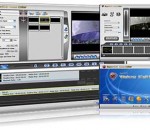
SuperDVD Video Editor is a all-in-one solution for home video editing and authing. Runs on Microsoft Windows 98,NT,2000,XP,Vista. * Capture Film form WebCam ,DV Camera ,TV Card Into Divx or Avi file format on fly. * Edit AVI or Divx or other format file with the frames control. * Copy Any Part of the film and save it . * Divide/Merge Audio or Vedio Stream into new file * Change the play speed and add video effect. * Full Control the Audio and the Vedio streams. * Direct Burn any format moviesto VCD DVD. * Direct Burn any format moviesto VCD DVD. * Direct Burn any format moviesto VCD DVD. * Easy to create DVD menus. For more information please visit Mastersoft homepage
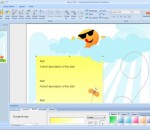
SmartsysSoft Business Publisher helps you design address labels, flyers, brochures, business cards, advertisement, newsletters, name badges, letterheads, postcards, invitation cards and envelopes etc...It provides a lot of design templates and hundreds of backgrounds, pictures and symbols. You can choose them for a vast library and then custom with your own texts and logos to create a stunning publication. That’s so easy and quick! SmartsysSoft Business Publisher is also a great vector graphics program. Some drawing elements such as texts, logos, shapes, symbols, images can be added to your design as you needs. Each one is painted very smoothly. So that, you can get professional-looking publications with very high quality when designs are translated to printing. All vector objects can be filled or stroked with solid color, gradient colors, images or patterns. More than hundreds of dash styles are supported to be used for stroking shapes. Besides that, SmartsysSoft Business Publisher provides very powerful shapes tools to edit path of vector objects. With which, you can create the most unique shapes, symbols or texts if you desires. SmartsysSoft Business publisher is also professional quality printing software. It supports to print your publications on any Windows compatible printer with most standard papers directly. Also it is allowed to save your design as a high quality image with PDF, BMP, JPEG, GIF, PNG, TIFF format for outside quality printing.
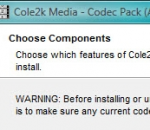
The Cole2k Media advanced codec package features a collection of codecs and filters for encoding/decoding a large variety of video/audio formats. Components include: DivX 7.4 Pro Video Codec. DivX h.264 Video (Decoder) Codec. XviD 1.2.2 Video (Encoder) Codec - Koepi's 07/06/09 Build. ffdshow Video Codec x86 20100907 revision 3562 by xxl. ffdshow Video Codec x64 20101115 revision 3631 by clsid. Microsoft - Windows Media 9 Video Codec 9.0.1.369. On2 Technologies VP7 Video (Decoder) Codec 7.0.8. On2 Technologies VP6 Video Codec 6.4.2. Flash Video Splitter x86 + x64 1.4.2499. InterVideo Video Filter 7.0.27.191. CyberLink DVD Video/SP Filter 6.0.2.2806. AC3Filter x86 + x64 1.63b. AC3File x86 + x64 0.7b. Spdifer x86 + x64 0.3b. Core AAC Playback Filter 1.2.0.573 + AAC Parser Filter 1.1.0 By Tom Judd. Core Vorbis Playback Filter 1.1.0.79 + OGG Splitter 1.4.2499 By Gabest. RadLight OFR Playback Filter 1.0.0.1 - for OptimFROG. DivX ACM Audio Codec also known as Windows Media Audio 4.1. Lame MP3 3.98.2 ACM Codec. DSP-worx Bass source filter 1.11. Haali Media Splitter x86 + x64 14/08/10 - For MP4, MKV, OGM and AVI container files. Matroska Source Splitter x86 + x64 1.4.2499. MP4 Source Splitter x86 + x64 1.4.2499. MPEG Source Splitter x86 + x64 1.4.2499. RealMedia Source Splitter x86 + x64 1.4.2499. AVI - AC3/DTS Converter + DTS/AC3 Source Filter x86 + x64 By Gabest. VSFilter x86 2.39.5.2 + x64 2.37 - Subtitle Reader. CDXA Reader 1.4.2499 - Also known as Form 2 Mode 2 CD or XCD. GSpot Codec Information Appliance 2.70a.
Aktiv Player is a versatile Windows audio player designed to offer music fans the ultimate listening experience and turn the audio files stored on your computer into a well organized music collection. This software is built around an embedded SQL database engine (sqlite). It comes with a customizable interface where explanatory icons displayed on the left guide you through the wide audio experience Aktiv Player has set for you. Aktiv Player does a lot more than just playing tracks - it changes the way you manage and listen to your favourite artists. It's amazingly simply to handle and its ingenious features will actually turn it into your own home jukebox. "Dynamic playlists" enables fully automatic, randomized playback of tracks which your own preferences "educate" which means the more you listen to music, the more loyal to your musical needs it will become. Browsable, user reorderable playlists will also attend to your music related habits. You can easily pause/resume the songs or navigate to the next or previous ones on the playlist and you can also re-randomize the playlist by simply pressing the play button again. The software can also act as an info source allowing the user to learn details about the album the currently playing song appears on (internet access required). Aktiv Player sports a great number of features and exceptional functions. The software was created for users who take their music needs seriously. Whether you want an all-around music player to have fun with when at home , with family or friends or you want a well-resourced music player to fire-up a party or social event, is this the application for you. The program offers a built-in net-radio function to keep you connected to the music out there. The diversity and freedom in creating and organizing your playlists is one of the key features of this program as it lets you actually build-up a musical profile out of your collection of songs.
123 Audio File Converter is a flexible and easy-to-use tool that converts audio formats MP2, MP3, AC3, WMA, WAV, MPP, ACM, MP4 (AAC), AMR, OGG, GSM, VOX, IMA ADPCM, MS ADPCM, G-721, G.726, G.723, G.729, RAW, DSP, U-LAW, A-LAW from one to another. It has an user friendly interface that supports drag & drop. You can convert many files in batches regardless of their source formats. 123 Audio File Converter makes batch file conversion simple. Create a batch list of many different formats and convert them all to a single selected format. The converted files will be saved to a pre-selected directory folder and the original files will remain untouched. 123 Audio File Converter features include: Convert audio formats MP2, MP3, AC3, WMA, WAV, MPP, ACM, MP4 (AAC), AMR, OGG, GSM, VOX, IMA ADPCM, MS ADPCM, G-721, G.726, G.723, G.729, RAW, DSP, U-LAW, A-LAW from one to another. Custom output audio sample rate and bit rate. Support batch file converting. Kinds of Audio Codec available. Automatically Shutdown Computer After Long Time Batch Conversion. High converting speed, wonderful output quality. View, edit or add ID3 Tags to MP3 files. Easy to use with intuitive user interface and drag-drop feature. Built-in pretty mini player And much more...
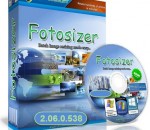
Fotosizer is a freeware batch image resizer tool. It resizes your photos in just 3 easy steps: Select Photo(s), Select resize settings, Start the resize! Batch resizing - Choose to resize by percentage of width and height - Choose to set custom width and height - Maintain aspect ratio - Change Image quality - Choose where the resized images will be saved - Parameterised output filenames (width, height, date) - Maintain EXIF/XMP information Effects - Choose to convert images to "Sepia" in addition to the resize - Choose to convert images to "Black and White" in addition to the resize - Choose to convert images to "Negative" in addition to the resize Image selection - Add single image or selection of images - Add images from a folder - Include sub folders when adding from a folder - Shows thumbnail preview list of images due to be resized - Shows details such as filename, original file size, file type of images due to be resized Supported Image Formats - JPEG images (*.jpg, *.jpeg) - Portable Network Graphics (*.png) - Windows Bitmap (*.bmp) - True Vision Targa (*.tga) - 8-bit Compuserve GIF(*.gif) Multiple languages: English, French, German, Spanish, Italian, Turkish, Portuguese (Brazilian), Portuguese (Portugal), Polish, Russian, Ukrainian, Chinese (Traditional), Chinese (Simplified), Dutch, Korean, Hungarian, Romanian, Greek, Serbian, Czech, Arabic, Latvian, Hindi, Vietnamese, Swedish, Finnish
ROX Player is designed to be simple as possible for everyday usage. In spite of the easy user interface, ROX Player has an enormous potential playing all modern media formats. Forget the notion of outdated codec, because this video player can play all your local media files. Automatic update will download all necessary video/audio codec if your computer has no such. Integrated network modules allow ROX Player to play files from any place in the Internet. Moreover, you will be impressed by variety of supported protocols including IPTV, DHT, P2P. ROX Player will turn your PC into interactive media center. Enjoy High Definition Video in High Quality Player.
River Past Audio Converter is an easy-to-use, fast, and powerful batch audio conversion and extractor software. It outputs AIF, AVI, MKA (Matroska Audio), MP3, OGG Vorbis, WAV or WMA. With River Past MPEG-4 Booster Pack installed, you can output to M4A (MPEG-4 AAC audio), the format used by iTune and iPod. With MPEG-2 Booster Pack, you can convert to MPEG Audio layer-2. It can convert from Dolby Digital AC-3, Apple AIF (AIFF/AIFC), Monkey audio APE, Unix AU, FLAC (Free Lossless Audio Codec), MP3 (MPEG Layer-3), M4A (MPEG-4 Audio), MKA (Matroska Audio), MPA (MPEG-1 Audio), MPC (MusePack/MPEG Plus), OFR (OptimFROG), OGG Vorbis, RealAudio RA/RAM, SD2 (Sound Designer 2), SND, TTA (The True Audio encoder), WAV and WMA (Windows Media Audio). It can also extract audio from mobile phone 3G video (3GPP/3GPP2), ASF (Advanced Streaming Format), AVI, VCD DAT, DivX, DV, IVF, MKV (Matroska Video), QuickTime MOV, MP4 (MPEG-4 video), MPG (MPEG-1 and MPEG-2 Video), RealMedia RM, OGM (OGG Media), DVD VOB, WMV (Windows Media Video) and XviD. It can rip audio from DVD-Video chapters. You have the full control over the codec, sample rate, channel, bits per sample, and bitrate settings. For WMA output, you can also choose from a list of Windows Media profiles. Tags are supported for MOV, WMA and MP3 formats. Now, you have the ability to add a DirectShow decoding method (file reader, splitter, decoder) to expand the input file format support. No Adware or spyware. DX8 and Windows Media Format 9 runtime required. (download link available on web site). Compatible with Windows Vista. 30 day MONEY BACK GUARANTEE
PhotoMarks from Bits&Coffee; is a fully-featured solution for visually watermarking your copyrighted images in batch mode. Why use a complicated, general-use photo editor when you can use a lightweight specially-build tool to perform the same task? With PhotoMarks you can completely customize the appearance of your text and logo marks, as well as perform additional edits like Resize, Rename, Auto Rotate, or add Graphical Frames to your photos in the same session. It works by editing photos in batch mode and takes advantage of multi-core processors for speeding up the process. You can also save your settings as profiles to easily reuse them later. PhotoMarks is an elegant solution with a greatly designed user interface, where previews are available for every step of the process. Here is what PhotoMarks can do for you: • Batch Photo Processing with Support for Multi-Core Processors; • Completely Customizable Text Watermarks with Pixel-Perfect Positioning, Tile Mode, Rotation, Multiline Text, Custom & Textured Fonts, Shadow, Stroke, Bounding-Box, and more; • Completely Customizable Logo Watermarks with Pixel-Perfect Positioning, Tile Mode, Rotation, Scaling, Stroke, Shadow, and more; • Smart Resize Filter that Makes the Difference between Landscape and Portrait Photos, for Automatically Reducing Image Size in Pixels; • Auto Rotate Filter for Automatically Rotating Photos to the Right Orientation or Just Use a Predefined Rotation; • Graphically Decorate Photos with Beautifully Designed Grunge, Vintage, Picture, and Shape Frames, add a Shadow Effect, or a Simple Border; • Completely Customizable Rename Filter with Keywords and Search & Replace in Filenames; • Upload Directly to FTP or Send via Email; • Upload your Watermarked Photos Directly to Flickr; • Easy to Use User Interface with Previews for Every Step of the Process; • Support for 50 Image Formats, Including RAW Formats from DSLR Digital Cameras; • Save Settings as Profiles and Easy Reuse Them
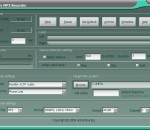
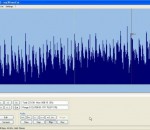
All you need to cut your mp3 mp3DirectCut is a fast and extensive audio editor and recorder for compressed mp3. You can directly cut, copy, paste or change the volume with no need to decompress your files for audio editing. This saves encoding time and preserves the original quality, because nothing will be re-encoded. The built in recorder creates mp3 on the fly from your audio input. Using Cue sheets, pause detection or Auto cue you can easily divide long files. Features Non-destructive cut, copy, paste Volume change, fade, normalize MP3 recording with ACM or Lame encoder Fast MPEG visualisation and easy navigation Layer 2 support (dvd/dvb audio) AAC support Batch processing Cue Sheet support Pause detection Auto cue (track dividing by time values) Track splitting with filename and tag creation Trim · Crop · Fast play · Loop play ID3v1.1 tag editor · ID3v2 tag keeping VU meter · bitrate visualisation High speed recorder · Command line usage Unicode support
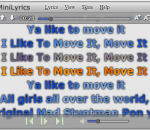
MiniLyrics is an amazing lyrics plugin for iTunes, Winamp, Windows Media Player, etc. It will download and display lyrics automatically, you can catch every word. MiniLyrics can save lyrics in mp3 files, you can view lyrics on iPod touch or iPhone. MiniLyrics can display lyrics in Winamp, Windows Media Player, iTunes, Zune, Foobar2000, Songbird, Spotify, MediaMonkey, VLC Media Player, Quintessential Player, The KMPlayer, JetAudio, AIMP2, J. River Media Jukebox, J. River Media Center, XMPlay, Helium Music Manager, AlbumPlayer, Silverjuke, BSPlayer, Yahoo! Music Engine, RealPlayer.
GOM Media Player The only media player you need - for FREE! Not only is GOM Media Player a completely FREE video player, with its built-in support for all the most popular video and Media Player formats, tons of advanced features, extreme customizability, and the Codec Finder service, GOM Media Player is sure to fulfill all of your playback needs. With millions of users in hundreds of countries, GOM Media Player is one of the world`s most popular video players. Whats New : Added "Touch Setting" feature for touch screen devices. Added "Search box" feature on playlist. (Ctrl+F) Supported "HTTPS URL" for youtube or net radio playback. (Ctrl+U) Added "Music Tap" on preferences related to play music files. Improved performance related to "speed of add & delete" of files on playlist. Other miscellaneous corrections, fixes, and changes
RealPlayer has always enabled you to play RealAudio (*.ra) and RealMedia (*.ram) files. Download videos from thousands of Web sites with just one click Build your own video library and playlists Play all major audio and video formats Flash Video support DVD, SVCD, VCD burning and video recording RealPlayer for personal use includes audio CD burning capabilities, DVR-style playback buffering, multimedia search, Internet radio, a jukebox-style file library, an embedded web browser (using Microsoft Internet Explorer), and the ability to transfer media to a number of portable devices, including Apple's iPod, MP3 players, and Windows Media devices.
GOM is a FREE media player with popular audio & video codecs built-in. Codec Finder GOM Player includes many codecs (XviD, DivX, FLV1, AC3, OGG, MP4, H263 and more) so you won't need to install separate codecs for most videos. For those videos that require a separate codec, GOM Player will find one. Play Broken AVI Files (Patented) GOM Player's patented technology enables users to view files with broken indexes or that are still being downloaded. Powerful Subtitle Support GOM Player supports SMI, SRT, RT, SUB(with IDX) files for subtitle. You can even synchronize subtitle and video if there's any mismatch. Convenient Playlist If you run a video file and there is already a file with a similar name in the directory, it will be automatically added to your playlist. GOM Player has a similar playlist format as M3U, PLS, ASX. Support Different Media Types Along with different media format such as AVI, MPG, MPEG and DAT, GOM Player also supports streaming Windows media format (WMV, ASF, ASX). You can also watch DVD-quality videos with 5.1 channel audio output.