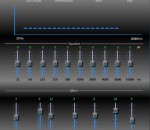
ProfoundSound CSharp features a rich user interface equipped with a 10 band graphic equalizer, variable loudness, auto volume leveling, variable dynamic surround sound, variable dynamic virtual bass, variable high frequency restoration, a 20 band spectral analyzer, variable dynamic bass and dynamic voice, plus the ability to customize and save your settings, all designed to give you ultimate flexibility. Included are multiple output settings for headphones, and internal and external speakers. Utilizing TruDynamics processing, you can make your speakers or headphones sound the way you want them to sound, not the way that someone else thinks they should sound. For the best in audio it's ProfoundSound CSharp.
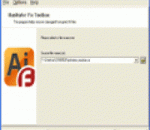
Take a closer look at the utility of Adobe Illustrator recovery if you encounter data corruption issues when opening AI files. Try Illustrator Fix Toolbox and make sure the data can be easily restored without backup copies and other efforts of you. This program is so easy to use that you may quickly start recovering AI files without additional guidelines and explanations, get the latest version of Illustrator Fix Toolbox from the file server of software developer and click this file to proceed. After the first start of AI recovery program you may simply follow the directions of Illustrator Fix Toolbox and make sure the analysis of Adobe Illustrator files is much easier than you may think. Take a closer look through the interface of AI repair utility and make sure the analysis of selected files can be started immediately and without additional instructions and guidelines. Call the file selection dialog by clicking the open file softkey and take a look at the list of files, available for the recovery. Please note that Illustrator Fix Toolbox guarantees the safety of data processing, it works with copies of input files only and does not change the structure of input documents. Check the path, click the Next button to continue and get some rest, the recovery of affected documents may take some time according to the size of input files and some other factors. After the end of Adobe Illustrator recovery you can look through the report and convert the data into a new document of AI format. Please note that you should register your copy of Illustrator Fix Toolbox, it should be done owing to the functional limitations of Adobe Illustrator application. This program is distributed for a reasonable price, please open the online store of software developer and make your order, choosing any payment option you like.
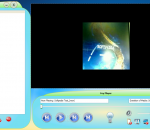
FeyPlayer is a lite software designed to let you store and enjoy to the maximum all your digital media files including music, video, images, and recorded TV. You'll have a great, unparalleled experience accessing these types of files with this extremely user-friendly player. With FeyPlayer you can play, view, and organize, the media files on your computer to best fit your needs or sync them to multiple portable devices to enjoy them on the move as well. Owing to a very stylish interface and to its all-in-one functionality, FeyPlayer joins together convenience and digital entertainment around your home. FeyPlayer offers a clear-cut menu of commands, a playback window found right at the center of the program, and a bar with various useful info. There are also standard audio playback functions easily accessible - the player allows you to play audio and video files stored locally and streamed from the Internet; moreover, you have the benefit of using a player compatible with a large number of media formats. At any time you can choose to switch from a full-screen interface to a mini-player mode that has the program discreetly running into your taskbar. Additionally, this player is loaded with codecs sparing you of the effort and time of searching for new codecs every time you download a new film or clip you want to watch. FeyPlayer supports Windows XP, Windows Vista and Windows 7.
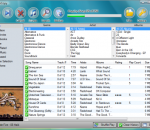
TouchCopy is designed to help you perform content transfers between your iPod or other iOS device and your computer. It is compatible with all iPod, iPhone and iPad versions and allows you to backup multimedia files, apps, messages, contacts, audio books, call logs, calendars and so on. TouchCopy was designed to help you easily transfer your Music, Video, Photos and Games from your iPod or iPhone to your PC. Features: Copy iPod Music, Playlists and other iPod content to your PC or Mac. You can copy any iPod including the iTouch, iPhone (2G, 3G and 3G S), iPod Classic, iPod Nano and other iPod models. Transfer iPhone or iPod to iTunes - Music, Playlists, Videos, Podcasts, Audiobooks and iPhone ringtones. TouchCopy will also transfer your Album Art, Ratings, Play Count and other song data. iPod Backup of all your iPod content at the touch of a button. Backup to your PC or Mac hard disk, external hard drive or into iTunes. Copy iPod Photos. View and Copy iPod and iPhone Photos to your computer. View and save photos taken on your iPhone. Copy and manage Notes, Contacts and Calendars on your iPod - all from within TouchCopy. Use your iPhone or iPod Touch like an external hard drive. Store any type of data, move your files between your home and office. Use your iPhone as a backup device. (iPod Touch and iPhone Only )* View, Play and Copy Voice Memos recorded on your iPod or iPhone to your PC or Mac. Copy iPod Games back to your iTunes library. Search for music on your iPod. The search results can be saved to your computer or transferred into iTunes as a playlist. Play music and video on your iPod through your PC or Mac without having iTunes installed. Use TouchCopy to change your music rating.
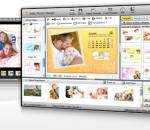
Design over 10 photos by few mouse clicks. 5DFly Photo Design is an intelligent photo editing software, which enables you to create photo collage, scrapbook, photo calendars, greeting cards, baby announcements, wedding photos and other artwork from your digital photos. It offers lots of stunning templates to get you started, and the program offers a WYSIWYG photo editing interface with support for image layers and drag && drop positioning. If you want additional control over your pictures, you can also apply image adjustments, frames, drop shadows, color conversions and other effects. The result can be saved as high-resolution images for printing or exported as photo video, PowerPoint slideshow or PDF. 5DFly is free to use without time limit while the image output has slight watermark and you have unlimited access to all photo templates. Key Features - Photo editing intelligence && automatic photo design && rendering to get stunning effects easily. * Intelligent automatic photo template rendering - By using 5DFly Photo Design, photo template automatic rendering to your photos is automatically generated. You can design over 10 amazing photos by 3-5 mouse clicks. * Easy-to-use && powerful photo editor - Combined with photo template and image layer management && photo editing tool, 5DFly image editor provides image frames && background, monochrome, RGB && saturation && hue adjustment and so on. * High-resolution image output - The photo you design can be exported to high-resolution images for printing. * Electronic photo album including photo video, photo PowerPoint and PDF - Batch generate photo video, PowerPoint album and share your photos with your friends. * Easy photo templates download and installation - Unlimited access to on-going well-designed photo templates for all users.
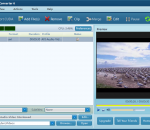
Free CUDA Video Converter has the capabilities to convert all popular video formats from HD to HD, HD to SD and SD to SD, transform between audio formats, extract audios or pictures from videos, and create video from photos. New features: 1.New interface 2.Add Flip Fuctions, Add Blind Functions 3.Video Converter is now powered with NVIDIA® CUDA™ 5X faster in conversion time 4.Added video profiles supported by the newest iPhone 4. Key features: 1.Supported High-Definition videos: H.264/MPEG-4 AVC, AVCHD Video (*.m2ts, *.mts), Apple TV h.264 720P, MKV, HD WMV, MPEG2/MPEG-4 TS HD Video, etc. 2.Supported general video formats: AVI, MPEG, WMV, DivX, MP4, H.264/AVC, MKV, RM, MOV, XviD, 3GP, FLV, etc. 3.Transform between MP3, WMA, WAV, RA, M4A, AAC, AC3, MP2, OGG and such audio formats; extract audio file from HD/SD video. 4.Capture pictures in batches from video; create a video from pictures. 5.Support multi-core CPU, multi-threading and batch process, and provide the highest speed possible to convert video files. 6.Compatible with iPod, iPhone, Apple TV, PSP, PS3, Xbox, Zune, Wii, NDS, PMP, mobile phone, MP4 players, and other multimedia devices. 7.Allows transfer the converted files to iPod, iPhone and PSP directly. 8.Merge multiple files/clips into one and further add fun transitions between every two videos/pictures. 9.Clip off any favored segments and optionally merge them into a new one. 10.Split a single file into several files by preset time or size. 11.Crop frame size; adjust brightness/saturation/contrast and add artistic effect; add watermarks. 12.Add multiple subtitle files and soundtracks of different languages in your video. 13.Lots of video, audio, picture, tag and expert parameters are adjustable. 14.Select multiple output formats for one source file at one time and get them converted within one click. 15.Run the software in the background.
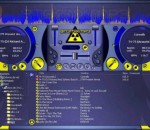
AtomixMP3 is the ancestor of VirtualDJ, and even though development for this product has been stopped since 2003, many users still use it for two reasons: - First, it was designed to run on i486 computers at 400MHz and 64Mb of RAM, so any computer that's still alive today should be able to run it without a glitch. - Second, in the past 5 years, we're still to hear someone report a bug or a crash on it. Of course, its features are a little light compared to the evolution of its big brother VirtualDJ PRO. But if you don't need the new features, and wants something stable and light, then AtomixMP3 is for you. AtomixMP3 has a standard two deck player with play/pause/stop/cue buttons, pitch control, a mixer with 3 band equalizers with kills, volume control, gain, crossfader. It computes BPM automatically on the fly, can beatmatch automatically or provide a visual aid to manual beatmatching, has an automatic pitch matching and level matching. It has audio effects, smart loops, mater tempo, recording, visual effects. You can use it with one or two soundcards, with multi-output soundcards, or split the stereo. AtomixMP3 is an MP3-mixing tool that lets you mix on a computer as you would with DJ turntables. With drag-and-drop functionality, the simulated turntables feature pitch control, crossfading, playlist functionality, and visual beat representation. AtomixMP3 also features a real-time, BPM-matching algorithm, and can perform automatic beat-matching in just one click. AtomixMP3 can be used live at a party or at home to record your own mixed CDs or broadcast your own Internet radio. It also features one-click, automatic, seamless loops, real scratch capability, audio CD and WMA compatibility, a completely skinnable interface, and many effects plug-ins.
Nero 2014 Platinum. Ultimate standard to manage, create, convert, play and burn movies, music, and photos for the best entertainment experience at home or on the go. Fully integrated applications throughout the suite let you achieve pro-like results. Ultimate ripping and conversion, all-round mobile device compatibility, best video editing with Ultra HD (4K) support, full media management, superior disc and file playback including Blu-ray 3D discs, unique Nero Play to TV streaming, and best burning make Nero 2014 Platinum your state of the art companion for all your multimedia needs. Nero 2014 Platinum makes your life a breeze with powerful, fast, and user-friendly applications: - Easily get started with the full screen graphic launcher interface, guiding your access to projects, applications, tutorials, and tools -Rip and convert your Blu-ray Discs™, DVD-Video™, and audio CDs with 1-click to mobile devices or the cloud* -Powerful ripping and conversion including converting and burning online videos* -All-round mobile device support for iOS, Android, and Windows 8 smartphones and tablets -Best video editing including high quality HD and Ultra HD (4K) support -Superior DVD-Video™ and Blu-ray Disc™ authoring plus Hollywood style menus -High quality video enhancement tools (Tilt-Shift Effects, Retro Film Effects, Video Stabilizer, and many more) -Dynamically adapt your slideshow and video to your favorite music with Nero RhythmSnap -Full customization of your own video, transition, and title effects including the option of saving them as templates -Unique media organizer integrating browsing and playback of video, photo, music files, as well as playing Blu-ray Disc™ and DVD-Video™ -Dependable universal plug & play streaming support for all your devices even ‘Nero Play to TV' -Industry leading copying and burning -Restoration of accidently deleted files or files from scratched discs *Intended for privately owned non copy-protected content
TVU offers unique solutions for these applications: * Live video streaming for your web site. Turn-key solutions to enable you to stream 24/7 live video on your web site. * In-stream ad insertion. Cue-tone support. * Integrated CDN+P2P streaming. * Broadcast quality IP transport. * White label services. You can customize and offer the TVU service to your customers with your branding. Benefits: * Lower CDN costs via seamless P2P video streaming * Lower operational costs via plug-and-play operation * Increase ad inventory via In-stream ad insertion * Offer subscription and pay-per-view channels * Offer highest video quality – to HD * Free promotion on TVU service Managed Service: TVU's global network operations offer: * 24/7 monitoring service and remote management * Requires only minimal upload bandwidth (regular ADSL or cable) * Supply needed bandwidth to ensure Quality of Service (QoS) TVU networks offers a free global live TV service that you can watch on your Windows PC over a broadband Internet connection. This service is dedicated to bringing you TV that you can't get from cable or satellite, such as news and sports from around the world. The TVU service is accessed with a free downloadable Windows application, the TVUPlayer, which is available here. The TVU service, accessed via its free TVUPlayer application, has been downloaded 25 million times by viewers in over 200 countries. TVU uses a new broadcast technology called Real-Time Packet Replication. With this technology, all the viewers who are watching a channel at the same time are cooperating to give everyone the best possible signal. TVU's application does not create any new files on your hard disk because you're watching live TV. Unlike typical Internet video broadcasts that use the older streaming technology, TVU's broadcasters do not need to dedicate more bandwidth for each additional user. This allows broadcasters to reach very large numbers of viewers at low cost. Because TVU can have an unlimited number of channels, TVU offers broadcasters opportunities denied to them by cable and satellite systems. Local broadcasters become global broadcasters; new channels can find a broadcast slot; and bigger broadcasters can create new channels to showcase content that they own but don't have space to broadcast on their existing channels. Most exciting of all, viewers can become broadcasters using TVU networks' free Broadcast application. This application, combined with a standard-grade PC and a typical broadband Internet connection, allows anybody to become a broadcaster. This basic set-up allows any number of viewers world-wide to watch your channel.
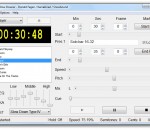
Amazing Slow Downer - if you are a musician who likes to learn new songs and techniques by listening to the same piece of music over and over but wish that the music could be played a little slower, then you will enjoy Amazing Slow Downer. Amazing Slow Downer is a program that will help you to learn new songs. Slows down the speed of the music - between -50% and 400% time-stretching without changing the pitch. Wrong key? Change the pitch in semi-tones - at full or lower speed. Out of tune? Adjust the pitch in cents (100ths of a semi-tone) to suit your instrument. Real-time processing - all described above is done in real-time - just insert the CD and press the play button! Also slows down MP3, Wave, Windows Media Audio, Ogg, FLAC and AAC/M4A files on your computer in real-time. Note: M4P files from the iTunes store is not supported. Great stereo sound quality! You can repeat any section of the music at full speed, slow it down or even speed it up by stretching the music by -50% to 400% without changing the pitch! You can also change the pitch up or down in semi-tones or fine-tune in cents (100ths of a semi-tone) to suit your instrument. Amazing Slow Downer works with your CD-ROM drive or any MP3 / Wave file on your harddisk and does all processing in real-time - no time wasted on recording or processing!
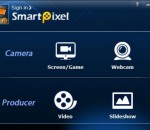
SmartPixel video editor is a screen capture and video editing 2 in 1 software for windows, it consists of two modules, SmartPixel Camera and SmartPixel Producer. The SmartPixel Camera has seamless interated D3D recording mode inside which compatible with all the PC games video recording as well as webcam and microphone audio recording. With new patented technology the video editor could easily record and edit videos with 1080P HD high quality. It brings user extreme easy and fun screen capture video recording experience but cost less CPU consumption and lower disk usage. Thus it is being seen as an ideal webcam recording tool and game recording tool. Smartpixel video editor has a PIP mode allows user live comment via webcam and microphone during screen capturing. Besides, it also capture screen and webcam image such as game screenshots, desktop screenshots etc. SmartPixel Producer might be the easiest video editing software you ever use, it's both the video editing tool and photo slideshow maker. The video editor could cut, trim, merge video clips and photo slideshow by add fast/slow playback section; insert subtitles; dubbing, text effect, background music, scribble painting etc.. With its fast cutting and editing feature, you can be a video editor in a few minutes. Almost any ideas you can think of, you can realize in your videos! Furthermore, SmartPixel Producer has a rich online resources library including effects, filters, sound clips for the video editors to add more flavor to their video clips. Once the video editing is done, the video clips can be exported with FLV, AVI, MP4, WMV and other general formats which can be easily upload to youtube and share with friends. In short, Smartpixel video editor is a video capture tool, webcam recording tool, video editing tool as well as photo slideshow making tool all in one program. It is one of the best free easy to use Windows screen capturing software and video editing software for YouTube videos.
GOM Media Player The only media player you need - for FREE! Not only is GOM Media Player a completely FREE video player, with its built-in support for all the most popular video and Media Player formats, tons of advanced features, extreme customizability, and the Codec Finder service, GOM Media Player is sure to fulfill all of your playback needs. With millions of users in hundreds of countries, GOM Media Player is one of the world`s most popular video players. Whats New : Added "Touch Setting" feature for touch screen devices. Added "Search box" feature on playlist. (Ctrl+F) Supported "HTTPS URL" for youtube or net radio playback. (Ctrl+U) Added "Music Tap" on preferences related to play music files. Improved performance related to "speed of add & delete" of files on playlist. Other miscellaneous corrections, fixes, and changes
RealPlayer has always enabled you to play RealAudio (*.ra) and RealMedia (*.ram) files. Download videos from thousands of Web sites with just one click Build your own video library and playlists Play all major audio and video formats Flash Video support DVD, SVCD, VCD burning and video recording RealPlayer for personal use includes audio CD burning capabilities, DVR-style playback buffering, multimedia search, Internet radio, a jukebox-style file library, an embedded web browser (using Microsoft Internet Explorer), and the ability to transfer media to a number of portable devices, including Apple's iPod, MP3 players, and Windows Media devices.
GOM is a FREE media player with popular audio & video codecs built-in. Codec Finder GOM Player includes many codecs (XviD, DivX, FLV1, AC3, OGG, MP4, H263 and more) so you won't need to install separate codecs for most videos. For those videos that require a separate codec, GOM Player will find one. Play Broken AVI Files (Patented) GOM Player's patented technology enables users to view files with broken indexes or that are still being downloaded. Powerful Subtitle Support GOM Player supports SMI, SRT, RT, SUB(with IDX) files for subtitle. You can even synchronize subtitle and video if there's any mismatch. Convenient Playlist If you run a video file and there is already a file with a similar name in the directory, it will be automatically added to your playlist. GOM Player has a similar playlist format as M3U, PLS, ASX. Support Different Media Types Along with different media format such as AVI, MPG, MPEG and DAT, GOM Player also supports streaming Windows media format (WMV, ASF, ASX). You can also watch DVD-quality videos with 5.1 channel audio output.