Daum PotPlayer x64 - very fast freeware multimedia player published by Daum. It feels like the KMPlayer, but is in active development. Distinctive features of the player is a high quality playback, support for all modern video and audio formats and a built DXVA video codecs. Other key features include Webcam/Analog/Digital TV devices support, gapless video playback, live broadcasting. Features of Daum PotPlayer: - Support for most audio/video formats and DVD. - Internal DXVA video codecs (H.264/AVC, VC-1, MPEG2) and EVR (Windows 7 only). - Hi Quality playback and low resources usage. - Support all types of subtitling. - Skins, logos, color themes. - Digital TV devices support. Live broadcasting.
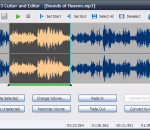
Free MP3 Cutter and Editor is an extremely simple and handy Windows software for editing mp3 files.
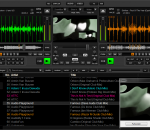
PCDJ DEX is a computer mixing program for both beginner and professional DJ’s. DEX has a powerful Recordcase that allows you to Import, Mix, and Search all of your mp3, ogg, wma, flac, wav files, unprotected iTunes Library easily. DEX supports multiple m3U waitlist, play-list, or crates of mix and match tracks. PCDJ DEX is all you need to get started and become a DJ! We understand that one interface is not for everyone. So DEX includes many Skins that give you a different Look, Feel, and Feature set depending on your style of mixing. For our old school PCDJ users, you’ll love the included basic Red 5.2 Skin! You can even import your old Red 5.2 Recordcase! For our VRM user’s, we now included a RED VRM Skin with all the features you have grown to love and expect from RED VRM plus some features of FX VRM. Like Bells and Whistles? Switch to the Advanced Dunks Dark Side Skin shown below, that is capable of 4 players, effects, and more… Features * NEW- Supports iTunes Tags * Track rating column * Send MTC Midi Clock for synchronizing with other programs (i.e. DMX Light-shows) * Monkey’s Audio file format now supported * Playlist repeat option added * Beat-grid added (only available in FX skin right now) * Support for New KARAOKI plug-in * Audio Engine Upgrade * Smartlist functionality * Play mp3, wma, ogg, flac, wav, or directly from a CD * Change pitch with 4 different ranges from +/-8% to +/-100% * Change volume, play and pause (instant-start) with low latency (up to 2ms with ASIO, up to 10ms with DirectSound) * Edit ID3v2 tags for mp3’s and the ogg vorbis tag for ogg files * Fast and accurate automatic BPM detection * Pre-Listening * Through Soundcard rear-out * Through Left/Right splitter or * Through Second Soundcard * Mix on an external mixer * Player 1 to Front Out, Player 2 to Rear Out or * Player 1 to Soundcard 1, Player 2 to Soundcard 2 * DirectSound or ASIO output * Spectrum analyzer, stereo VU Meter * Configurable song break and startup speed for turntable-like effects
The Stereo Movie Maker application was designed to be a versatile stereo movie editor and stereo movie player. Features: · Drag-and-drop movies onto the SMM window or shortcut. · Add a fuzzy border of defined-width to reduce retinal-rivalry caused by window-violation. · Left-Right Image swap · Vertically-mirror the top, bottom or both movies and optionally save them. · Horizontally-mirror the left, right or both movies (useful for some two-monitor viewing devices and movies taken with beamsplitters) and optionally save them. · Perspective rotations around a horizontal and/or vertical axis to correct keystone distortion (sometimes unavoidable with macro movies). · Resampling option after 'Easy Adjustment' for better image quality. · Use a household mirror to encourage the general public to enjoy stereo movies without freeviewing or anaglyph glasses · Rotate left/right images from twin-camera rigs in any configuration. · View in windowed or fullscreen mode on a single or dual monitors and use keyboard or mousewheel to zoom-in/out. · Toggle between windowed and fullscreen modes by simply pressing 'Enter' key. · Create stereo-soundtrack from left/right MPEG movies. · Save cropped movie · Save resized movie · Save movie in different stereo-format · Save movie with different compression · Save a selected stereo 'clip'of the movie. · Synchronise Left/right movies · Do your own stereo 'blue screen compositing' · Auto-align to user-defined vertical or horizontal reference line. · Correct rotation, image size or alignment errors.
A still photograph is a limited format for capturing moments that span an interval of time. Video is the traditional method for recording durations of time, but the subjective “moment” that one desires to capture is often lost in the chaos of shaky camerawork, irrelevant background clutter, and noise that dominates most casually recorded video clips. Microsoft Research Cliplets is an interactive app that uses semi-automated methods to give users the power to create “cliplets”—a type of imagery that sits between stills and video from handheld videos. The tool provides a creative lens one can use to focus on important aspects of a moment by performing spatiotemporal compositing and editing on a video-clip input.
The Fastest Movie Capture Dxtory is a movie capture tool only for DirextX/OpenGL application. In order to acquire data from Surface Memory directly, It operates very much at high speed. Arbitrary cropping and free scaling are supported by hardware. Non-deteriorated Capture The codec of Dxtory can record original pixel data as it is. A quality can be pursued to a limit with video source without degradation. Moreover, since the third party VFW codec is also supported, the user can choose a favorite solution.
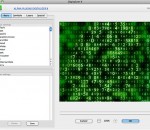
Digitalizer II - the new version of our famous Photoshop plug-in. Indeed the Digitalizer II is the fully new and power effects machine that lets you add in your composition textual effects with professional quality Digitalizer II allows to represent a picture as a set of symbols or digits or even as a meaningful text and this text appearance, places, sizes, colors and other attributes depending on the initial picture. The used set of symbols or connected text can be easily edited in the build-in text editor and exported/imported as RTF file if needed. Digitalizer II can manage many parameters of text compositions and you can easily setup all kinds of textual patterns, freely manipulate with text colors, sizes, fonts and features depending on the initial picture and random. Digitalizer II can construct fantastic 3D multilayer text compositions and adjust their parameters. Also Digitalizer II contains many built-in additional effects which are organically integrated with main textual effects. Digitalizer II has a convenient user interface with scalable and re-sizable previews and many adjustable parameters grouped into several tabbeds. Digitalizer II contains a large number of predefined presets of parameters which let you quickly explore plug-ins possibilities. And of course you can save self parameters presets if you need to as well as action scripts.
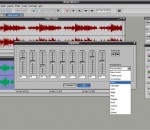
Music Mixer contains all the indispensable tools to realize quality recordings, edit and mix multiple tracks and create easily your own sounds and musics. It is the ideal solution if you wish, for example, to record your voice on your karaoke files, to mix and arrange the recordings of your band, to transfer on CD your old cassettes or vinyl discs, or simply to manipulate, work or cut sound files. Music Mixer has a very intuitive and easy to use interface. Audio editing : The visual editing of files will allow you to select, copy, paste, mix, cut the sound samples so easily as in a word processor. Audio recording : Record from any source connected to your computer (microphone, instrument, hi-fi system, etc.) and from all which may be read by your computer (CD, DVD, video, etc.). Numerous tools and effects : Music Mixer also allows to work again your sounds and musical creations with the help of customizable effects (equalizer, amplification, fade in/out, echo, reverb, tremolo, etc.). .). It also has numerous practical tools to accelerate, decelerate or invert a sound, create loops or search for the blanks. Real-time mixing desk : The montage/mixing desk allows you to place multiple tracks by simple drag and drop, to adjust the volume of each track in real-time, and to export your work in a single final file. You will realize very quickly complex montage and mixing. Conversions of formats : Music Mixer allows the conversion of numerous audio file formats (MP3, WMA, MIDI, KAR, etc.) to Wave format and the conversion of the format of Wave files (Frequency, Mono - Stereo, 8 bits - 16 bits). Work in project : For the works of bigger scale, you have the possibility of saving your work in the form of project, to be able to resume it later such as you left it.
This program scans your harddrives or CD-ROMs for audio files and reads the embeded meta information (title, artist, album, etc.) into a database. With the search capabilities of a database program you can find a title in seconds and enqueue or play it in your preferred audio player application, e.g. WinAmp. This software is fun when you already have collected a large number of MP3 files. It also helps to print CD-ROM labels and finds duplicate files using the FuzzyDupes engine. Features: * Fast scanning and reading audio meta tag information * Mixed archiving from your hard disk and removable media (CD-ROM) * Supports MP3 ID3-tags version 1 and 2.3 * OGG/Vorbis and Windows Media Audio are supported as well * Sorting, grouping and filtering * Different fast search and query functions * Multi-tag editor * Fuzzy duplicate search in title/artist/album * The data is saved in a MS-Access database, which can be also accessed by other programs
Caesium reduces the size of your picture up to 90%, preserving the original quality. Caesium allows you to save a lot of space and quickly upload your pictures on the web (on sites like Facebook, MySpace etc) saving a lot of time. Also Webmasters for instance need to make sure the images they post on their websites are optimized, to avoid prolonged loading times for their visitors. The software allows you to view instantly the compression results, helping you to decide how much optimization you need. Caesium can set different compression levels to each image, saving a lot of time, ensuring great results! Image compression is underestimated but can have many important uses. Can be useful to webmasters who have many images on their website and want to reduce the loading time. Is also important for people who attach photos to emails and want to send it quickly. And what about Social Networks? People upload a lot of pictures on Facebook, MySpace etc and with Caesium you can drastically reduce the upload time. And if you just want to store your images on your Hard Drive think how many space are you wasting without compressing them! Caesium features: Resize your pictures up to 90% preserving the file format. The software use an intelligent file compressing method. Batch processing. Compress in a few second as pictures as you like. Most common file formats are supported. Easy preview, with a twin picture box that display the final result with a button. Zoom on preview. Picture-by-picture compression level. You can set every single compression level at every picture. Compression level can be set with an easy slider. Metatag information support. Multilanguage. Drag&Drop;. Drop your pictures directly into the list. Rename all files with a custom suffix. Remember the last used directory.
DVD X Player is the first region free/code free software DVD player in the world. Through this DVD player software you can play all regions DVD on all DVD drives (except the Matshita DVD-RAM serials, Sony VAIO serials and Toshiba Satellite serials) even if you have changed the region code 5 times. Record DVD movies for your Apple iPod/iPhone and PSP: DVD X Player supports recording DVD as various popular movie files to expand your multimedia entertainment on most popular portable devices (Apple iPod Video, iPhone, Sony PSP, Zune, Blackberry, Zen, Smart Phone, PMP etc.). DVD X Player integrats all functions of a standard DVD player. DVD X Player can provide superior video and audio (Dolby & DTS) quality, together with other enhanced functions: e.g. record DVD, playback image and DV, image capture and bookmark, etc. Furthermore, it supports DIVX, MPEG4, RM, QuickTime, WMV, WMV-HD, MacroMedia Flash and popular media formats of Internet. DVD X Player can be extensively compatible with hardware, which is operated stable, smoothly under Windows 9898SE Me 2000 XPVista system. Features: • Playing DVD/VCD/CD/DivX / XviD / MPEG-4 / QuickTime / Real/ MacroMedia Flash. • Region free / Code free / Zone free - RPC2/RCE Region Free/ Operation-free. • Record your favorite DVD movie into video or MP3 audio files( for Apple iPod Video, iPhone, Sony PSP, Zune, Blackberry, Zen, Smart Phone, PMP etc). • Support operation-free through which you can skip the FBI warning easily. • Smart Stretch lets you enjoy any movie with 16:9 aspect ratio on any screen mode, without distortion. • Supports Dolby Digital 5.1(AC-3), Digital Theater System (DTS), Dolby Surround, multi-channel decoding up to 7.1 channels. • Visualization enables DVD X Player to display multi-colored shapes and patterns that change in harmony with the audio track being played. • Desktop Video enables you to watch DVD and work simultaneously.
GOM Media Player The only media player you need - for FREE! Not only is GOM Media Player a completely FREE video player, with its built-in support for all the most popular video and Media Player formats, tons of advanced features, extreme customizability, and the Codec Finder service, GOM Media Player is sure to fulfill all of your playback needs. With millions of users in hundreds of countries, GOM Media Player is one of the world`s most popular video players. Whats New : Added "Touch Setting" feature for touch screen devices. Added "Search box" feature on playlist. (Ctrl+F) Supported "HTTPS URL" for youtube or net radio playback. (Ctrl+U) Added "Music Tap" on preferences related to play music files. Improved performance related to "speed of add & delete" of files on playlist. Other miscellaneous corrections, fixes, and changes
RealPlayer has always enabled you to play RealAudio (*.ra) and RealMedia (*.ram) files. Download videos from thousands of Web sites with just one click Build your own video library and playlists Play all major audio and video formats Flash Video support DVD, SVCD, VCD burning and video recording RealPlayer for personal use includes audio CD burning capabilities, DVR-style playback buffering, multimedia search, Internet radio, a jukebox-style file library, an embedded web browser (using Microsoft Internet Explorer), and the ability to transfer media to a number of portable devices, including Apple's iPod, MP3 players, and Windows Media devices.
GOM is a FREE media player with popular audio & video codecs built-in. Codec Finder GOM Player includes many codecs (XviD, DivX, FLV1, AC3, OGG, MP4, H263 and more) so you won't need to install separate codecs for most videos. For those videos that require a separate codec, GOM Player will find one. Play Broken AVI Files (Patented) GOM Player's patented technology enables users to view files with broken indexes or that are still being downloaded. Powerful Subtitle Support GOM Player supports SMI, SRT, RT, SUB(with IDX) files for subtitle. You can even synchronize subtitle and video if there's any mismatch. Convenient Playlist If you run a video file and there is already a file with a similar name in the directory, it will be automatically added to your playlist. GOM Player has a similar playlist format as M3U, PLS, ASX. Support Different Media Types Along with different media format such as AVI, MPG, MPEG and DAT, GOM Player also supports streaming Windows media format (WMV, ASF, ASX). You can also watch DVD-quality videos with 5.1 channel audio output.