Free screen recorder, super-easily used video editor. Game recording. Custom code rate of picture quality. Picture-in-picture. Use Pic-in-Pic, track to overlap multiple video clips. Text-to-speech. Convert text into a voice segment by one touch. A powerful video editor made for beginners. Join Coolcut, let's edit your wonderful life!
RTMPDumpHelper is a small utility that can help you to easily download RTMP video/audio streams. By combining this utility and the proxy server of RTMPDump toolkit, you can simply open a Web page containing RTMP video stream in your favorite Web browser, and while watching the video, it'll be saved to your disk automatically as .flv or .mp4 file. RTMP is a streaming protocol used by Hulu, justin.tv, and by many live streaming Web sites.
Hard to explain to someone how to do something on a computer? Show him/her a screen demo video, or share your screen with him/her remotely. How to save a favorite flash streaming video to hard disk? The simplest way is to record the video off the screen just like a camcorder shooting screen.
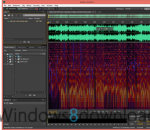
WaveCut Audio Editor is an enhanced version of our free audio editor for Windows. With greater speed and multi-window interface, it remained all the same compact and easy to use. Most basic operations performs instantly without causing any delay. We collected suggestions from our users for a long time and have made hundreds of improvements in all aspects of audio editing. In addition, the editor now supports much more popular audio formats.
Protect your work with a watermark, which makes your copyright more difficult to infringe. Insert any text into video files. You can insert the watermark text into top-left, top-right, bottom-left or bottom-right of the video. Drag and drop files is supported. You can change the destination folder. Default destination folder is desktop. Supported input and output filetypes are MP4, MKV, AVI, MPEG, MOV, WMV and FLV.
Txt2VobSub generates vobsubs[idx/sub] subtitles from srt or txt subtitles . The quality of the subtitles is superb . You can select custom colors and position of your subtitles. It can be used in order to watch on your standalone divx player subtitled movies. Your divx player must be vobsub [idx/sub] compatible.
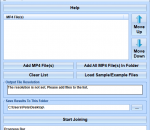
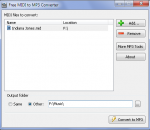
This software offers a solution to users who want to convert many M4As to MP3s. Many songs purchased from iTunes are in M4A format which makes them difficult to play with MP3-only devices. This software solves this type of problem by converting those M4A files in batch. Simply drag and drop the files you would like to work with and click the 'Start' button to begin the conversion.
3nity Media Player portable is an easy to use tool that you can use to open multimedia files of all types, listen to online radio stations and more. Based on MPUI, which is a GUI for the well-known MPlayer, this application can handle almost all video and audio file types in existence.
PSP StereoPack is a useful collection of VST plugins that allows you to analyze the image ad the quality of the stereo signal in audio tracks and mixes. The pack includes four plugins: PSP PseudoStereo, PSP StereoEnhancer, PSP StereoController, PSP and StereoAnalyser.
MPEG Video ES Utils application provides the user with a visual representation of the structure of MPEG-2 video elementary stream (ISO/IEC 13818-2). The application allows the user to investigate the video sequence headers, group of picture headers, picture headers with their extensions, slices, macroblocks, blocks, VLC coefficients and motion vectors.
HOLMImpulse x64 is an application which demonstrates how can you make measurements using any soundcard and a microphone. Download the file and save it a folder of your choosing. To open the data in HOLMImpulse go to the file menu and select "Open Measurements". Navigate to the folder containing the HOLMImpulseMeasurements.hlm file and select it.
GOM Media Player The only media player you need - for FREE! Not only is GOM Media Player a completely FREE video player, with its built-in support for all the most popular video and Media Player formats, tons of advanced features, extreme customizability, and the Codec Finder service, GOM Media Player is sure to fulfill all of your playback needs. With millions of users in hundreds of countries, GOM Media Player is one of the world`s most popular video players. Whats New : Added "Touch Setting" feature for touch screen devices. Added "Search box" feature on playlist. (Ctrl+F) Supported "HTTPS URL" for youtube or net radio playback. (Ctrl+U) Added "Music Tap" on preferences related to play music files. Improved performance related to "speed of add & delete" of files on playlist. Other miscellaneous corrections, fixes, and changes
RealPlayer has always enabled you to play RealAudio (*.ra) and RealMedia (*.ram) files. Download videos from thousands of Web sites with just one click Build your own video library and playlists Play all major audio and video formats Flash Video support DVD, SVCD, VCD burning and video recording RealPlayer for personal use includes audio CD burning capabilities, DVR-style playback buffering, multimedia search, Internet radio, a jukebox-style file library, an embedded web browser (using Microsoft Internet Explorer), and the ability to transfer media to a number of portable devices, including Apple's iPod, MP3 players, and Windows Media devices.
GOM is a FREE media player with popular audio & video codecs built-in. Codec Finder GOM Player includes many codecs (XviD, DivX, FLV1, AC3, OGG, MP4, H263 and more) so you won't need to install separate codecs for most videos. For those videos that require a separate codec, GOM Player will find one. Play Broken AVI Files (Patented) GOM Player's patented technology enables users to view files with broken indexes or that are still being downloaded. Powerful Subtitle Support GOM Player supports SMI, SRT, RT, SUB(with IDX) files for subtitle. You can even synchronize subtitle and video if there's any mismatch. Convenient Playlist If you run a video file and there is already a file with a similar name in the directory, it will be automatically added to your playlist. GOM Player has a similar playlist format as M3U, PLS, ASX. Support Different Media Types Along with different media format such as AVI, MPG, MPEG and DAT, GOM Player also supports streaming Windows media format (WMV, ASF, ASX). You can also watch DVD-quality videos with 5.1 channel audio output.