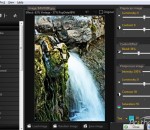
Large collection of photography effects at your fingertips. Unleash the art latent in your pictures with simple operations. The Random effect button will give you new and unique transformations and ideas with a single click. Once you find an effect you like you can reuse it in any other images and file it for easy access at any later time. PhotoChances Lab can also handle, reuse and refine photographic effects of images captured with the optional companion program "PhotoChances Explorer" (slideshow).
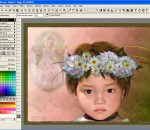
TwistedBrush Pro Studio includes everything that TwistedBrush has to offer including over 5000 brushes and full brush editing all at a great price. Great for original digital painting, photo editing and all forms of digital art. Layers and Transparency: TwistedBrush fully supports transparency and layers with all the standard layer mixing modes plus many unique mixing modes that canapos;t be found anywhere else. Masks: Extensive mask support for protecting and selecting parts of your work. Use the Magic Wand tool with the wide range of options for creating masks or use masking brushes to paint your masks. Cloning: With the cloning brushes included in TwistedBrush Pro Studio and available for TwistedBrush Open Studio you can do all the standard cloning actions for photo touchup or convert your photos into the look of paintings or drawings. Tracing Paper: A drawing guide that allows you to see another image below your current image. Great when used with cloning brushes or just for a guide for proportions and layout. Image Formats: In addition to the TwistedBrush specific file formage, TBR, all the leading industry standard image formats are supported including, JPEG, GIF, PNG, TIFF, TGA, PCX, PSD, BMP, PCD, WMF and EMF.
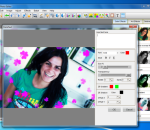
Elfin Photo Editor is an image editor and optimizer for users who want to make their photos stand out. Fast and effective, simple and easy to use. Elfin Photo Editor contains all the essential tools and options to edit and optimize digital photos. Besides, you can add frames, text and 35 special effects to your photos to set your photos apart from ordinary. Key features: 1. Quick photo adjust: Auto adjust, adjust Lightness/Darkness, Brightness/Contrast, Hue/Saturation, Color balance etc. All the essential image editing and modification tools can be found on the top toolbar and you can apply them by one mouse click. 2.Special photo effects:35 special effects are included in photo effects area which on the right side of interface. 3.Frames and Text ( wordart ) 4.Cropping and Resizing 5.Recovery wand 6.Quick batch processing: batch resize, convert, rename and rotate
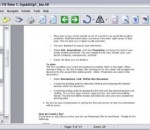
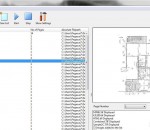
Able Fax Tif View is a multi-page FAX, TIF, PDF, EPS, PS, AI, DCX, DICOM, JBIG viewer, editor and converter, offers you a full solution for viewing, editing, printing, saving, converting. Able Fax Tif View can show all kinds of FAX images, multipage FAX and TIFF images (rev.6.0, Packbits, LZW, CCITT G.3 and G.4) with RGB, CMYK, B/W, animated GIF. Also FAX (CCITT3), G3F and G3N (Zetafax) formats supported for loading. Able Fax Tif View supports many FAX file formats. Images viewed on the screen can be sent directly to any printer supported by your operating system. Size, area and position are adjusted using a comfortable printer dialog. Able Fax Tif View can convert FAX and TIFF files to standard TIFF/FAX format, JPEG format (RGB, GrayScale, YCbCr, CMYK, YCbCrK), PNG, BMP, PCX, GIF, DIB, RLE, TGA (TARGA, VDA, ICB, VST, PIX), Portable Bitmap PBM, PDF, PS, DICOM. Able Fax Tif View can edit loaded images - extract, move, insert, delete, rotate, flip, invert pages, insert test, erase, correct. Able Fax Tif View software is a small, fast and efficient viewer and converter for Windows. You can send the fax by printing to the FAX printer (Windows NT Fax Driver). Supported the input image file formats - FAX, TIF, PDF, EPS, PS, AI, DCX, GIF. Supported the output image file formats - FAX, TIFF, GIF, JPEG, PNG, BMP, PCX, DIB, RLE, TGA, PBM, PGM and PPM. Supported TIFF compressions - rev.6.0, Packbits, LZW, CCITT G.3 and G.4. Supported color depths - 1 Bit (black/white), 4 Bit (16 colors/graylevels), 8 Bit (256 colors/graylevels) and 24 Bit (16,7 mio. colors), transparency. View functions - Scrolling (using cursor control keys, scrollbars), zooming (+/- keys, menufunctions or drawing a rectangular area), antialiasing, rotation (90 and 180), flip, invert. Print functions - Optimized to page size, arbitrary area/size/position, print preview. Special functions - TIFF tag analyzer and editor (individual tags). Twain Support for scanners and cameras.
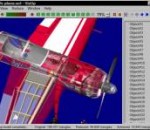
Vizup is an ad hoc polygon reduction and optimization system that enables you to reduce the number of polygons in a complex 3D model and optimize its geometry. The end result of such compression is a model with a well-balanced level of details and size, which can be used in virtual reality and real-time visualization systems. Vizup supports Wavefront .OBJ, VRML 2.0/97 and StereoLitho (.STL) file formats. Vizup is designed specially for game developers, architects, and 3D designers. With this software in place, they get a pain-free way to reduce polygons and optimize 3D models, and presentations before publishing them on the Web. Also, Vizup simplifies LODs generation for games and virtual reality. The best thing about this software is that it saves you from time-consuming routine operations and lets you put your energy into creativity. The product has a "Fast reduction" option to let you optimize 3D models quickly and effectively select the necessary level of reduction for many models. The learning curve is minimal, so you can start your first polygon compression project in a few minutes. Unique to Vizup is that it compresses the model for all possible ratios at once. This means you can see the effect of any compression level instantly with a click on the corresponding ratio button. Switch between different compression ratios, compare the resulting models and select the one that fits your requirements. Another good thing about Vizup is its unique ability to maintain the visual fidelity of the model even at high compression ratios. In compressing a model, Vizup deletes some vertices, but the coordinates of the remaining vertices do not change. Thanks to this, there are minimal distortions during texture mapping, as texture coordinates of the vertices remain the same.
Imagia is a non-destructive photo editor. No changes are made to the original photo, no matter what you do with it. This means that you are free to experiment. It means your creativity is not limited by fear of doing something wrong. Imagia has consistent user interface. It always runs fullscreen and the settings are always in the same place. Once you learn it, you will never feel lost. Keyboard use in Imagia introduces new original ideas. Learning Imagia is a pleasure. It is pure fun to see how fast this program runs, how your image within seconds turns into masterpiece and few seconds later you find a setting that makes it even better. There are dozens of settings to change at your fingertips. Not hidden in menus and modal dialogs but just on the left in the main window. If your photo needs straightening or cropping - use Imagia to do it. Global adjustment is a start. Imagia allows user to use brush to change photos locally. Lighten some parts of an image and darken the others, sharpen the eyes and smoothen the skin... Color, black and white, lomo, selective color, dualtoning... There are over 40 settings templates ready after you install Imagia. Each template represents different style. Users can save their own templates and share them online easily. Pick new templates from the gallery on OproLab's web page and download them free. If you use RAW format when you shot your photos you can't pick any image editor. Most of them does not open RAW formats. Imagia has no limits in this matter. Thanks to dcraw developed by Dave Coffin it can open almost any Raw file. When a new camera appears on the market dcraw usualy is first that can open its files. dcrawFront added to Imagia makes using dcraw more intuitive. Edited photos can be easily uploaded to Facebook, Google and Skydrive. Mind you that those photos will have small, discreet IMAGIA watermark on it to encourage you and a your friends to buy full version of IMAGIA. Because of its accurate and fast color matching capability, Mosaizer Pro is used by enthusiasts and professionals all over the world. FEATURES: · Overlays - bitmaps on top of each cell of the photo mosaic to create depth · 32Bit bitmap masks - combine the bitmap overlay and its alpha mask · 3D effects - like shadow, buttons, windows and splat! · A very accurate color matching engine (benchmark quality) · Multiple-language support · Cropping: only render what you want · Multiple file formats: bmp, jpg (jpeg), png, ico, gif, wmf and emf · The Genuine Paintbrush - to literally paint with pictures · Create picture libraries · Use of textures to create additional 3D effects · Edit functionality - to edit parts of the result by search/replace · Single cell mosaizing - to paint a picture by repeatedly using its own bitmap · Pre-processing - make sure the best picture library is used · Post-processing filters (color blending, color correction, tile edit) · Cell colorizing - to better match with the source colours
MakeUp Pilot is a digital retouch software that allows to do makeup directly on your photos. It helps you to quickly and easily remove small defects on your skin. With this program you'll be able to make your pictures look even better than they do! MakeUp? Pilot can be installed as a standalone program and also as a plug-in.
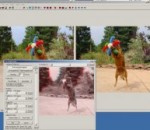
StereoPhoto Maker is a reliable and easy-to-use software for adding, viewing and editing stereo images. It also allows users with no knowledge of HTML to create WebPages using the StereoPhotoViewer Applet. You simply upload the contents of the applet-project to a Server using a freeware FTP program. More experienced users can create the entire webpage themselves or amend the file produced by SPM.
Picasa is free photo editing software from Google that makes your pictures look great. Sharing your best photos with friends and family is as easy as pressing a button! - Upload and share your photos on Google+ - Tag your Google+ friends and share pictures of them - Transform your photos with 24 new effects
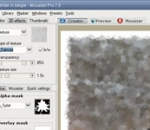
Mosaizer Pro is a set of professional digital creativity tools to work with a large number of bitmaps. Alpha masks, 3D effects, textures, post-processing filters and user-made masks are key for creative photo editing. One of the special tools, the 'Mosaizer', recreates a picture from pieces of itself: great effect with virtually no limit to the size of the result: max. 51 GB bitmap. Furthermore, the application is very fast and will generate a photo mosaic within seconds. Because of its accurate and fast color matching capability, Mosaizer Pro is used by enthusiasts and professionals all over the world. FEATURES: · Overlays - bitmaps on top of each cell of the photo mosaic to create depth · 32Bit bitmap masks - combine the bitmap overlay and its alpha mask · 3D effects - like shadow, buttons, windows and splat! · A very accurate color matching engine (benchmark quality) · Multiple-language support · Cropping: only render what you want · Multiple file formats: bmp, jpg (jpeg), png, ico, gif, wmf and emf · The Genuine Paintbrush - to literally paint with pictures · Create picture libraries · Use of textures to create additional 3D effects · Edit functionality - to edit parts of the result by search/replace · Single cell mosaizing - to paint a picture by repeatedly using its own bitmap · Pre-processing - make sure the best picture library is used · Post-processing filters (color blending, color correction, tile edit) · Cell colorizing - to better match with the source colours
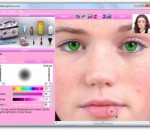
MakeUp Instrument is an easy portrait software. Simple presentation of instruments allows you to understand immediately how it works. Using this program, you can clean up face and skin imperfections, such as wrinkles, acne, and tattoos. MakeUp Instrument is your own digital cosmetic bag. Don't get upset if your lipstick has been wiped off on your portrait. You need only one click on lipstick instrument and try different colors. Using MakeUp Instrument you can extremely fast and easy improve your portrait. It's possible to apply makeup to any women in digital photos, reduce wrinkles, remove skin blemishes(spot and pimples), change your eyes colos, get rid of red eyes just one click, look your hair cleaner, change brightness and contrast your picture, make fairy-tales portrait, make your body slimer, remove tattoo, date stamps, watermarks, scratches, stains, wrinkles, and other unwanted objects from digital photos. Supported 21 languages: English / Arabic / Bulgarian / Czech / Dutch / Farsi / French / Georgian / German / Hebrew / Hungarian / Italian / Korean / Polish / Portuguese / Russian / Serbian / Spanish / Simplified Chinese / Traditional Chinese / Turkish / Vietnamese.