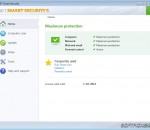
All-in-One Internet Security ESET Smart Security 6 is an all-in-one Internet Security solution with new Anti-theft feature that locates your missing laptop and gives you tools to help recover it. Personal Firewall and Anti-Phishing keep your data safe from identity theft and other scams. Secure your computer and your assets How many personal photos, tax returns and private emails are stored on your computer? Our comprehensive Anti-theft features, accessed via the web, help you locate your misplaced laptop on a map using Wi-Fi®, block access to your files and turn on its webcam so you can identify the thief. Location Tracking • Lets you mark a device as missing via ESET Account Web interface • Initiates automatic monitoring of activity • Displays position on a map based on the Wi-Fi networks in range when it comes online • Allows you to access the gathered information via ESET Anti-theft at my.eset.com Laptop Activity Watch • Allows you to watch thieves via built-in camera • Collects snapshots of the missing laptop's screen • Saves all recent photos and snapshots to your account at my.eset.com Anti-theft Diagnostics • Offers a simple setup process and configuration options • Helps you increase the level of security by prompting you to modify key system settings • Optimizes Anti-theft settings, makes it easy to configure Windows auto-login and account passwords One-way Messaging • Allows you to send a one-way message to your missing laptop to increase the chance of its retrieval Safeguard your online identity Your identity can’t be more personal—or more important. Powerful firewall, removable media and Anti-Phishing security features protect you against criminals trying to steal your personal information through online scams, hacking or by physically plugging a USB thumb drive into your computer and taking files. Personal Firewall • Prevents hackers from accessing your computer and taking advantage of your personal data Removable Media Control • Allows you to block unknown CDs, DVDs, USBs and other media • Prevents unauthorized copying of your private data to external devices Anti-Phishing • Prevents fake websites masquerading as trustworthy ones from acquiring your personal information Out-of-Home Network • Provides stricter protection when connected to unknown networks • Keeps you invisible to other computers while connected to public Wi-Fi® Surf the web with confidence The time tested NOD32 technology in ESET Smart Security lets you enjoy your technologies to the fullest. The solution eliminates all types of threats, including viruses, rootkits, worms and spyware. Cloud-powered scanning delivers a higher level of protection, speeding up scans and ensuring that your computer runs at its best. Antivirus and Antispyware • Provides proactive protection against all online and offline threats, including viruses, worms, Trojans and other malware Cloud-powered Scanning • Ensures a faster scanning process that uses our online file reputation database for whitelisting safe files Scanning During File Downloads • Decreases scanning time by initiating scan during file download Host-based Intrusion Prevention System (HIPS) • Acts as a firewall to your application and blocks unauthorized changes to programs Small System Footprint • Maintains high performance and extends the lifetime of your hardware • Save Internet bandwidth through extremely small update packages
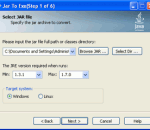
Jar2Exe is a tool to wrap jar files into binary exe files for Windows, Linux and Mac. 1) It supports to generate 32 bits, 64 bits of exe files, and universal binaries. 2) It supports to generate 3 types of exe files(console, windows and service). 3) It supports class files protection which will protect classes files from being extracted. 4) It can wrap depended jar files into a single exe file. 5) It has Wizard mode and Command Line mode to run.
HTTPS Everywhere is a Firefox and Chrome extension that encrypts your communications with many major websites, making your browsing more secure. HTTPS Everywhere is produced as a collaboration between The Tor Project and the Electronic Frontier Foundation. Many sites on the web offer some limited support for encryption over HTTPS, but make it difficult to use. For instance, they may default to unencrypted HTTP, or fill encrypted pages with links that go back to the unencrypted site. The HTTPS Everywhere extension fixes these problems by using a clever technology to rewrite requests to these sites to HTTPS.
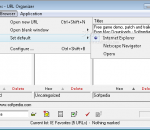
Compact, fast, simple bookmark manager to store, organize, annotate, copy and backup large and/or multiple collections of Internet bookmarks/favorites and also shortcuts to programs, documents and folders. Innovative, intuitive and highly-customizable. Three clicks or free-text search to find any URL. Powerful organizing tools. Import/export tools for Internet Explorer, Netscape and Opera. Also imports AOL Favorite Places. Support for multiple URL collections makes it ideal for family users and web researchers (who'll also appreciate how easily it handles tens of thousands of URLs). Support for multiple web browsers makes it ideal for web developers. Support for concurrent sharing of URL collections makes it ideal in a networked/corporate environment.
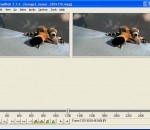
VirtualDub is a video capture/processing utility for 64-bit Windows platforms (Vista/7), licensed under the GNU General Public License (GPL). It lacks the editing power of a general-purpose editor such as Adobe Premiere, but is streamlined for fast linear operations over video. It has batch-processing capabilities for processing large numbers of files and can be extended with third-party video filters. VirtualDub is mainly geared toward processing AVI files, although it can read (not write) MPEG-1 and also handle sets of BMP images. Features: Have you ever worked with desktop video? Sure, you've probably played a few video clips on your monitor. But have you ever made one yourself? Used a video capture device? Wrestled with the software that comes with it? Felt like the software is a few leagues above or below your level? Time to try something else. VirtualDub helps you get video into your computer. If your capture device is Video for Windows compatible, then VirtualDub can capture video with it. But VirtualDub isn't your average capture program: * Fractional frame rates. Don't settle for 29 or 30 when you want 29.97. * Optimized disk access for more consistent hard disk usage. * Create AVI2 (OpenDML) files to break the AVI 2GB barrier and multiple files to break the FAT32 4GB limit. * Integrated volume meter and histogram for input level monitoring. * Real-time downsizing, noise reduction, and field swapping. * Verbose monitoring, including compression levels, CPU usage, and free disk space. * Access hidden video formats your capture card may support but not have a setting for, such as 352x480. * Keyboard and mouse shortcuts for faster operation. To capture, just hit F6. * Clean interface layout: caption, menu bar, info panel, status bar. VirtualDub lets you clean up video on your computer. There are lots of programs that let you "edit" video. And yet, they're frustratingly complex for some of the simplest tasks. VirtualDub isn't an editor application; it's a pre- and post-processor that works as a valuable companion to one: * Reads and writes AVI2 (OpenDML) and multi-segment AVI clips. * Integrated MPEG-1 and Motion-JPEG decoders. * Remove and replace audio tracks without touching the video. * Extensive video filter set, including blur, sharpen, emboss, smooth, 3x3 convolution, flip, resize rotate, brightness/contrast, levels, deinterlace, and threshold. * Bilinear and bicubic resampling -- no blocky resizes or rotates here. * Decompress and recompress both audio and video. * Remove segments of a video clip and save the rest, without recompressing. * Adjust frame rate, decimate frames, and 3:2 pulldown removal. * Preview the results, with live audio. You can take a captured clip, trim the ends, clean up some of the noise, convert it to the proper frame size, and write out a better one. Don't see a video filter you want? Write your own, with the filter SDK. VirtualDub is fast. The author of VirtualDub is very impatient. That means his program is designed for speed, both in the interface and in the processing pipeline. Converting a compressed, 320x240 MPEG-1 file to an uncompressed, 24-bit AVI requires only these two steps in VirtualDub: * Open video file (Ctrl-O). * Save AVI (F7). How fast is this operation? On a C450, 40 frames per second (1.3x real-time speed). With a little tweaking, the speed rises to 55 fps (1.8x), with the CPU hardly breaking a sweat at 40%. VirtualDub is cheap. To be exact, it costs nothing. VirtualDub is licensed under the GNU General Public License, meaning you can use it for free. No risk involved, and the whole source code is available if you want it.
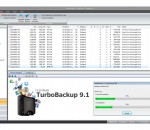
FileStream TurboBackup lets you back up files, folders, and drives, E-mail, registry, system and system settings, to disk, USB flash drive, external drive, CD/DVD, network, and remote server, on demand or via scheduling. Quickly recover data from Windows and software errors, virus and malware attack, and hardware crash. It offers compression with encryption. It also offers cataloging, management, and internal preview functions.
This all-in-one framework provides a simple and quick way to customize Internet Explorer with your own browser extensions. You can create thread-safe, secure, isolated, deployable and context-sensitive add-ons for Internet Explorer IE 6, 7 and 8 (32- and 64-bit) with your menu items, toolbar buttons, context menus, toolbars, side-bars and keyboard shortcuts. It directly supports VB.NET, C#, C++ and Delphi Prism.
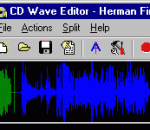
CD Wave is a program designed to aid in CD-Recordable mastering. It was built for recording and splitting WAV files from any source, like LP, tape or even from CD using digital audio extraction. After recording, you can let CD Wave automatically calculate split points, or you can manually add and delete split points. After this, you can write out the tracks as individual wave files and use any CDR mastering program to write a disc that has no clicks or pops in between tracks. You can also directly write out MP3, FLAC, APE or OGG files to play on your portable device or for archiving and online sharing. CD Wave can also act as a simple audio recorder and editor, allowing you to record and playback audio, and cut out parts that you want to keep. You can even let CD Wave replace your tape deck, and program it to start recording at any given time. Since CD Wave can read and write CUE sheets, you can also use it as a CUE sheet editor for CDRWin CD Wave supports all uncompressed audio formats up to 24-bit, at any sample rate and any number of channels (mono, stereo, quad, dolby 5.1). It can read from WAV, FLAC and APE files, CD audio and digital or analog inputs through a soundcard.
Adobe Flash Player is the high performance, lightweight, highly expressive client runtime that delivers powerful and consistent user experiences across major operating systems, browsers, mobile phones and devices. Installed on over 750 million Internet-connected desktops and mobile devices, Flash Player enables organizations and individuals to build and deliver great digital experiences to their end users. Immersive experiences with Flash video, content and applications with full-screen mode. Low-bandwidth, high-quality video with advanced compression technology. High-fidelity text using the advanced text rendering engine. Real-time dynamic effects with filters for Blur, DropShadow, Glow, Bevel, Gradient Glow, Gradient Bevel, Displacement Map, Convolution, and Color Matrix. Innovative media compositions with 8-bit video alpha channels. Blend modes, radial gradient, and stroke enhancements. Additional image formats: GIF, Progressive JPEG, and PNG. Adobe Systems Inc no longer allows hosting of their installers. So we are redirecting to their download page.
FileMany 64-bit is a powerful program that finds and deletes duplicate files on your HDD. This easy-to-use program is extremely effective before conducting degragmentation to secure more space. Features: Very fast and accurate search; Conditions can be specified in detail; You can preview search results.
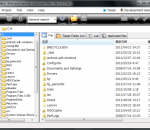
Easily create, open, preview, rename, copy, move, delete, search and share files and folders. Browse your documents faster with navigation buttons (back, forward, up), thumbnail previews, shortcuts to your Images, Music and Videos folders and the ability to add shortcuts to your favorite folders.
GOM Media Player The only media player you need - for FREE! Not only is GOM Media Player a completely FREE video player, with its built-in support for all the most popular video and Media Player formats, tons of advanced features, extreme customizability, and the Codec Finder service, GOM Media Player is sure to fulfill all of your playback needs. With millions of users in hundreds of countries, GOM Media Player is one of the world`s most popular video players. Whats New : Added "Touch Setting" feature for touch screen devices. Added "Search box" feature on playlist. (Ctrl+F) Supported "HTTPS URL" for youtube or net radio playback. (Ctrl+U) Added "Music Tap" on preferences related to play music files. Improved performance related to "speed of add & delete" of files on playlist. Other miscellaneous corrections, fixes, and changes
Iperius Backup is one of the best free backup software, also released in commercial editions for those who need advanced backup features for their companies. The freeware version of Iperius Backup allows you to backup to any mass storage device, such as NAS, external USB hard drives, RDX drives, and networked computers. It has comprehensive scheduling and e-mail sending functions. It supports zip compression with no size limit, incremental backup, network authentication and the execution of external scripts and programs.
Maryfi is a free and easy to use software router for Windows 7, 8 , and 8.1 computers. With Maryfi, users can wirelessly share any Internet connection such as: a cable modem, a cellular card, or even another Wi-Fi network. Other Wi-Fi enabled devices including laptops, smart phones, music players, and gaming systems can see and join your Maryfi hotspot just like any other Wi-Fi access point and are kept safe and secure by password-protected WPA2 Encryption.