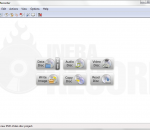
InfraRecorder is a free CD/DVD burning solution for Microsoft Windows. It offers a wide range of powerful features; all through an easy to use application interface and Windows Explorer integration. InfraRecorder is released under GPL version 3. Features Create custom data, audio and mixed-mode projects and record them to physical discs as well as disc images. Supports recording to dual-layer DVDs. Blank (erase) rewritable discs using four different methods. Record disc images (ISO and BIN/CUE). Fixate discs (write lead-out information to prevent further data from being added to the disc). Scan the SCSI/IDE bus for devices and collect information about their capabilities. Create disc copies, on the fly and using a temporary disc image. Import session data from multi-session discs and add more sessions to them. Display disc information. Save audio and data tracks to files (.wav, .wma, .ogg, .mp3 and .iso).
URANIUM BACKUP Uranium is a complete and reliable backup software for Windows available in both free and commercial editions. Discover the advantages, try Uranium.
NSIS (Nullsoft Scriptable Install System) is a professional open source system to create Windows installers. It is designed to be as small and flexible as possible and is therefore very suitable for internet distribution. Being a user's first experience with your product, a stable and reliable installer is an important component of successful software. With NSIS you can create such installers that are capable of doing everything that is needed to setup your software. NSIS is script-based and allows you to create the logic to handle even the most complex installation tasks. Many plug-ins and scripts are already available: you can create web installers, communicate with Windows and other software components, install or update shared components and more.
Characters can then be copied to the clipboard for use in any Unicode-aware application. It also provides many useful features and special utilities, as described below. BabelMap supports the most recent version of the Unicode Standard, currently Unicode 6.3 (released September 2013).
Audiggle software captures a short clip of whatever audio is playing on your PC. It then searches a huge database of similar clips, and returns the answer. Quickly find the song you are searching for using Audiggle. FEATURES: Audio Recognition: · The backbone of Audiggle – heard a song you like but no amount of Googling can help? We can! Any Source: · Be it the soundtrack to a scene in your favourite DVD, the backing track to a YouTube clip or maybe your favourite Internet radio station, Audiggle can help! Downloads: · Just use the links provided to be taken straight to iTunes or Amazon to download the song in seconds. Lyrics: · Looking for the lyrics for the song you’ve just tracked down? Audiggle has them (you can also search for other lyrics too!). Concert Tickets: · Now you’ve found that new band, how about seeing if there are playing any concerts near you? Multi Language: · Audiggle isn’t just about songs in English – in fact it can recognize music from around the world!
Unformat 3.0 is a software utility for those who have accidentally deleted or formatted a hard disk partition or any other kind of digital storage media. The latest edition sports a number of scanning improvements as well as over thirty new file signatures to search for recoverable files of less common formats. For those seeking to unformat hard drive partitions or data on any other digital media, this software provides the features you need.
foobar2000 is an advanced freeware audio player for the Windows platform. Some of the basic features include full unicode support, ReplayGain support and native support for several popular audio formats. Main features: Supported audio formats: MP3, MP4, AAC, CD Audio, WMA, Vorbis, FLAC, WavPack, WAV, AIFF, Musepack, Speex, AU, SND... and more with additional components. Gapless playback. Full unicode support. Easily customizable user interface layout. Advanced tagging capabilities. Support for ripping Audio CDs as well as transcoding all supported audio formats using the Converter component. Full ReplayGain support. Customizable keyboard shortcuts. Open component architecture allowing third-party developers to extend functionality of the player.
MAME stands for Multiple Arcade Machine Emulator. When used in conjunction with images of the original arcade game's ROM and disk data, MAME attempts to reproduce that game as faithfully as possible on a more modern general-purpose computer. MAME can currently emulate several thousand different classic arcade video games from the late 1970s through the modern era.
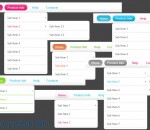
Apycom jQuery Popup Menu is the smallest, fastest, and one of the most customizable JavaScript hierarchical menus out there. It supports nearly unlimited hierarchical menus with individual colors, styles, and dimensions -- not just a boring old menu bar with one-level, one-color pop outs. Cool menu animation/effects are included as well. This menu can work as a pure CSS pop-up menu; there is no JavaScript being used for the popups.
Sharing your Internet bandwidth between several applications or between multiple connected PCs or devices, can be very frustrating at times. This is especially true if one application or device hogs most of the available bandwidth. If you have ever tried downloading something (legal content of course) as a Torrent, while at the same time trying to enjoy a HD YouTube video, you'll know that it can quite frustrating. The HD YouTube clip will take a long time to load, or worse still, it will continually lag and stutter. This happens because the Torrent download uses all of the available bandwidth, leaving insufficient bandwidth for other network and bandwidth dependant applications. The problem is network management. In order to provide better management of your network resources, GIGABYTE has developed LAN Optimizer. GIGABYTE LAN Optimizer is designed to allow the user to manage different types of network traffic so that data streams such as HD media, web browsing or online gaming can be prioritized, taking precedence over large data downloads that tend to strangle overall network bandwidth. GIGABYTE LAN Optimizer is a simple GUI-based, software application that works in conjunction with the Realtek 8111E and above Network Interface Controller (NIC). It's been designed to be as user friendly as possible, making intelligent network management simple to understand and implement. GIGABYTE LAN Optimizer features several main 'Mode' options, presented in a simplified, user-friendly interface. Each 'Mode' is designed to optimize the network chip on your motherboard according to your online activity or personal preference.
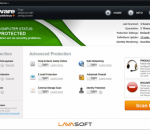
Ad-Aware 10 Leaner, meaner, faster. Ad-Aware Free Antivirus+ combines our legendary Anti-spyware with a super fast, free Antivirus. It now features download protection (blocks malicious files before being written to disk), sandboxing (keeps unknown apps running in a virtual environment) and advanced detection - it's our most powerful free antivirus yet. Fast Antivirus It's a superfast antivirus that complements Ad-Aware's legendary anti-spyware. Download Protection Scans your downloads regardless of the file format before they have a chance to damage your PC. Automatic Threat Updates Stay protected against the latest threats. Game Mode Silent mode protection that allows you to play your games and watch your movies without being disturbed. Safe Browsing Protect yourself from the newest malware being distributed through bad URLs and websites. Legendary Antispyware Ad-Aware is the world's most downloaded security software. 450 million downloads and counting... Real-Time Protection Behavior-based heuristics scanning that immediately detects malware before it harms your PC. Pin-Point Scanning Scan only the files or folders you want directly from their original location. Malware Sandbox Emulator Emulation technology that helps protecting users from unidentified or new variants of malware. Identity Protection Helps protect your personal information by monitoring your credit report.
GOM Media Player The only media player you need - for FREE! Not only is GOM Media Player a completely FREE video player, with its built-in support for all the most popular video and Media Player formats, tons of advanced features, extreme customizability, and the Codec Finder service, GOM Media Player is sure to fulfill all of your playback needs. With millions of users in hundreds of countries, GOM Media Player is one of the world`s most popular video players. Whats New : Added "Touch Setting" feature for touch screen devices. Added "Search box" feature on playlist. (Ctrl+F) Supported "HTTPS URL" for youtube or net radio playback. (Ctrl+U) Added "Music Tap" on preferences related to play music files. Improved performance related to "speed of add & delete" of files on playlist. Other miscellaneous corrections, fixes, and changes
Iperius Backup is one of the best free backup software, also released in commercial editions for those who need advanced backup features for their companies. The freeware version of Iperius Backup allows you to backup to any mass storage device, such as NAS, external USB hard drives, RDX drives, and networked computers. It has comprehensive scheduling and e-mail sending functions. It supports zip compression with no size limit, incremental backup, network authentication and the execution of external scripts and programs.
Maryfi is a free and easy to use software router for Windows 7, 8 , and 8.1 computers. With Maryfi, users can wirelessly share any Internet connection such as: a cable modem, a cellular card, or even another Wi-Fi network. Other Wi-Fi enabled devices including laptops, smart phones, music players, and gaming systems can see and join your Maryfi hotspot just like any other Wi-Fi access point and are kept safe and secure by password-protected WPA2 Encryption.