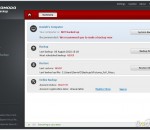
avast! Free Antivirus represents the best free antivirus protection currently available on the market. This edition is FREE OF CHARGE for non-commercial & home use. Its features include: Anti-spyware built-in Web Shield Anti-rootkit built-in Automatic updates Strong self-protection Virus Chest Antivirus kernel System integration Simple User Interface Integrated Virus Cleaner Resident protection Support for 64-bit Windows P2P and IM Shields Internationalization Network Shield
Comodo Backup is a powerful and easy to use desktop application that helps home and business users protect their valuable data against damage or loss. The application boasts a wealth of innovative and advanced features while the simple, task orientated interface means even beginner users can run their first backup job in a matter of minutes. Each user also receives 5 GB of secure online storage space free. Backup anywhere Network drive, external drive, FTP, DVD/CD, ISO, zip, online storage – you name it, Comodo Backup can copy to it Smart Profiles Comodo Backup will find and categorize all your music, videos, photos and mail so you can immediately start copying what's important to you Incremental and differentials Comodo Backup gives you the flexibility to run any combination of full, incremental, differential and sychronized backup types. Free Online Storage Space Each user gets 5 GB of highly secure, online storage which you can access from anywhere and sync between computers Online Drive Play music, watch movies and edit documents directly from storage as you would a local disk. You don't have to download the file first and any changes you make will be synchronized with your local copy. Command line & scripting Advanced users can create script files for backup, restore, mount and synchronize operations. Synchronized Our powerful synchronization feature keeps your data set consistent across your computers, laptops and online storage Volume shadow copy compatibility To ensure data consistency we integrated Volume Shadow Copy technology, which allows files in use to be copied. Versatile scheduling options You control the exact date and time that your backup should run (even if it's the middle of the night) Windows integration Comodo BackUp seamlessly integrates with Windows Explorer so that you can just select the folders or files you want to back up, right click on them and quick start the backup wizard. Encryption & Compression Choose from a wide range of compression and encryption algorithms to keep your data secure while reducing it's size to a minimum Mountable Backup Mount your backup as a virtual disk so you can explore and change it's content as per your needs
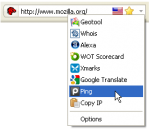
Flagfox Flagfox is an extension that displays a flag icon indicating the current webserver's physical location. Knowing where you're connected to adds an extra layer of awareness to your browsing and can be useful to indicate the native languages and legal jurisdictions that may apply. Additional information can be obtained via a multitude of external lookups and users can add their own custom actions. All actions can be added to the flag icon's context menu and set to icon click or keyboard shortcuts for quick access. Clicking the flag icon loads our default action, Geotool, which gives a detailed map showing the city the server is in and other useful information such as its local time and ISP. Many other actions are available for a wide range of uses such as: * Site safety and malware checks * Finding similar sites and reviews * Automatic translation to your language * SEO and web development research * Diagnostics like pings and traceroutes * Whois and DNS information * Page code validation * Quick URL shortening * Copying a server's IP address or other info * or you can create your own custom actions! Flagfox is simple, unobtrusive, and uses relatively little resources. In order to protect your privacy, country lookups are done locally rather than asking an external server about every page you browse to. It works by accessing an internal IP address location database, basically a rough map of the physical layout of the Internet, based on data provided by Maxmind(http://maxmind.com/). This gives a flag for the nationality of the actual location of the server you're connected to, rather than just the nationality of the domain name which may be different. Flagfox updates are provided on a monthly basis to keep this internal database accurate.
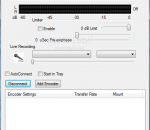
Edcast (aka Oddcast) was probably the best alternative to shoutcast's own DSP for sourcing shoutcast DNAS - in fact, many would argue it was superior in many ways. For example, it can also source Icecast natively, not in dumbed down shoutcast emulation mode. A year ago, or more, I can't recall, "oddsock" shut down, due to undisclosed issues. A year before that, however, I'd already tinkered with the code, adding an ASIO version. Primarily for my own, unusual, set up. When oddsock shut down, I decided to step up and continue his work, hopefully improving on it. Features: * Allow changing YP info even for private stream * Windows Vista/7 compatibility - user writable files (config/log) will default to userusernameappdatalocaledcast* folder * for dsp versions in Windows Vista/7 compatibility - user writable files (config/log) will default to userusernameappdataroamingwinampplugins folder * Password no longer clobbered by sending metadata * Fixed device initialisation bug at startup in STANDALONE and DSP * Fix long standing edcast issue with Virtual Audio Cables * Fix internal buffer overflow when sending metadata * NEW DSP with Fraunhofer support * "Are you sure" prompt when closing down edcast * Attenuation per encoder * Limiter with pre-emphasis and pre-gain * Start in tray * Improved audio handling * Latest BASS.dll - fixes the 3 hour issue * DSP version: set encoders individually to "Always record from DSP" - allows 2 different sources for one edcast * Don't log encoder speed unless logging level is set to DEBUG * Fix config file issues * Sample rate selection for ASIO * VU Meter in RMS mode also shows peak * fix MP3 settings - should be able to actually use some of the more esoteric settings.
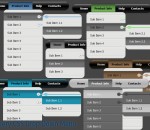
Create modern menu for your website with PalmPre style absolutely free using jQuery CSS Drop Down Menu. Select one of 6 color schemes. You don't need to have any design skills, know HTML, JavaScript, CSS, flash or any other coding, no photoshoping and image editing. Use ready to use jQuery CSS Drop Down Menu! The one thing you need to do is to write your own captions and links. This jQuery css drop down menu will work also even javascript is off.
WarChess is set in a dark and magic world where dwarves, elves, goblins, and strange creatures rule. Choose your army and defeat your opponent in gloriously rendered 3D chess environments including barren deserts, ancient temple ruins, and many other mysterious and mystical realms. from youtube.com/user/hiddenobjectco games and reviews.
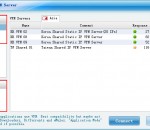
FLYVPN supports PPTP, L2TP and OpenVPN protocols; FLYVPN can based on applications with or without VPN;FLYVPN has hundreds of VPN servers and IPs in many areas all over the world, such as the USA, South Korea, Hong Kong, China ,Taiwan,UK;FLYVPN purpose is Unblock Websites/ VOIP's,Security & Anonymity,USA/China TV/Online video Watching,USA/Korea/Taiwan Online gaming,Hide/Change Your IP; VPN for iPhone,iPad,Android,mac;
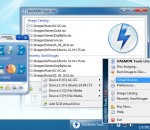
DAEMON Tools Lite is a virtual DVD-ROM emulator based on a SCSI miniport driver. It emulates max. 4 DVD-ROM drives and works with CD/DVD images created by many burning programs. It is great on notebooks without a physical CD-/DVD-ROM drive or to save akku power and speed up CD/DVD access. In opposite to other CD-/DVD-ROM emulators DAEMON Tools Lite doesn't use a proprietary container format.
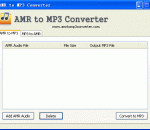
As its name show, AMR to MP3 Converter is one free audio converter for AMR audio and MP3 audio, it can convert AMR audio to MP3 or convert MP3 audio to AMR. This software can support batch audio conversion; users can convert many files at one time. Adaptive Multi-Rate (AMR) is used in speech coding and involves audio data compression. Audio data compression allows for more storage on voice files. ".amr" is a popular filename extension for AMR. Many cell phones use AMR for speech recording storage. MP3 is a proprietary format, it is a common audio format for consumer audio storage. Users can use this program as one ringtone maker, if you like some music, you can use this software to make your style mobile ringtone by yourself.
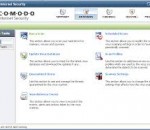
Complete protection against viruses and Internet attacks for Windows x64 computers Why Use Comodo Internet Security? Comodo Internet Security for Windows x64 is the free, multi-layered security application that keeps hackers out and personal information in. Built from the ground upwards with your security in mind, CIS offers 360° protection by combining powerful Antivirus protection, an enterprise class packet filtering firewall, and an advanced host intrusion prevention system called Defense+. Unlike the stripped down versions of commercial software that other software vendors offer for free, this is the full, completely functional version of the product. Alternatively, users can upgrade to CIS Pro for just $49 per year and receive two additional services—LivePCSupport (Total Security & Support Package)—a 24 hour per day, unlimited incident support services package which usually markets for $99 per year and TrustConnect - a secure Internet proxy service that ensures 128 bit encrypted connectivity from any public wireless hot-spot. CIS Includes: * Firewall: Slam the door shut on hackers and identity thieves. * Antivirus: Track down and destroy any existing malware hiding in a PC. * Defense+: Protects critical system files and blocks malware before it installs. * Memory Firewall: Cutting-edge protection against sophisticated buffer overflow attacks. * Anti-Malware Kills malicious processes before they can do harm. Features: * Antivirus, Anti-Spyware, Anti-Rootkit & Bot protection * Defends your PC from Internet attacks * Detects and eliminates viruses * Prevents malware from being installed * Auto Sandbox Technology™ * Easy to install, configure and use * Free to both business and home users What makes Internet Security different? Default Deny Protection™ (DDP) Only known and listed PC-safe files and applications are able to access your PC. Prevention-based protection Firewall and Antivirus combine to stop viruses and malware before they enter the PC. Personalized protection alerts Firewall quickly learns the rules you set for downloading software, and adjusts its alerts accordingly to fit your needs. Real-time access to updated virus definitions Automatic updates mean greatest possible protection possible against zero-day threats. One-click virus scanning Make sure your PC is clean with one simple button click. Uncluttered, user-friendly interface Quickly navigate through the various parts of Firewall protection without getting lost. Thorough security "wizards" Preset security settings for simple point-and-click setup. Unique "slider" to easily change your current security level Easily switch between presets to reflect your security preference at any given time. Exclusive access to Comodo's "safe-list" List of over two million known PC-friendly files and applications so safe files and apps are allowed to run. COMODO Internet Security (64 bit) 6.2.285401.2860 download tags COMODO Firewall x64 COMODO Antivirus x64 x64 Secure Internet Connection COMODO x64 x64 Firewall x64 Antivirus Windows x64 COMODO Internet Security (64 bit) 6.2.285401.2860 Windows 7 release notes New Release · FIXED! quot;Do not show this message againquot; does not work while updater is running · IMPROVED! HIPS menu item in system tray icon menu (advanced view mode only)
Complete media solution for extensive libraries. Organize, play, tag all types of media files. Rip, Burn, serve to Xbox, PS3, UPnP, DLNA, TiVo. Audiophile quality, Ten foot mode, remote control, HD TV recording in real time. Customizable media views. 3D views. Supports playe, cameras, 90+ media file formats. Integration with Facebook, Flickr, Audible, Amazon MP3, Google, Youtube, Wikipedia, Hulu, Last.FM, Twitter. Cover art lookup. Three skinned interfaces. Visualization Studio lets you create your own visualizations, DSP Studio allows personalization of the listening environment. Smartlists based on rules. Drag-and-drop for easy Playlist creation. Unique media browsing views for faster, easier and more powerful file search and play. Tagging studio. Integrated CD labeler. Support for CD and DVD database and support for popular handheld players. AUDIO Convolution -- Fine adjustment for room size and composition Volume leveling and other DSP effects can be applied in a sync to a handheld Gapless iTunes encoded MP3 playback Resample by Samplerate -- set MC17 to output any sample rate for each samplerate you have -- 88.2 for 44.1 DSD bitstreaming over ASIO Audio Path Direct -- An information window that shows what DSP effects are being applied (if any). Hover over the small DSP icon in the upper right corner while audio is playing. Television program guide view backdrops in Theater View DVD playback over Library Server IMAGES Image orientation VIDEO Conversion in DLNA and Library Server Red October Improvements for DirectShow video Subtitle Improvements Blu-ray title selection Carnac -- auto-tagging engine that fills in missing information about files by using the filename, codec, and other known information TELEVISION Theater View television guide browsing improvements (grid-style view, search, backdrops from TheTVDB, etc.) Improved DVB TV scanning, DVB-S Commercial skipping
GOM Media Player The only media player you need - for FREE! Not only is GOM Media Player a completely FREE video player, with its built-in support for all the most popular video and Media Player formats, tons of advanced features, extreme customizability, and the Codec Finder service, GOM Media Player is sure to fulfill all of your playback needs. With millions of users in hundreds of countries, GOM Media Player is one of the world`s most popular video players. Whats New : Added "Touch Setting" feature for touch screen devices. Added "Search box" feature on playlist. (Ctrl+F) Supported "HTTPS URL" for youtube or net radio playback. (Ctrl+U) Added "Music Tap" on preferences related to play music files. Improved performance related to "speed of add & delete" of files on playlist. Other miscellaneous corrections, fixes, and changes
Iperius Backup is one of the best free backup software, also released in commercial editions for those who need advanced backup features for their companies. The freeware version of Iperius Backup allows you to backup to any mass storage device, such as NAS, external USB hard drives, RDX drives, and networked computers. It has comprehensive scheduling and e-mail sending functions. It supports zip compression with no size limit, incremental backup, network authentication and the execution of external scripts and programs.
Maryfi is a free and easy to use software router for Windows 7, 8 , and 8.1 computers. With Maryfi, users can wirelessly share any Internet connection such as: a cable modem, a cellular card, or even another Wi-Fi network. Other Wi-Fi enabled devices including laptops, smart phones, music players, and gaming systems can see and join your Maryfi hotspot just like any other Wi-Fi access point and are kept safe and secure by password-protected WPA2 Encryption.