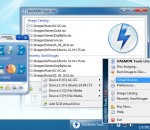
DAEMON Tools Lite is a virtual DVD-ROM emulator based on a SCSI miniport driver. It emulates max. 4 DVD-ROM drives and works with CD/DVD images created by many burning programs. It is great on notebooks without a physical CD-/DVD-ROM drive or to save akku power and speed up CD/DVD access. In opposite to other CD-/DVD-ROM emulators DAEMON Tools Lite doesn't use a proprietary container format.
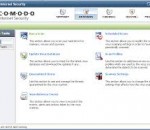
Complete protection against viruses and Internet attacks for Windows x64 computers Why Use Comodo Internet Security? Comodo Internet Security for Windows x64 is the free, multi-layered security application that keeps hackers out and personal information in. Built from the ground upwards with your security in mind, CIS offers 360° protection by combining powerful Antivirus protection, an enterprise class packet filtering firewall, and an advanced host intrusion prevention system called Defense+. Unlike the stripped down versions of commercial software that other software vendors offer for free, this is the full, completely functional version of the product. Alternatively, users can upgrade to CIS Pro for just $49 per year and receive two additional services—LivePCSupport (Total Security & Support Package)—a 24 hour per day, unlimited incident support services package which usually markets for $99 per year and TrustConnect - a secure Internet proxy service that ensures 128 bit encrypted connectivity from any public wireless hot-spot. CIS Includes: * Firewall: Slam the door shut on hackers and identity thieves. * Antivirus: Track down and destroy any existing malware hiding in a PC. * Defense+: Protects critical system files and blocks malware before it installs. * Memory Firewall: Cutting-edge protection against sophisticated buffer overflow attacks. * Anti-Malware Kills malicious processes before they can do harm. Features: * Antivirus, Anti-Spyware, Anti-Rootkit & Bot protection * Defends your PC from Internet attacks * Detects and eliminates viruses * Prevents malware from being installed * Auto Sandbox Technology™ * Easy to install, configure and use * Free to both business and home users What makes Internet Security different? Default Deny Protection™ (DDP) Only known and listed PC-safe files and applications are able to access your PC. Prevention-based protection Firewall and Antivirus combine to stop viruses and malware before they enter the PC. Personalized protection alerts Firewall quickly learns the rules you set for downloading software, and adjusts its alerts accordingly to fit your needs. Real-time access to updated virus definitions Automatic updates mean greatest possible protection possible against zero-day threats. One-click virus scanning Make sure your PC is clean with one simple button click. Uncluttered, user-friendly interface Quickly navigate through the various parts of Firewall protection without getting lost. Thorough security "wizards" Preset security settings for simple point-and-click setup. Unique "slider" to easily change your current security level Easily switch between presets to reflect your security preference at any given time. Exclusive access to Comodo's "safe-list" List of over two million known PC-friendly files and applications so safe files and apps are allowed to run. COMODO Internet Security (64 bit) 6.2.285401.2860 download tags COMODO Firewall x64 COMODO Antivirus x64 x64 Secure Internet Connection COMODO x64 x64 Firewall x64 Antivirus Windows x64 COMODO Internet Security (64 bit) 6.2.285401.2860 Windows 7 release notes New Release · FIXED! quot;Do not show this message againquot; does not work while updater is running · IMPROVED! HIPS menu item in system tray icon menu (advanced view mode only)
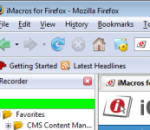
If you love the Firefox web browser, but are tired of repetitive tasks like visiting the same sites every days, filling out forms, and remembering passwords, then iMacros for Firefox is the solution you’ve been dreaming of! iMacros was designed to automate the most repetitious tasks on the web.***Whatever you do with Firefox, iMacros can automate it.*** Here are just a few examples of how you can use iMacros to automate your web browser and record and replay repetitious work. (1) Form Filler & Password Manager iMacros is the only form filler that can autofill web forms that stretch over several pages. (2) Automated Download & Upload iMacros can automate the download and upload of images, files, or entire pages (with or without images). iMacros includes a user agent switcher, PDF download and Flash, and ad- and image-blocking functions. (3) Data Extraction, Web Scraping/Mining & Enterprise Data Mash-Ups iMacros automatically reads data from a website and exports it to CSV files – the exact opposite of filling out forms. You can use this feature to download stock quotes, gather and compare web store prices, and more. (4) Web Testing Web professionals can use iMacros for functional, performance, and regression testing of web applications. (5) Social Scripting (Social Bookmarking) Instead of telling your site visitors how to fill out a form, let iMacros do it for them. All the information is stored inside the link as a text string, with nothing stored on our servers. iMacros is extremely versatile and can be combined with other extensions such as Greasemonkey, Web Developer, Firebug, Download Statusbar, NoScript, eBay Companion, Tab Effect, Fasterfox, SwitchProxy, Foxyproxy, Torbutton, Flashblock, VideoDownloader, DownThemAll, MinimizeToTray, FireFTP, Screengrab, RSS and Atom feed reader, and Adblock. iMacros for Firefox is free for personal and commercial use. Download the add-on today to start simplifying your Web tasks.
Friendly cyber cafe software with a complete set of features for cyber cafe management: wi-fi billing, thin clients support (NComputing, Windows Terminal Server), tickets, license keys, pre-paid and post-paid sessions, point-of-sale, a terminal protection, print charging, URL log and traffic calcuation, reports, etc. Charge the customers of your cafe, club, shop, hotel, etc. when they use your Wi-Fi hotspot from their Wi-Fi laptops. Cut down your game licensing expenses using the license key (CD-key) management system. Automatically charge your customers for monochrome and colour printing. Organize a chat between operator and customers. Browse a terminal screenshot, task manager and volume control. Sell items to walk-in customers. Make your unique receipt design. Use TrueCafe Client software to lock cyber cafe terminals and display customer session info. Remotely turn on, shutdown or restart terminals, start or terminate any application on a terminal, configure a list of applications that a user can start. Allow a customer to order items from a terminal. Setup any imaginable pricing model. Analyze your business data using TrueCafe Reports. Secure your data and actions providing your customers and employees with different security roles. Easily backup your database and configuration files manually or automatically. Use TrueCafe on Windows Terminal Server or NComputing Server. Calculate Internet traffic for a customer session. Keep track of the Internet websites and pages a customer opens on your cyber cafe terminal.
ZbotKiller is a useful application that will enable you to protect your PC and the personal information stored in it from Trojan-Spy.Win32.Zbot viruses. Programs of Trojan-Spy.Win32.Zbot family usually penetrate your computer when you visit infected Internet pages. However each cyber-criminal finds his own way how to use this malware and how to make it penetrate your computer.
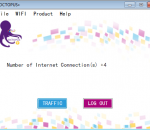
OCTOPUS+ helps in utilizing more than one internet connection in same computer . OCTOPUS+ is an innovative Internet Source Manger that brings a revolutionary change in the way internet connections are utilized. OCTOPUS+ will help in utilizing all the active internet connections available in a computer. OCTOPUS+ will intelligently manage the traffic between a computer and the internet among the available active internet connections. This will ease out the congestion through each of the active internet connections and thereby maximizing internet traffic throughput while delaying the reach the monthly download limit usually set by an ISP. OCTOPUS+ will monitor all the traffic flow through the internet interface and reshape traffic through the current available connections via an intelligent adaptive algorithm. OCTOPUS+ will dynamically avoid any faulty connection and shall adapt itself if such a connection becomes healthy again. All in real time. Whenever you have access to more than one internet source, Octopus+ can come to use. However, the best way to utilize OCTOPUS+ is to have your own 3G/4G CDMA/WiMAX wireless internet connection. If you have more than one WIFI adapter in your computer, you can connect to more than one wireless connection. You can couple LAN, 3G/4G, Wi-Fi or DSL all on one computer with OCTOPUS+ to get the full benefits. Default account is GUEST.You can login to OCTOPUS+ application using “GUEST” as Email ID. GUEST account is valid for thirty days on a particular computer. You can register for an own account using “Don't have an account?” in the Login page of OCTOPUS+ application. Alternatively you can register by clicking homepage To use Octopus+ in your computer, Login to your computer with administrator privilege account, or After installing Octopus+, press SHIFT button in keyboard and hold while you right click the shortcut item for Octopus+ and then click " RUN AS ADMINSTRATOR".
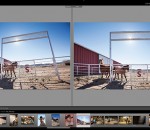
Adobe Photoshop Lightroom answers the digital photographer's call for a workflow application that allows photographers to quickly work with raw format images. With Lightroom you can manage all of your photographs; showcase them in print, dynamic slideshows, and interactive Web galleries that are a simple to produce. Lightroom's cross platform support allows photographers to effortlessly work on projects from any Windows or Macintosh computer on-location or in the office. Lightroom-spend less time at the computer, and more time behind the lens, doing what you love. Create the perfect look for every image whether you shoot raw or JPEG — Lightroom includes a comprehensive range of leading-edge image processing tools. Make precise overall adjustments to color and contrast, use a flexible brush to edit targeted areas of your photo, convert to black-and-white, reduce noise, adjust sharpness, and much more. Experiment fearlessly with as many image-editing controls, enhancements, and looks as you like. Lightroom is a nondestructive environment that encourages your creative exploration. Your original images are safely unaltered, and it's easy to reverse your steps or save multiple versions of any photograph. Select multiple photos in Lightroom and easily open them in Photoshop CS5 to merge them into a panorama, a high dynamic range (HDR) photo, or a creative composite. See your edits immediately back in Lightroom. Apply your favorite looks — including complex sets of adjustments — with a single click using presets. Many are included, and you can create and save your own. Lightroom boosts your creativity and saves you time. Built to be fast, intuitive, and easy to use, it's the efficient assistant you need — one set of powerful tools for your photography tasks, whether you're adjusting one image, searching for ten, processing hundreds, or organizing thousands. FEATURES: Your photography essentials in one package Quickly achieve the best from your photography with proven, refined software that provides efficient tools for all your photography tasks. You can edit, manage, and showcase all your images with one integrated solution. Intuitive environment Enjoy the freedom, creativity, and productivity that comes from working within an intuitive environment perfectly designed for the job. The controls of Lightroom are easy to master and let you breeze through your photography tasks quickly and smoothly. Highly tuned performance and design Quickly edit one photograph or work efficiently with libraries of up to hundreds of thousands of images. The already speedy performance of Lightroom has been accelerated even further in Lightroom 3. Import images faster and easier. Apply the same Develop settings to all photos in a group at once using presets or the sync feature. Efficient image viewing and selecting See, evaluate, and select your images quickly and clearly with flexible image viewing features. Instantly magnify one image or compare several. Even hide the background and application interface so that you can focus on what matters most — your images. Image management Get organized and find images quickly with powerful asset management features. Easily group photos into collections, quickly assign searchable ratings and keywords to one image or hundreds, manage your library across multiple drives, and sort or search for photos using many different criteria. The Lightroom community Trade tips, experience, Develop presets, and more with a thriving worldwide community of Lightroom users and photographers just like you in many venues online and offline.
Allows you to Customize the way a web page displays or behaves, by using small bits of JavaScript.
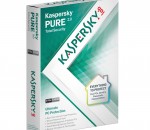
For the ultimate PC security solution, choose Kaspersky PURE 3.0 Total Security. It delivers everything you need to protect your PC – including your digital identity and your documents, photos, music, and passwords – against the latest, sophisticated malware and Internet threats. With special features that add further layers of protection when you’re online shopping or banking, Kaspersky PURE 3.0 also secures your money and your accounts against cybercriminals. • Award-winning protection – defends against all types of malware and Internet threats • Unique Safe Money – helps to secure your financial transactions and data • Advanced Password Manager* – adds further protection for your digital identity • FREE online backup – lets you restore your data to any PC, via the Internet • Innovative keyboard security – maintains the privacy of sensitive information • Low impact on resources – helps preserve your PC’s performance • Enhanced protection – encrypts and stores your most precious files • Simplified security – lets you manage protection for multiple PCs… from one PC *Password Manager is not available for x64 operating systems, applications, or browsers.
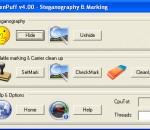
Professional Steganography & Watermarking SW - Image/Audio/Video/Adobe/Flash support - homepage [Home & Help]
Making seamless pattern/wallpaper/tile easily. Draw anything you like with lots of amusing brushes. (What is Seamless Pattern? It's the picture that can be used in many ways as background, like blogs and websites, posters, greeting cards, wall tiles, etc. Good works can even be sold on some designer sites.)
GOM Media Player The only media player you need - for FREE! Not only is GOM Media Player a completely FREE video player, with its built-in support for all the most popular video and Media Player formats, tons of advanced features, extreme customizability, and the Codec Finder service, GOM Media Player is sure to fulfill all of your playback needs. With millions of users in hundreds of countries, GOM Media Player is one of the world`s most popular video players. Whats New : Added "Touch Setting" feature for touch screen devices. Added "Search box" feature on playlist. (Ctrl+F) Supported "HTTPS URL" for youtube or net radio playback. (Ctrl+U) Added "Music Tap" on preferences related to play music files. Improved performance related to "speed of add & delete" of files on playlist. Other miscellaneous corrections, fixes, and changes
Iperius Backup is one of the best free backup software, also released in commercial editions for those who need advanced backup features for their companies. The freeware version of Iperius Backup allows you to backup to any mass storage device, such as NAS, external USB hard drives, RDX drives, and networked computers. It has comprehensive scheduling and e-mail sending functions. It supports zip compression with no size limit, incremental backup, network authentication and the execution of external scripts and programs.
Maryfi is a free and easy to use software router for Windows 7, 8 , and 8.1 computers. With Maryfi, users can wirelessly share any Internet connection such as: a cable modem, a cellular card, or even another Wi-Fi network. Other Wi-Fi enabled devices including laptops, smart phones, music players, and gaming systems can see and join your Maryfi hotspot just like any other Wi-Fi access point and are kept safe and secure by password-protected WPA2 Encryption.